
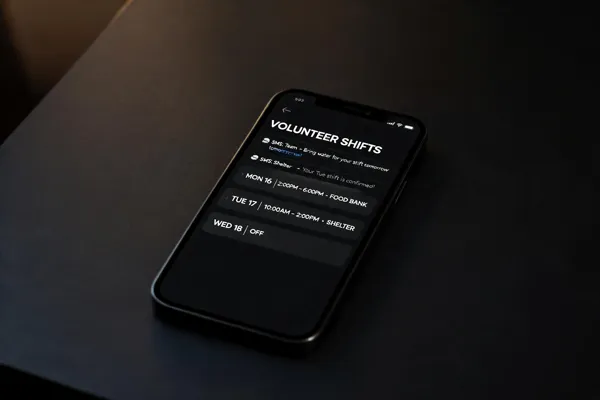
The Revolution in Volunteer Coordination
Setting the stage for the need for real-time communication
The volunteer landscape is more competitive than ever. With over 1.5 million nonprofits in the U.S., simply posting a schedule online no longer guarantees a full roster. The common struggle? Manual spreadsheets and mass emails that are often ignored. For an organization dependent on volunteer power, a slow response to a last-minute cancellation can mean a critical shortage on the ground.
Introducing the power of SMS in a mobile-first world
With 57% of nonprofit website traffic coming from mobile devices, your volunteers are already living on their phones. Yet, many organizations are still trying to catch fish with a bow and arrow. This is where the power of SMS comes in.
Text messaging is not just another channel; it's the most direct line to your volunteer base. With open rates soaring above 90% (compared to email’s 20%), a text message ensures your shift update is seen instantly. In a mobile-first world, SMS turns a potential communication bottleneck into a real-time, responsive solution. It moves an organization from hoping volunteers saw an email to knowing they did. That is the revolution.
Communication ChannelAverage Open RateBest Use CaseDrawbackEmail20-30%Detailed instructions, newslettersCan be buried or ignoredSMS90-98%Real-time shift alerts, urgent updatesCharacter limit, requires opt-inPhone Call~50% (estimated)Personal touch, complex issuesTime-consuming, intrusive
Why SMS is the Backbone of Modern Volunteer Management
Why SMS Open Rates Crush Email for Volunteer Communication
Volunteer coordinators face a simple problem: how to get a shift reminder seen and acted upon instantly. Email open rates for nonprofits hover around 20–30%. In contrast, SMS open rates consistently exceed 98%. That near-perfect read rate means a text about a shift start time or a last-minute cancellation is almost guaranteed to be seen promptly, making it the most reliable channel for real-time communication.
The Critical Need for Real-Time Updates and Shift Confirmations
Volunteer management requires urgent, two-way communication. SMS enables instant shift confirmations (like “Reply YES to confirm”), allows volunteers to request a swap or cancel, and lets coordinators broadcast urgent coverage needs to the entire pool in seconds. This speed dramatically reduces no-shows and keeps schedules fluid and filled. Automated reminders sent hours or minutes before a shift can further cut absenteeism, while post-shift surveys capture feedback instantly.
Mobile-First Behavior Demands a Mobile-First Solution
With over 57% of nonprofit website traffic coming from mobile devices, and 85% of smartphone users preferring text to voice calls or email, SMS aligns perfectly with how volunteers already communicate. This mobile-first behavior means texting is not just convenient but expected, making it the ideal backbone for managing shifts, recruiting last-minute replacements, and keeping volunteers engaged without requiring them to check a separate app or email inbox. | Channel | Open Rate | Response Time | Best Use Case for Volunteers |
|---------|-----------|---------------|------------------------------|
| Email | ~20-30% | Hours to days | Detailed instructions, newsletters |
| SMS | >98% | Minutes | Shift reminders, urgent cancellations, confirmations |
| Phone Call | Varies | Real-time | Complex issue resolution |
Building a Compliant and Effective Volunteer SMS Outreach Strategy
How do you build an effective SMS outreach strategy for community engagement?
First, you secure explicit opt-ins. The TCPA requires it. Don't guess. Add a clear checkbox to your volunteer sign-up form or use a "text-to-join" keyword like "Text VOLUNTEER to 55555." A double opt-in (asking them to reply 'YES') confirms consent and reduces accidental sign-ups. Always include an opt-out instruction like "Text STOP to unsubscribe" in every message to stay compliant. For more details, see TCPA consent requirements for nonprofits.
Collecting explicit opt-ins and compliance with TCPA
With a compliant list, segment your volunteers. Don't send a park-cleanup alert to your food-drive team. Use data collected at sign-up—like interests, skills, or zip code—to create targeted groups. This makes every message relevant, boosting engagement. Learn more about Automated data collection for volunteer interests and availability.
Building a segmented contact list by interest or role
Your SMS should be short, personal, and action-oriented. Use the volunteer's first name and get straight to the point. Include one clear call-to-action (CTA), like "Reply CONFIRM to secure your spot." For example: "Hey Sarah, your 9 AM shift at the shelter starts in 2 hours. Reply CONFIRM to let us know you're coming." See best practices on Personalized donor SMS messages.
Crafting concise, personalized messages with clear CTAs
Automate the routine but keep the conversation human. Set up workflows for shift reminders, post-event thank-yous, and feedback surveys. But also enable two-way texting. A volunteer who can't make a shift can text "CANCEL" and get alternative options instantly. Explore Automated shift-reminder texts and Shift reminders via text.
Using automated workflows and two-way conversations
Track open rates, confirmation rates, and conversion—this tells you what works. If only 30% confirm a shift, tweak your message timing or wording. A/B test different CTAs. Analyze your data to refine your approach, adjust segment definitions, and keep improving your strategy. The result is a volunteer program that runs smoothly. See how Tracking link clicks with built‑in shorteners can help.
Tracking performance metrics (response rates, conversions) to refine approach
Leveraging SMS for Real-Time Shift Management: The Core Mechanics

How can SMS be used for real-time volunteer shift management?
Real-time shift management hinges on speed and clarity. SMS is the ideal channel because 98% of texts are opened, often within minutes. This makes it possible to fill vacant slots or confirm rosters instantly.
Start with same-day reminders. A simple text asking volunteers to "Reply C to confirm" or "Reply with NEED HELP if you require assistance" allows coordinators to update rosters in real-time. If a volunteer cancels, the system can automatically trigger a broadcast to a backup list.
Broadcast texts are perfect for urgent updates—venue changes, cancellations, or emergency needs. A single message can reach the entire volunteer pool simultaneously, ensuring everyone has the same critical information.
Two-way messaging is essential for shift swaps. A volunteer can text "CANCEL" and automatically receive alternative slots. This eliminates phone tag and frees up staff time. Coordinators can also send a personalized request to a specific segment (e.g., "Weekend food-drive volunteers") to fill a gap quickly.
The best practice is to keep it to one short SMS per shift. Include the role, time, location, and a single call-to-action. Over-reminding can feel like a lack of trust, leading to ignored messages. Proper opt-in consent ensures this communication remains trusted and effective. This approach transforms scheduling from a manual headache into an automated, reliable system.
Budget-Friendly SMS Tools for Every Community Organization
What are the best free or low-cost bulk SMS services for community organizations?
For organizations on a tight budget, affordable bulk SMS services can avoid the costs of traditional email marketing and manual phone calls. Twilio.org offers discounted rates of $0.0075 per message and $500 in-kind grants for nonprofits. ExpertTexting provides a low cost of $0.0083 per message with unlimited keywords. Other options include MoboMobix starting at $50 per month for 2,000 messages and GiveLively.org, which offers free text-to-give and mass texting tools specifically for nonprofits.
What is the average cost per text message for SMS-based engagement tools?
SMS remains an inexpensive communication channel for community engagement. The cost per message typically ranges from $0.010 to $0.030. Platforms like EZ Texting often start with a 14-day free trial, and many providers allow unlimited incoming messages. Using an SMS API can scale costs based on volume, making text messaging a cost-effective way to boost event participation and manage volunteer shifts.
What is the best free app for scheduling volunteers?
SuperSaaS is a top choice for free volunteer scheduling. Its robust free tier allows you to create online sign-up sheets, manage shifts, and automate reminders without requiring payment details. The platform supports self-booking, capacity management, and integration with calendar apps and SMS tools, making it easy to organize service events.
What is the best free app for tracking volunteer hours?
Jibble is widely regarded as the best free app for tracking volunteer hours, offering a 100% free plan with unlimited users. It includes GPS location tracking, facial recognition attendance, and real-time reporting, working across mobile, desktop, and tablet devices.
What app helps people discover volunteer opportunities?
POINT helps people discover volunteer opportunities across all 50 states. The app allows you to search for local nonprofits, sign up, apply, and track your hours all in one place. It covers a wide range of cause categories and sends auto-communications like confirmations and reminders.
ToolBest ForKey FeaturesCost (Starting Point)Twilio.orgLow-cost bulk SMS$500 grants, $0.0075/msgDiscounted per-messageExpertTextingBudget messaging$0.0083/msg, no incoming feesLow per-messageSuperSaaSFree schedulingAuto reminders, self-bookingFree tier availableJibbleHour trackingGPS, offline, unlimited users100% free planPOINTOpportunity discoveryNationwide, confirms & remindersFree for volunteers
Navigating Legal Compliance and Best Practices for Bulk SMS
Is bulk SMS illegal? Understanding TCPA and ATDS
Bulk SMS is not illegal per se, but the Telephone Consumer Protection Act (TCPA) does lay out strict rules. A key concern is whether your texting software qualifies as an Automatic Telephone Dialing System (ATDS). While many modern platforms aren't classified as ATDS, it’s safest to assume they could be. The golden rule? Get express written consent from every volunteer before sending them a text. A simple checkbox on a sign-up form or a “Text VOLUNTEER to 55555” keyword campaign works perfectly and keeps you compliant. For more details, review TCPA consent requirements for nonprofits.
The golden rule of volunteering and its application in communication
Volunteering is built on trust and respect. Apply this same principle to your SMS strategy. Put your volunteers first by treating their time and attention as valuable. Don't bombard them with messages. Instead, send texts that are genuinely helpful—like a shift reminder or a thank-you. This transforms your communication from a chore into a valued service.
Best practices for message frequency to avoid burnout
Nothing kills engagement faster than a flood of texts. Stick to one SMS per shift, maximum two. For example, a single email reminder 48 hours out, plus one final text the morning of the event, is the sweet spot. This keeps volunteers informed without making them feel spammed or distrusted.
Including easy opt-out instructions
Every single text message must include a clear, simple way to unsubscribe. Something like “Reply STOP to opt out.” Not only is this required by the CAN-SPAM Act, but it also builds trust. When a volunteer texts STOP, your system should instantly remove them from your broadcast list. Never text someone again unless they actively re-subscribe.
Compliance with CAN-SPAM and time-window restrictions
Beyond the TCPA, the CAN-SPAM Act applies to informational SMS too. This means you must clearly identify your organization in every message and honor opt-outs within 10 days. Federal law also prohibits sending marketing or informational texts before 8 a.m. or after 9 p.m. in the recipient’s local time zone. Schedule your shift reminders for 9 or 10 a.m. to be safe and respectful. Neglecting these rules can result in fines of $500 to $1,500 per violating text, so using compliant software is a must. For a comprehensive guide, see TCPA consent requirements for nonprofits.
TopicKey RequirementWhy It MattersOpt-In ConsentExpress written or express consent (for 501(c)(3))The foundation of legal, trusted communicationTime WindowsDo not text before 8 a.m. or after 9 p.m. local timeAvoids legal penalties and respects personal timeOpt-Out (STOP)Include a clear opt-out instruction in every messageRequired by law, prevents finesMessage Frequency1-2 messages per shift maximumPrevents volunteer burnout and opt-outsCAN-SPAMIdentify your org; honor opt-outs within 10 daysLegal compliance for all SMS campaigns
Integrated Tools and Automation: The Future of Shift Management
How does SMS integration with CRM and scheduling platforms reduce admin work?
SMS-powered volunteer management is strongest when it connects to your existing systems. Pulling contact data directly from a CRM ensures your messages always have the most current phone numbers, eliminating the need to maintain separate contact lists. This means a schedule change in your event management platform can trigger a text notification to affected volunteers instantly. Integrate VolunteerHub texting with Salesforce creates a live feedback loop, and Integrate SMS with Planning Center, Google Calendar, or your CRM enables this automated coordination.
When a volunteer texts a keyword to confirm a shift, the update appears in real-time in your scheduling dashboard. The system can then automatically adjust available spots or open the slot up for other volunteers. This reduces manual data entry and keeps your roster accurate. Two‑way SMS conversations for shift management and Instant shift swaps and coverage alerts via text further streamline the process.
What does an automated SMS flow look like for shift management?
A well-designed automation sequence handles the entire volunteer lifecycle without staff effort. You can build workflows that send a confirmation immediately after sign-up, a reminder 48 hours before the shift, and another reminder two hours before start time. Automated volunteer text reminders and Automated shift‑reminder texts are core features that support this. Automated email and SMS reminders to cut no‑shows and SMS reminders cut no‑shows are proven to reduce no-show rates.
Post-shift automation is just as important for retention. A thank-you text sent after the shift, followed by a quick feedback survey, shows volunteers their time was valued without requiring manual follow-up. Gathering volunteer feedback with text‑to‑vote surveys and SMS surveys (text‑to‑vote) for feedback make this easy. This consistent, automated appreciation reduces staff burnout and strengthens engagement. Send thank‑you texts to boost volunteer retention and Automated thank‑you texts improve retention highlight this benefit.
How can ‘text-to-join’ keywords build richer volunteer profiles?
Using a keyword like 'SIGNUP' for self-scheduling has dual benefits. First, it lets volunteers claim available shifts without logging into a web portal. Second, you can attach data-collection questions to that keyword. Volunteers are asked their role preference, availability, zip code, and experience at the moment of sign-up, building a rich profile in seconds. How text‑to‑join keywords simplify volunteer sign‑ups and Text‑to‑join feature for easy SMS subscription explain this process.
This collected data forms the basis for future segmentation. You can send targeted shift alerts to volunteers within a 10-mile radius or those who prefer weekend cleaning tasks. Using keywords to segment volunteers by location and skill and Tag and segment volunteers by role, time, or location enable this precision. Such segmentation leads to higher engagement, faster fill rates, and reduces the risk of irrelevant messages that cause volunteers to unsubscribe. Segment volunteer lists for targeted texting reinforces this approach.
How does analytics help optimize volunteer engagement?
Analytics reveal the impact of your SMS strategy. By tracking open rates, confirmation replies, and final shift attendance, nonprofit coordinators can see exactly what works. For instance, correlating a certain text send-time with higher confirmation rates lets you optimize future campaigns. Tracking link clicks with built‑in shorteners and Tracking broadcast SMS link performance provide these insights.
Furthermore, measuring unsubscribe rates after specific messages prevents volunteer fatigue. If a particular type of reminder leads to more opt-outs, you can adjust the frequency or content. Managing opt‑outs in real‑time and Handling opt-out requests in text campaigns are critical for maintaining healthy lists. This data-driven approach separates a well-tuned automation from noisy broadcast blasts. Dashboards to spot trends and coverage gaps support this analysis.
How does this all come together?
FeatureBenefitExample in ActionCRM IntegrationReal-time roster sync & personalized dataShift change updates roster in Google Calendar; text sends to affected volunteersAutomated RemindersNo-shows drop by up to 30%"Your shift starts in 2 hours. See you at the main entrance!"Keyword Self-SchedulingLow-friction sign-up & profile creationText "SIGNUP" → answer location & availability → get matched to relevant shiftsData Collection & SegmentationHigher relevance & engagementSend alerts for building projects only to volunteers who indicated that interest
This interconnected system replaces disjointed manual steps with a seamless, real-time engine for volunteer management.
Transforming Volunteer Engagement One Text at a Time
The Power of a Single Text
Traditional volunteer management is often bogged down by spreadsheets, unanswered emails, and manual phone trees. Shifts go unfilled, no-shows pile up, and staff burnout becomes the norm. SMS flips this script.
With open rates above 98%, text messaging ensures your shift alerts are seen instantly. Volunteers can confirm, cancel, or swap a slot with a simple reply. Automated reminders cut no-shows while personalized messages make each volunteer feel valued. This isn't just about convenience; it's about building a reliable, engaged volunteer force.
Make the Shift to Smarter Communication
The evidence is clear: organizations that adopt SMS for real-time shift management see higher fill rates and lower staff stress. The cost of inaction is watch your best volunteers drift away to a competing nonprofit that texts back.
Whether you're managing a food bank or a campus event, the right SMS tool reduces chaos. It turns scheduling from a chore into a streamlined process that runs on autopilot, freeing your team to focus on mission-critical work.
Empower Your Volunteers, Protect Your Team
When volunteers feel connected, they show up and they stay. A thoughtful SMS strategy—built on consent, segmentation, and timely reminders—creates a culture of engagement. Staff no longer spend hours chasing down replacements. Systems handle the heavy lifting.
The goal isn't just to fill a shift. It's to build a community where technology serves the mission, not the other way around. Adopting SMS is a simple, powerful step toward that future. Your volunteers are waiting. Send the text.
Related Blogs
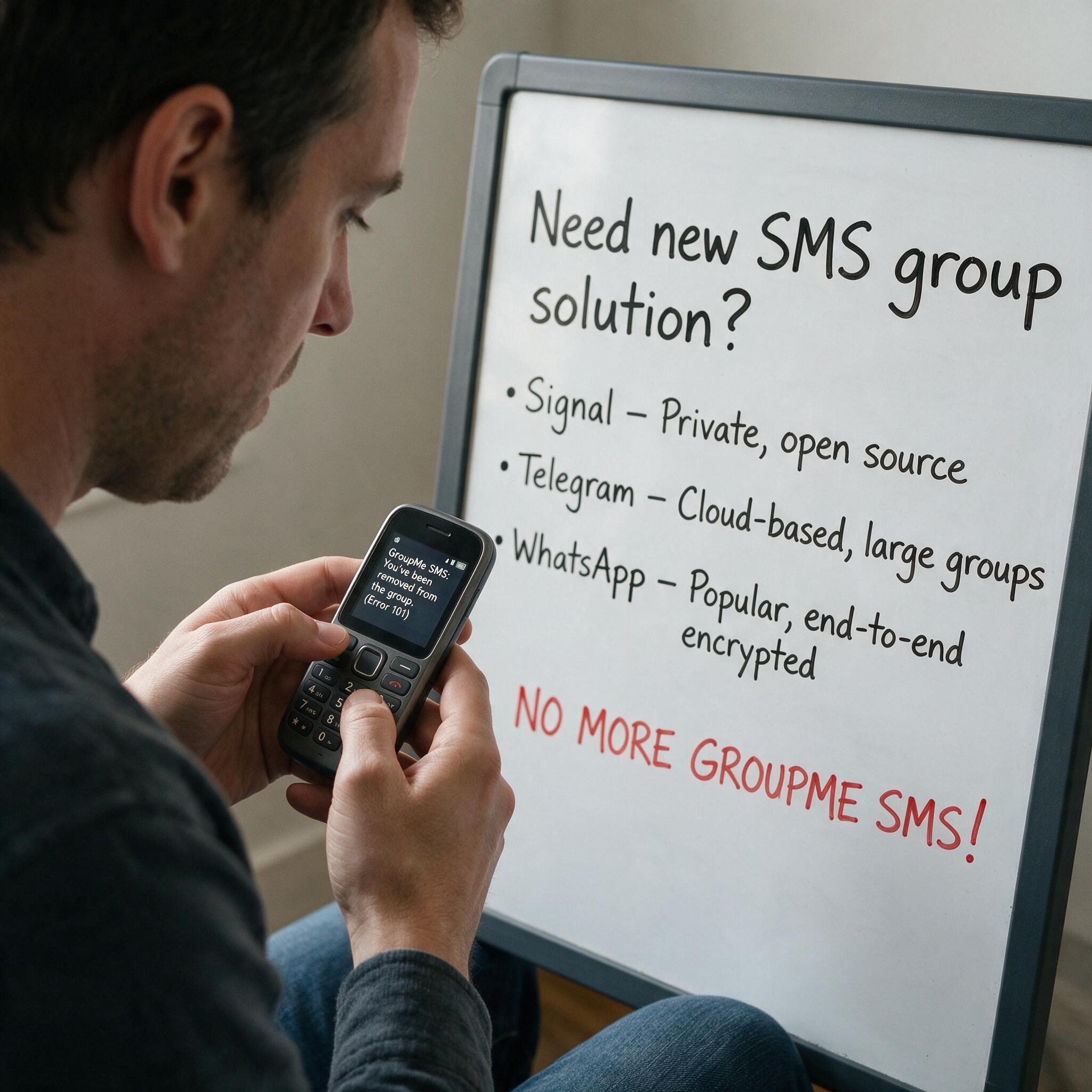

Got Kicked Out of GroupMe? Look to Evant.
Michael PedoeemGot Kicked Out of GroupMe? The Best GroupMe SMS Alternative for Jewish Communities

How to Send Targeted Alerts During Live Events
Michael PedoeemMastering Targeted Event Alerts: Real-Time Communication Strategies for Nonprofits
Top 7 SMS Trends for Communities in 2026
Michael PedoeemFrom AI-powered responses to text-to-donate and two-way texting — here are the 7 SMS trends every shul, school, and nonprofit needs to know about in 2026