
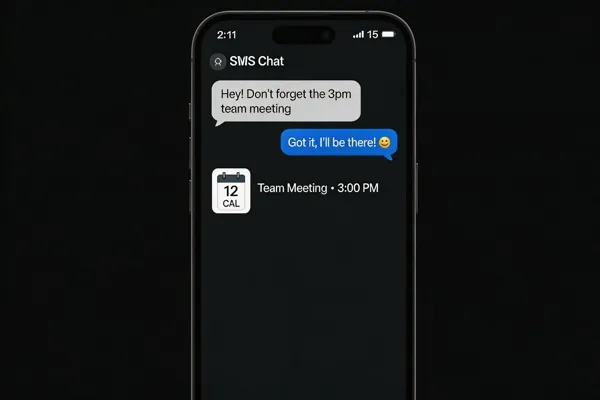
The Power of SMS in Modern Event Planning
SMS messaging delivers an eye‑popping 98% open rate and roughly a 45% response rate—far outpacing email’s sub‑30% opens and minimal replies. Because texts are read within minutes, organizers can count on instant visibility for invitations, reminders, and last‑minute alerts.
Automation turns this speed into reliability. With a few clicks planners schedule registration confirmations, countdown reminders, session‑start nudges, and post‑event surveys. Trigger‑based workflows can fire 15 minutes before a keynote, send venue‑change alerts in real time, or launch thank‑you messages after the event, eliminating manual follow‑ups and reducing staff workload.
Modern SMS platforms such as Evant.app, Textedly, and SMS‑iT integrate directly with CRMs (Salesforce, HubSpot, Blackbaud) and event apps, syncing contact data, RSVP status, and attendance timestamps automatically. This unified view eliminates duplicate entry, keeps donor or student records current, and fuels analytics that reveal delivery, response, and open rates. Together, high open rates, automated real‑time coordination, and seamless CRM integration give nonprofits and educational institutions a low‑cost, high‑impact tool for boosting participation and streamlining every phase of event logistics.
SMS Messaging Basics: Rates, Templates, and Automation
![✅ SMS open rate ≈ 98 % & response ≈ 45 %.
📋 Templates (under 160 chars):
• General reminder – “Reminder: [Event] at [Time] on [Date].”
• Personal touch – “Hi [Name], we’re excited to see you at [Event] tomorrow!”
• Details – “Hi [Name]. The [Event] starts at [Time] at [Venue].”
• Day‑before – “Just a reminder, [Event] is tomorrow at [Time] at [Venue].”
⚙️ Automation triggers: time‑based (24 h, 15 min), attendee actions, real‑time updates.
🛠️ Free/low‑cost tools: Evant (free tier), TextSpot (500 msgs), TextMyGuests (free trial), Google Form + Twilio via Zapier.](https://cdn.prod.website-files.com/68a34a9578911bbeedab4b32/69bb998abd672d2e34ccf478_71ca44a3-b739-4ec2-852d-aaa81ff42e84-banner-340255d6-2e50-4181-8bff-b16f4329a4c0.webp)
SMS messages dominate event communication with an average 98% open rate and a 45% response rate—far surpassing email’s sub‑30% opens. This high visibility translates into immediate engagement, especially when messages are concise and include essential details.
Effective SMS Templates
- General reminder: “Reminder: [Event Name] at [Time] on [Date].”
- Personal touch: Hi [Name], we’re excited to see you at [Event Name] tomorrow!
- Details included: “Hi [Name]. The [Event Name] starts at [Time] at [Venue]. See you there!”
- Day‑before reminder: Just a reminder, [Event Name] is tomorrow at [Time] at [Venue]. These templates can be personalized with merge tags and keep the message under 160 characters for instant readability.
Automation Triggers & Scheduling SMS automation lets planners schedule messages based on time (e.g., 24‑hour and 15‑minute reminders), attendee actions (registration confirmation, RSVP reply), or real‑time updates (venue changes, speaker delays). Platforms such as Evant, Textedly, and TextMyGuests support automated flows, two‑way texting, and CRM sync, reducing manual effort and ensuring every stakeholder receives the right information at the right moment.
Free SMS Event Tools Evant offers a free tier with SMS RSVP, check‑in, and basic analytics—ideal for nonprofits and schools. TextSpot provides 500 free messages with bulk texting and autoresponders. TextMyGuests includes a free trial for scheduling reminders and collecting replies. Combining a Google Form with a Twilio trial via Zapier also yields a zero‑cost RSVP‑confirmation workflow.
Collecting RSVPs: Free Apps and Simple Tracking
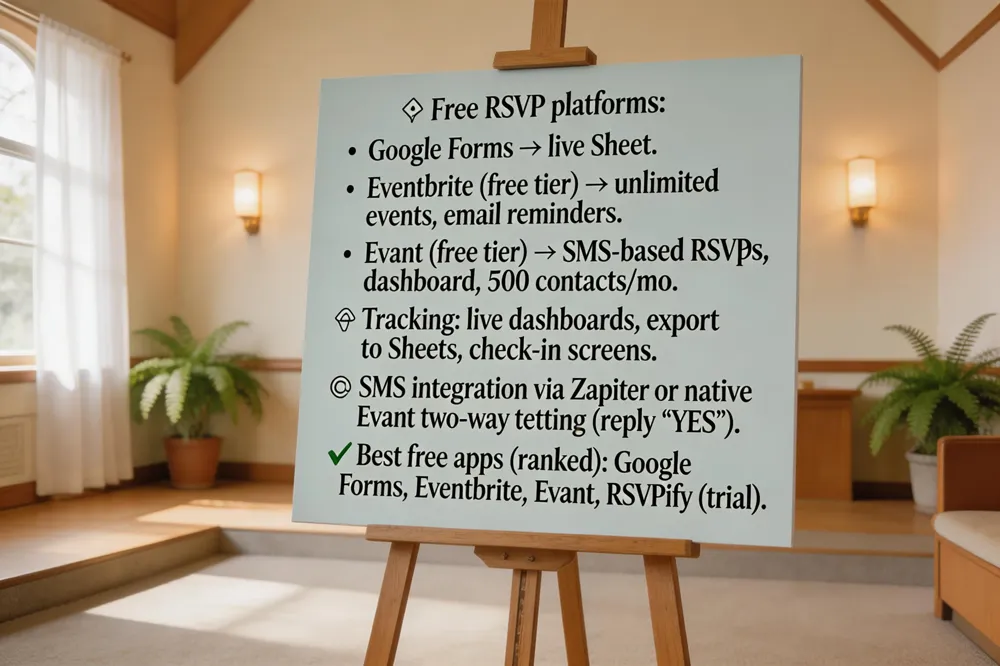
Free RSVP platforms
Nonprofits and schools can rely on zero‑cost tools that still deliver reliable attendance data. Google Forms offers instant sign‑up forms that feed a live spreadsheet, while Eventbrite’s free tier lets you create unlimited events with basic RSVP lists and email reminders. Evant.app also provides a free plan that uses SMS‑based RSVPs, real‑time dashboards, and up to 500 contacts per month—perfect for organizations that want text‑first communication without extra apps.
Tracking RSVPs without cost
All three solutions give you live visibility into who has responded. With Google Forms you export data to Google Sheets for quick filtering; Eventbrite includes a built‑in check‑in screen that works on any mobile browser; Evant’s dashboard shows RSVP conversion, attendance trends, and even sends automated reminders, all at no charge for the first 500 participants.
Integration with SMS
Evant’s platform uniquely combines RSVP collection with two‑way SMS, allowing attendees to confirm by replying "YES" and receive instant confirmations, venue changes, or post‑event surveys. This eliminates the need for separate messaging apps and ensures a 98 % open rate for critical updates. Google Forms and Eventbrite can also be linked to SMS via Zapier or native integrations, letting you trigger a text reminder 15 minutes before the event.
Best RSVP app free
- Google Forms – simple, spreadsheet‑driven.
- Eventbrite (Free tier) – basic event list & email.
- Evant (Free tier) – SMS RSVPs, check‑ins, analytics.
- RSVPify (Free trial) – limited‑time free with SMS support.
Is there a free app to track RSVP?
Yes—Google Forms, Eventbrite, Partiful, RSVPify, and Evant’s free plan all let you collect and monitor RSVPs without a paid subscription, giving nonprofits and schools a cost‑effective way to manage attendance and stay connected via SMS.
Opt‑In, Compliance, and Legal Safe‑Harbors
![🔐 Opt‑in setup:
- Choose short code/keyword (e.g., TEXT JOIN TO 12345).
- Consent message: “Reply YES to receive updates from [Org]. Msg & data rates may apply.”
- Capture timestamp & number via Evant, Twilio, Textedly.
- Confirm with “Thanks, you’re now subscribed.” ⚖️ TCPA compliance: • Explicit opt‑in & easy STOP. • Every outbound msg includes “STOP”. • Platforms log opt‑outs in real time (audit trail). 💰 Legal safe‑harbor: documented consent, clear sender ID, honor STOP promptly.](https://rank-ai-generated-images.s3-us-east-2.amazonaws.com/71ca44a3-b739-4ec2-852d-aaa81ff42e84-banner-e1332a38-420e-4569-8cdc-205433f11c03.webp) Setting up an SMS opt‑in is straightforward and essential for any nonprofit or educational event. First, choose a short code or keyword (e.g., text JOIN to 12345). Draft a clear consent message such as “Reply YES to receive updates from [Organization]. Msg & data rates may apply.” Use an SMS gateway—platforms like Evant, Twilio, or Textedly—to capture replies and automatically record the consent timestamp and phone number in your CRM. Follow up with a confirmation text: “Thanks, you’re now subscribed to [Organization] alerts.”
TCPA compliance hinges on two key actions: explicit opt‑in and easy opt‑out. Every outbound message must include a “STOP” keyword, and the platform should log opt‑out requests in real time. Many SaaS solutions (e.g., Evant, Blackthorn) embed audit trails and opt‑in management to protect against fines of up to $1,500 per unsolicited text.
Legally, SMS blasting is permissible only when you have documented consent and provide clear sender identification (short code or toll‑free number). Maintaining a consent database, honoring STOP requests promptly, and using a compliant provider safeguard your organization and reduce liability while keeping engagement rates—often 98% open and 45% response—through.
Mass Texting: Planning, Segmentation, and Execution
 Steps for Sending Bulk SMS
- Collect contacts – Export the attendee list from your CRM or registration platform. 2. Segment – Separate by role (volunteer, donor, participant) to tailor messages. 3. Draft concise copy – Include event name, date, time, location, and a clear CTA (e.g., “Reply YES to confirm”). 4. Choose a gateway – Use Evant, Twilio, or another bulk‑send provider. 5. Schedule – Send reminders 1 week, 1 day, and 1 hour before the event. 6. Monitor – Track delivery, responses, and opt‑outs; follow up with non‑responders.
Segmentation Best Practices
- Use CRM data to create audience slices (new donors, repeat attendees, staff). - Tailor language and offers to each slice; personalized texts boost response rates by up to 30 %. - Keep lists clean; regularly purge invalid numbers to protect deliverability.
Cost Considerations
- Bulk SMS pricing in 2026 ranges from $0.003 to $0.05 per message, depending on volume and carrier fees (10DLC). - Platforms like Evant bundle carrier fees into subscription plans starting at $24 / month, which can be more predictable for small nonprofits. - Track ROI using built‑in analytics (open, response, RSVP conversion) to justify spend.
FAQs Send mass text for event – Steps: collect contacts, segment, draft copy, choose gateway, schedule, monitor.
Mass texts for businesses – Obtain opt‑in consent, segment audiences, stay under 160 characters, include CTA and STOP option, monitor metrics, stay TCPA‑compliant.
Best SMS‑based event tools – Evant (RSVP, check‑in, CRM sync), SimpleTexting (bulk, templates), Twilio (API), Eventbrite SMS (ticketing integration), Zapier + Google Forms (DIY).
Lifecycle Communication: Pre‑Event, On‑Site, and Post‑Event SMS
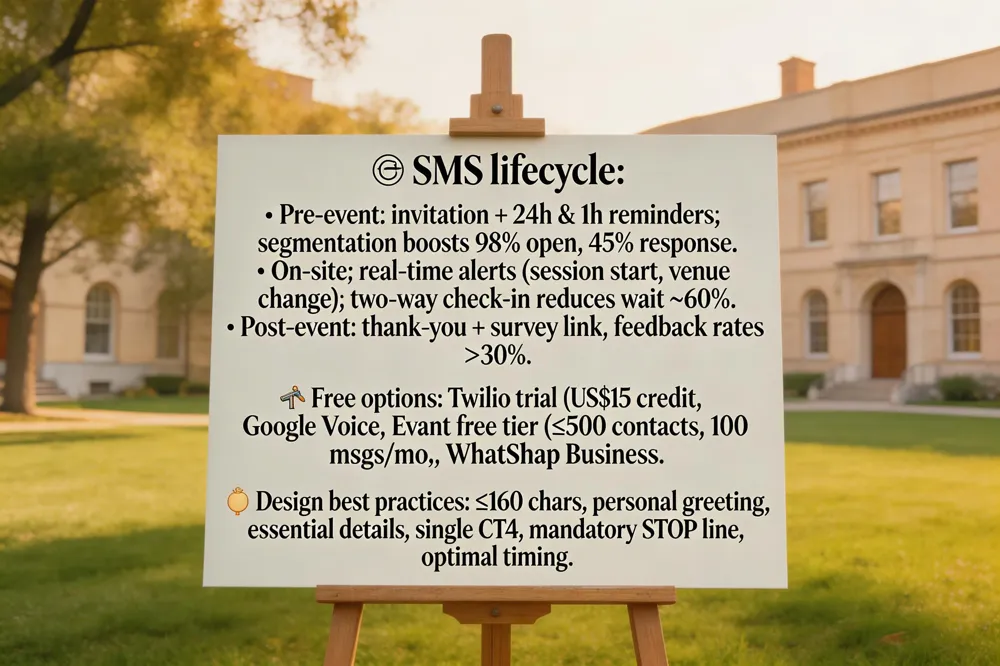
Effective event communication follows a three‑phase SMS lifecycle—pre‑event, on‑site, and post‑event—each with distinct goals and best‑practice tactics.
Pre‑event announcements and reminders Start with a concise, 160‑character invitation that includes the event name, date, time, location, and a clear call‑to‑action such as "Reply YES to RSVP." Schedule a series of messages: an initial invite weeks in advance, a reminder 24 hours before, and a final nudge 1 hour prior. Use SMS automation platforms (e.g., Evant, Textedly, or a Twilio trial) to trigger these messages automatically based on registration status. Segmentation lets you send tailored reminders to volunteers, speakers, or VIP attendees, boosting open rates—averaging 98 %—and response rates up to 45 %.
Real‑time on‑site updates During the event, SMS provides instant, universal reach. Push session start alerts, venue changes, or emergency notices with one‑click broadcasts. Two‑way texting enables attendees to confirm check‑in by replying a keyword, reducing wait times by up to 60 % and freeing staff from manual lists. Integration with CRM or event apps syncs check‑in data in real time, giving organizers a live attendance dashboard for dynamic resource allocation.
Post‑event surveys and thank‑you messages After the event, send a brief thank‑you text followed by a link to a short survey. Because 98 % of texts are read within minutes, post‑event feedback rates can exceed 30 %—far higher than email surveys. Analytics dashboards (available in Evant, Blackthorn, or Sinch Engage) track delivery, open, and response metrics, letting you refine future communications and demonstrate ROI to sponsors.
FAQ
- Event text messaging free: Free options include a Twilio trial (US15 credit), Google Voice for one‑to‑one texting, Evant’s free tier (up to 500 contacts, 100 messages/month), and WhatsApp Business for direct chats. These are suitable for small gatherings; larger campaigns require paid plans for volume and compliance.
- SMS event design: Keep messages under 160 characters, start with a personal greeting, list essential details, include a single CTA (e.g., "Reply YES"), and add a mandatory opt‑out line ("STOP to cancel"). Schedule at optimal times and embed short links for additional info.
- Is SMS getting phased out?: While SMS‑based MFA is declining, SMS remains the most reliable channel for event alerts. Adoption of messaging apps is growing, but the majority of U.S. consumers still rely on plain‑text SMS, so it is unlikely to disappear soon for nonprofit outreach.
By automating each lifecycle stage, event planners can cut manual effort, maintain compliance, and achieve higher attendance, engagement, and post‑event satisfaction—all while staying within modest budgets.
Putting It All Together With Evant
Logging into Evant is a breeze: users enter a simple username and password on a secure web portal, then land on a clean, mobile‑friendly dashboard that shows upcoming events, RSVP counts, and quick‑action buttons for new broadcasts. The dashboard aggregates data from SMS RSVPs, check‑ins, and targeted messages, presenting real‑time metrics such as delivery rates, open rates (often 98 %), response times, and attendance trends. Organizers can filter by segment—volunteers, speakers, donors—to spot engagement gaps and adjust messaging instantly. Because Evant runs on a SaaS model, there are no costly hardware purchases; pricing starts at $24 per month and messages cost only $0.01‑$0.05 each, making it ideal for nonprofits with tight budgets. The platform also bundles CRM sync, compliance tools, and a 24/7 support line, delivering a full‑stack solution that boosts participation while keeping expenses low. Admins can also export annual reports for board reviews, ensuring transparency and data‑driven decision making effectively.
Related Blogs
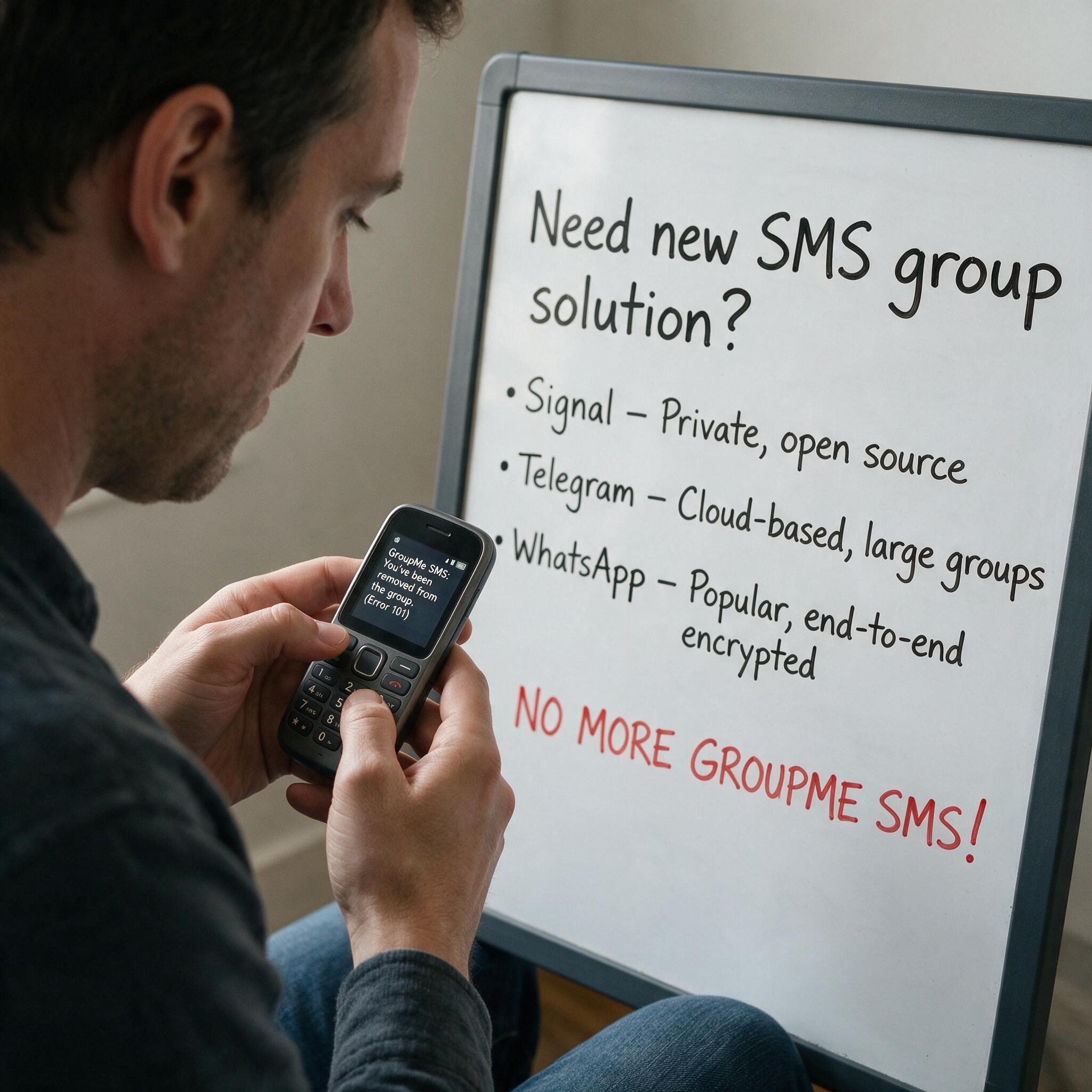

Got Kicked Out of GroupMe? Look to Evant.
Michael PedoeemGot Kicked Out of GroupMe? The Best GroupMe SMS Alternative for Jewish Communities

How to Send Targeted Alerts During Live Events
Michael PedoeemMastering Targeted Event Alerts: Real-Time Communication Strategies for Nonprofits
Top 7 SMS Trends for Communities in 2026
Michael PedoeemFrom AI-powered responses to text-to-donate and two-way texting — here are the 7 SMS trends every shul, school, and nonprofit needs to know about in 2026