
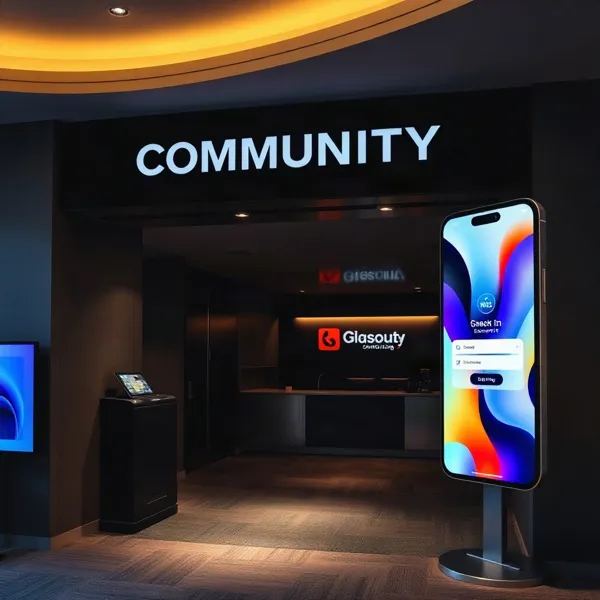
Make Every Event Easier to Run
For a nonprofit or school, one event rarely stays one event. A fundraiser ends, a volunteer gathering needs attention, then another community program is already on the calendar. Each deserves care, but repeating the same manual coordination can drain a small team.
Event technology can reduce repetitive work when it fits the way teams plan and communicate, rather than adding another disconnected task. Skift Meetings describes centralized workflows for reviewing event content and managing shared files, helping staff work from current information instead of chasing email threads and spreadsheet versions.
Efficiency should protect the welcome attendees came for, not just help an organization run more events. Evant supports that balance with SMS RSVPs, check-ins, targeted messages, CRM integration, and analytics, so teams can coordinate participation and keep event information connected.
A repeatable playbook, tools that fit existing workflows, timely communication, and useful attendance data can give staff more room to focus on people. The goal is not to make every event identical. It is to make the behind-the-scenes work dependable enough for each gathering to feel personal.
Build a Repeatable Event Playbook

A repeatable playbook gives each event a dependable structure without forcing every gathering to feel the same. Start with the reason for the event, what success should look like, the budget, and a timeline that continues through follow-up. This planning foundation is also outlined in Evant’s event playbook guidance.
For a nonprofit, goals might include bringing new families into a school community, helping members connect, or inviting supporters to take part in a fundraiser. Turn those goals into practical measures, such as registrations, attendance, or participation in a program. Then shape the format, location, and messages around the people you want to reach.
Keep reusable materials for the parts that recur: an event brief, planning timeline, run sheet, approved supplier details, and post-event review. These reduce repeated decisions and make it easier to hand work between staff and volunteers. Documenting processes also helps preserve working knowledge when people change roles. The Skift Meetings overview of event technology describes how centralized content and asset workflows can reduce coordination across email threads and scattered files.
A master calendar helps teams spot date conflicts and coordinate venues, suppliers, and workstreams across overlapping events. Assign one owner to each task, with deadlines and clear handoffs. Set realistic lead times and reserve a budget buffer for unexpected costs, rather than depending on last-minute fixes.
Consistency should apply to the process, not every attendee experience. A church gathering, a student workshop, and a donor event may need different formats and messages. Evant supports this kind of communication through SMS RSVPs, targeted messaging, event check-ins, CRM integration, and analytics, helping teams connect event participation with community communication.
Build contingency steps into the run sheet for likely disruptions, such as a venue change, a volunteer cancellation, or a schedule adjustment. Afterward, review attendance and feedback against the original goals, record what should change, and carry those lessons into the next event. That turns a one-off fix into a better process for the whole calendar.
Choose Tools That Fit the Workflow
The right event software should remove handoffs, not add another system to manage. A centralized platform can bring schedules, documents, approvals, attendee details, communications, and team tasks into one shared workspace. That reduces the need to reconcile email threads and spreadsheet versions. Event technology workflows offer one example of how shared content and approval processes can reduce repeated coordination.
For nonprofits and schools, start with the work the system must support. Check whether it handles registration and RSVPs, check-in, attendee and volunteer communications, and reporting as connected needs. Evant supports SMS RSVPs, event check-ins, targeted messaging, CRM integration, and analytics, which can help teams connect outreach with event participation.
Ease of use matters when staff share responsibilities with rotating volunteers. Look for clear workflows, accessible interfaces, responsive support, and controls for permissions, consent, and attendee data. CRM or donor-record integration can also reduce duplicate data entry and make follow-up easier to manage.
Match the tool’s complexity and total cost to the events you actually run. A small community gathering may not need the same features as a multi-session conference, while recurring programs benefit from workflows that staff can reuse. Confirm what is included in the price, what requires extra setup, and whether the system can grow with your needs.
Mobile-responsive tools can help staff review information or make updates when they are away from a desk, a useful option during busy planning periods. Treat specific features in vendor examples as evidence of what that product offers, not as a promise that every platform includes the same functions. Choose based on your team’s real workflow, data needs, and capacity.
For a practical comparison, map each stage of the event and ask where information is entered, who needs access, and what should happen next. That makes it easier to see whether a platform connects the work or simply adds another place to check.
Make Registration Simple and Connected
A registration form should make it easy to say yes, not feel like a second application. Keep it short, mobile-friendly, and easy to open from your website or an invitation. Ask for a name and a contact detail, then add questions about dietary needs or guest counts only when they affect planning.
When a room or meal count is limited, set a capacity limit and make it clear when registration closes or spots are full. Send an immediate confirmation with the event date, time, location, and a simple way to change or cancel the RSVP. That gives people useful information while giving organizers a more dependable headcount.
Automated confirmations and reminders save staff from chasing each response by hand. Keep registration details in a shared event system or CRM, rather than separate spreadsheets, so the team can work from the same attendee list. Centralized workflows can also reduce repeated updates across email threads and documents, a benefit discussed in Skift Meetings’ overview of event technology.
Offer SMS RSVP alongside the form, especially in invitations sent to community members who prefer texting. Put the text option and form link where they are easy to find, and make it clear whether people can reply with questions. For organizations serving nonprofits and schools, Evant supports SMS RSVPs and event check-ins, with attendee information and communications organized for event work. A text reply should be another straightforward route into the same process, not a separate list someone has to reconcile later.
Coordinate Operations Before Event Day
An event plan becomes real through coordinated operations: the venue or online platform, vendors, schedules, equipment, staff, accessibility, safety, and activity on the day itself. For a nonprofit, that can mean aligning a volunteer briefing with room setup, catering, registration, and the program so each task is ready when needed.
Start by giving every task a clear owner. Name who oversees the event, coordinates vendors, manages technology, handles logistics, and supports attendees on site. A shared checklist and a current run-of-show help staff and volunteers see what is done, what is next, and who should respond if something slips.
Keep schedules, contact details, setup notes, and approvals in a shared source of truth rather than scattered email threads. A centralized event content workflow can help a team review updates in one place, while a unified calendar makes overlapping events and resource conflicts easier to spot.
Plan staffing and supplies around busy periods, not just average demand. Confirm who covers arrival, transitions, breaks, and accessibility needs, and prepare practical backups for likely disruptions such as a network outage, a delayed vendor, or a schedule change. Evant supports event check-ins and targeted messaging, so teams can connect attendance workflows with timely updates to their community.
Technology cannot replace preparation. Share the run-of-show in advance, walk staff and volunteers through their assignments, and make the escalation path clear: who can approve a change, solve a check-in issue, or contact attendees. For a broader look at turning plans into coordinated execution, see event logistics planning.
Use SMS to Keep Communities Informed

A timely text can answer the questions people have right before an event: Where do I go? What should I bring? Has the schedule changed? For nonprofits, schools, and churches, SMS can support the whole event cycle, from invitations and RSVP prompts to reminders, directions, day-of updates, and follow-up.
Keep each message relevant by segmenting contacts into groups such as attendees, volunteers, members, or church communities. A location change can go to registered guests, while a shift reminder goes only to the volunteers assigned to that shift. This avoids turning every update into a broadcast, and gives people information they can act on.
Evant’s SMS-based community engagement tools support targeted messaging alongside event RSVPs and check-ins. Teams can use these workflows to send an invitation, prompt a response, and share practical details with the right audience. For more examples across the event lifecycle, see ways SMS can keep communities informed.
Two-way texting makes the channel useful for coordination, not just announcements. Recipients can confirm attendance, ask about parking, or reply to a volunteer shift request. Someone on the team must be ready to monitor incoming messages and route questions to the person who can answer them. If replies go unanswered, a convenient channel can quickly become another source of frustration.
Where the tools support it, registration, payment, or check-in can inform or trigger a message. A new RSVP might prompt a confirmation with arrival instructions, while a completed check-in can help staff avoid sending an unnecessary attendance reminder. Scheduled and action-based sends reduce the need to write and send the same routine messages by hand. Event technology workflows can also centralize updates and reduce repetitive coordination, though the available features vary by platform.
A simple sequence might begin with an invitation and RSVP prompt, followed by a reminder with the address and what to bring. If the venue or schedule changes, send the update to affected participants. Afterward, thank attendees, share any promised resources, and invite feedback. Attendance information can help teams shape later outreach, but messages should reflect what recipients agreed to receive.
Set communication safeguards before sending. Get clear consent, identify the organization in each message, and provide an easy way to opt out. In the United States, organizations sending mass texts may need carrier registration, so allow time for that step before an urgent campaign. Keep contact lists current and make sure someone is responsible for opt-outs and replies.
The goal is not to text people at every opportunity. It is to give each group useful information at the moment it helps them participate, while making logistics easier for the staff and volunteers running the event.
Speed Check-In Without Losing Accuracy
A fast arrival process depends on everyone working from the same attendee list. Keep registrations in one place and use a consistent check-in method, such as searching by name or scanning a QR code or ticket number. Evant supports event check-ins alongside SMS RSVPs, so teams can connect attendance with the communication around an event.
For a busy arrival window, open multiple stations and give each staff member a clear role. One person can scan tickets, another can search for names or resolve registration questions, while a greeter directs people to the right place. Send practical instructions ahead of time, including where to enter and what to have ready. QR-code check-in workflows can help attendees arrive prepared.
Keep a backup attendee list available in case a device fails or the connection drops. Decide in advance how staff will record walk-ins, name changes, and other exceptions, then enter those updates into the central list when service is restored. A consistent process makes it easier to compare actual arrivals with registrations and RSVPs, and to identify who registered but did not attend.
Real-time attendance visibility can help organizers adjust staffing, room capacity, or supplies as people arrive. Still, keep a human help point for guests whose names are missing, who need accessibility assistance, or who have questions. Technology can record the routine check-ins, while staff handle the situations that need judgment and care.
After the event, use the attendance record to inform follow-up and improve planning. When check-in information is connected with an organization’s CRM, teams can see participation alongside other community interactions rather than treating each event as an isolated list. Evant combines check-in tools with CRM integration and analytics, helping nonprofits and educational organizations keep event participation information connected.
The Skift Meetings review of event technology describes centralized workflows and mobile access as ways event teams can reduce repeated coordination work. Apply the same principle at the door: one current guest list, a clear fallback, and staff ready to help.
Turn Attendance Data Into Better Decisions

A check-in count tells you who arrived. Attendance data becomes more useful when it also shows who registered, how people responded to RSVP requests, when they arrived, which sessions they joined, and what they thought afterward. Reviewing those signals together can reveal where an event drew interest and where participation faded.
Compare registrations and RSVP responses with actual check-ins to spot patterns in who attends and who does not. If many people register but fewer arrive, consider whether reminder timing, event timing, or the outreach channel needs to change. Registration totals alone are not a measure of success. For more on turning event records into actionable insights, see attendance data strategies for better event decisions.
Patterns can guide practical choices for the next event. Registration sources can help shape promotion; popular sessions can inform the program; arrival times can guide staffing and entry plans. Attendance and RSVP trends can also help estimate space, supplies, and budget needs, while feedback gives context for what the numbers do not explain.
When check-in information connects with contact records, teams can thank attendees with relevant follow-up and invite people who could not attend to a future gathering. Evant combines SMS RSVPs, event check-ins, CRM integration, and analytics, helping nonprofit and education teams keep participation and communication data connected.
Review results across recurring events, alongside attendee feedback and the organization’s mission goals. Attendance figures can show who took part and where engagement occurred, but they do not establish event quality or mission impact on their own. Use them as evidence for better questions and decisions, not as the whole verdict.
Reduce Repetitive Work Across Events
When events overlap, small bits of coordination multiply: a speaker sends a new biography, a sponsor updates a logo, and someone has to work out which spreadsheet has the approved version. Centralized content workflows help teams review, edit, and approve information in one shared place instead of chasing email threads. Skift Meetings describes how approved session details can also move directly to an event website, reducing manual updates.
A shared repository for logos, headshots, presentations, run-of-show documents, and handouts makes current materials easier to find across events. It also gives teams a clearer view of what is ready and what still needs review. For nonprofits with limited staff, that matters: the goal is to remove repeated searching and copying, not add another system that everyone must maintain.
Self-service workflows can reduce back-and-forth with sponsors and exhibitors. They can submit organization details, choose a booth location, and upload materials for organizer review, while event staff retain approval control. Clear file requirements and automatic error messages can catch an unsuitable format early, before it becomes another email and resubmission.
Permission-based access helps keep collaboration organized. Speakers, sponsors, and staff can be given access to the information they need, with editing and approval rights limited to the appropriate people. This makes it easier to share work without publishing unapproved details or exposing feedback to the wrong audience.
Some platforms offer these capabilities through specific products, but features vary, so teams should confirm how a tool handles permissions, approvals, and shared files before adopting it. For recurring events, Evant’s SMS RSVPs, event check-ins, targeted messaging, and CRM integration address communication and attendance workflows; teams can assess whether those functions fit alongside their content-management needs.
Close the Loop After Each Event
The event is not finished when the last guest leaves. Reconcile registrations with actual attendance, review costs, and gather feedback from attendees, staff, and volunteers while details are still fresh.
Look for evidence that points to a practical change. Did reminders reach people in time? Did check-in slow down? Did staffing match the busiest periods? Evant brings SMS RSVPs, event check-ins, CRM integration, and analytics into the same community-engagement workflow, helping teams connect communication and participation data.
Keep the lessons that worked and revise the parts that caused friction. Update message timing, registration steps, staffing plans, logistics checklists, and reusable templates before the next event. A structured improvement cycle for events gives the team a place to record decisions and follow through.
Event technology can support that review by keeping schedules, content, and approvals together instead of scattered across email and spreadsheets, as described by Skift Meetings. But efficiency is not simply fewer tasks. The goal is a repeatable process that leaves more room for clear communication, a welcoming arrival, and meaningful community participation.
Make Efficiency Serve Participation
High-volume event management should not make every gathering feel the same. Dependable workflows and connected tools give teams room to adapt each event to its people, rather than spend their energy reconciling lists and repeating routine tasks. A Skift Meetings overview of event technology describes how shared content workflows and centralized event assets can reduce coordination work.
For nonprofits and schools, that means clear plans, simple RSVPs, useful SMS updates, and check-in that records attendance accurately. Evant brings SMS RSVPs, targeted messaging, check-ins, CRM integration, and analytics into community event workflows, helping staff keep communication and participation connected.
Measure what happened, follow up with attendees, and use what you learn to shape the next event. The goal is not simply to run more events with less effort. It is to make each one easier to join and more worthwhile for the people it serves.
Related Blogs

Evant vs Tithe.ly Messaging: Church Texting Compared (2026)
Michael PedoeemTithe.ly bundles texting into its church management plans. Evant focuses on texting that gets a response. Here is how the two compare.
Evant vs Clearstream: Church Texting Compared (2026)
Michael PedoeemClearstream is built for high-volume church texting. Evant is built to get a response. Here is how they compare on price, calls, RSVPs, and giving.
Evant vs Text In Church: Which Is Better for Your Church? (2026)
Michael PedoeemText In Church is built for guest follow-up. Evant is built to get people to reply, RSVP, and give. Here is how the two compare in 2026.