
Why SMS RSVP Matters for Modern Events
SMS invitations reach attendees instantly—U.S. data show a 98 % open rate and most messages read within minutes, far outpacing email. This immediacy lets organizers send reminders and updates that drive higher response rates. Real‑time headcounts generated by “YES/NO” text replies give event planners accurate crowd sizes, essential for staffing, seating, catering, and safety compliance with capacity limits. When RSVP data syncs automatically with CRM systems, analytics dashboards display live attendance trends, dietary needs, and segment‑specific engagement, enabling targeted messaging and data‑driven decisions that reduce waste, improve crowd flow, and boost overall event success.
Foundations: SMS Events, Technology and Legal Landscape
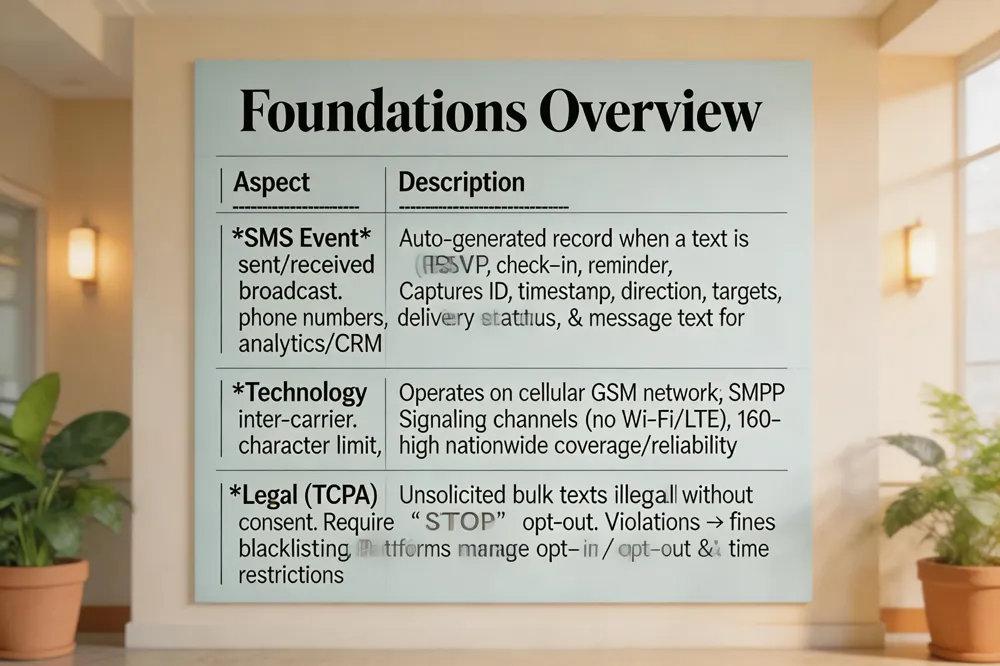 What is an SMS event? An SMS event in Evant is a record automatically generated whenever a text message is sent or received as part of an RSVP, check‑in, reminder, or broadcast. It logs metadata—unique message ID, timestamp, direction (inbound/outbound), internal target, external contact, phone numbers, and delivery status—so organizers can monitor engagement in near real‑time. The payload can be sent to a webhook and, with consent, include the message text, feeding analytics and CRM integration for precise crowd‑size forecasting.
What technology does SMS use? SMS runs on the cellular voice network using the GSM protocol for short‑packet routing. Inter‑carrier exchange relies on SMPP (Short Message Peer‑to‑Peer). Because it uses signaling channels, than data, SMS works without Wi‑Fi or LTE and does not count against data plans. Messages are limited to 160 characters per segment, offering high reliability and nationwide coverage.
Is SMS text blasting illegal? Under the U.S. Telephone Consumer Protection Act (TCPA), unsolicited bulk texts are illegal without prior express consent. Senders must provide a clear opt‑out (“STOP”) and may only message recipients who have opted in. Violations can lead to fines and carrier blacklisting. Platforms like Evant embed opt‑in/opt‑out management and time‑of‑day restrictions to ensure compliance.
RSVP Mechanics: From Text to Real‑Time Guest Lists
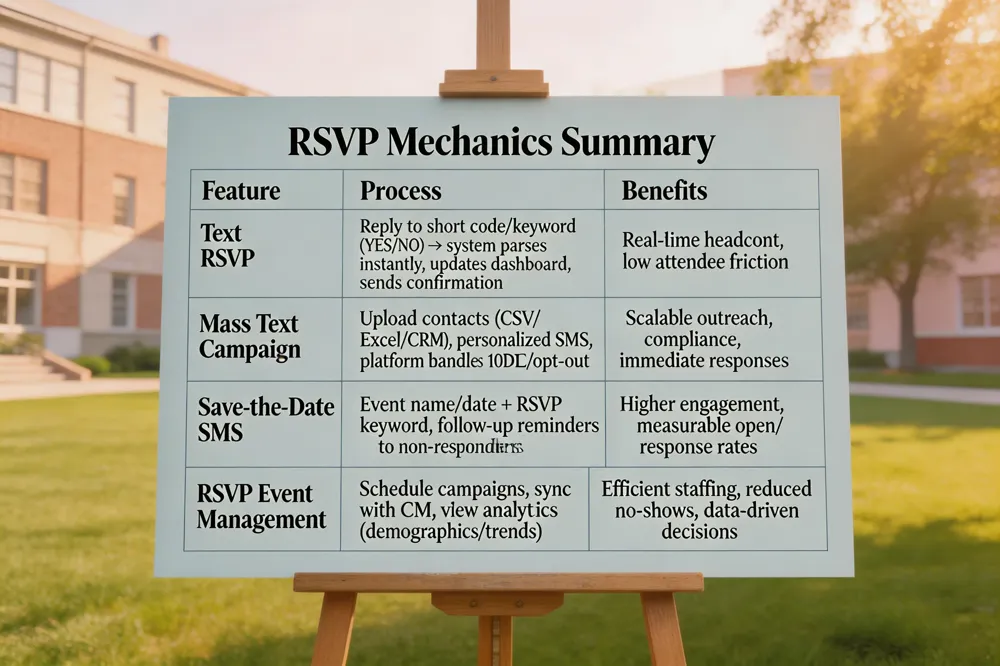 SMS RSVP platforms such as Evant turn a simple text message into a live guest list. How to RSVP via SMS? Attendees reply to the unique short code or dedicated number in the invitation with a keyword—typically “YES” to confirm, “NO” to decline, or a custom phrase that captures additional details (e.g., “YES, 2 guests, vegetarian”). The system parses the reply instantly, updates the organizer’s dashboard, and sends a confirmation text. Changes can be sent later using the same number, keeping the headcount accurate.
Send mass text for event. Organizers upload a contact list (CSV, Excel, or CRM sync) and craft a personalized SMS invitation with merge tags. Evant handles 10DLC registration, opt‑out compliance, and real‑time delivery reports. Recipients receive a one‑on‑one message; replies are captured in the platform’s inbox and reflected on live dashboards.
Digital save the date with RSVP. A concise “Save‑the‑Date” SMS includes the event name, date, and a short RSVP keyword. Follow‑up reminders target non‑responders, and analytics reveal open rates and response totals, allowing fine‑tuned outreach.
RSVP events & management. Each RSVP event is a scheduled SMS campaign that records confirmations, syncs data with CRM systems, and provides real‑time headcounts. Integrated analytics show demographic trends, enabling nonprofits and schools to allocate staff, seating, and resources efficiently while reducing no‑shows and manual entry.
Crowd‑Flow Strategies Powered by Real‑Time SMS Data
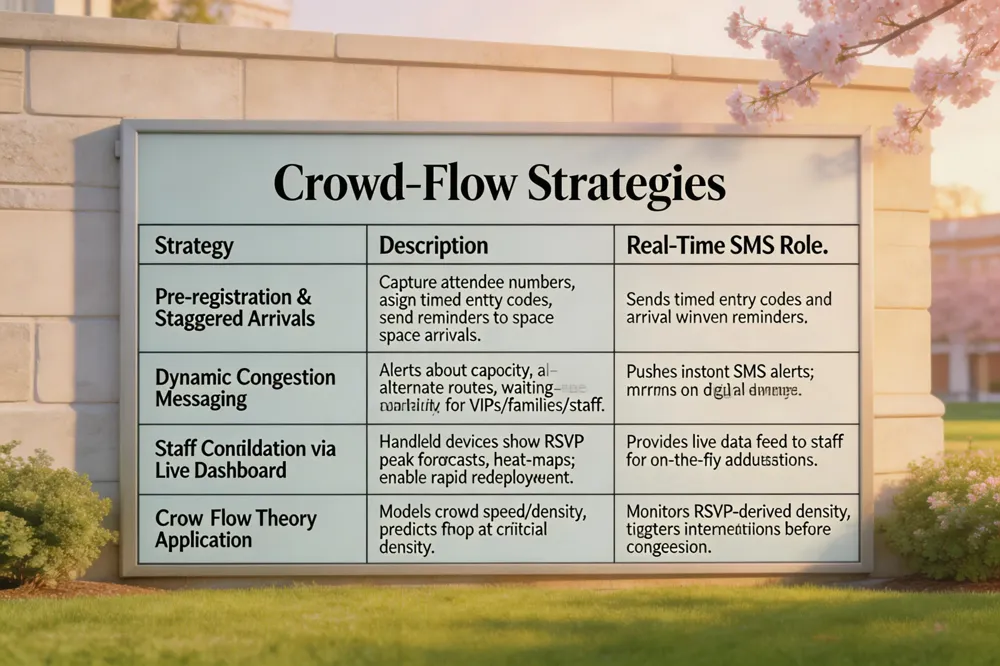 Effective crowd‑flow management begins with pre‑registration and staggered arrivals. Using platforms like Evant, organizers capture attendee numbers during SMS RSVP, assign timed entry codes, and send reminder texts that space out arrival windows. A venue walk‑through identifies bottlenecks; temporary barriers, clear signage, and floor‑markings guide traffic toward entrances, exits, and check‑in stations.
Dynamic messaging for congestion keeps guests informed and distributes foot traffic. Real‑time SMS alerts notify attendees of current capacity levels, alternate routes, or waiting‑area availability. Integrated digital signage mirrors these messages, while segmented texts target VIPs, families, or staff with specific instructions.
Staff coordination via live dashboard ensures rapid response. On‑site stewards receive live RSVP counts, peak‑arrival forecasts, and density heat‑maps on handheld devices. This data lets managers redeploy personnel to hotspots, open additional gates, or trigger emergency alerts instantly.
Crowd management techniques: Use Evant's SMS registration to capture numbers, stagger arrivals, and provide timed entry codes. Deploy staff with live dashboard updates for quick reallocation.
How do you manage crowd flow?: Set capacity limits with SMS pre‑registration, send real‑time directional SMS, and equip volunteers with live dashboard alerts to adjust barriers and staff on the fly.
What is the crowd flow theory?: It models crowd speed and density like fluid dynamics, predicting that flow drops sharply once a critical density is reached. Real‑time RSVP data lets planners monitor density and intervene before congestion occurs.
Event reminder text: Schedule a sequence of personalized SMS reminders—7 days, 3 days, and the morning of the event—each pulling RSVP status and key details, cutting no‑shows by up to 12 %.
Check‑In, QR Codes and Post‑Event Analytics
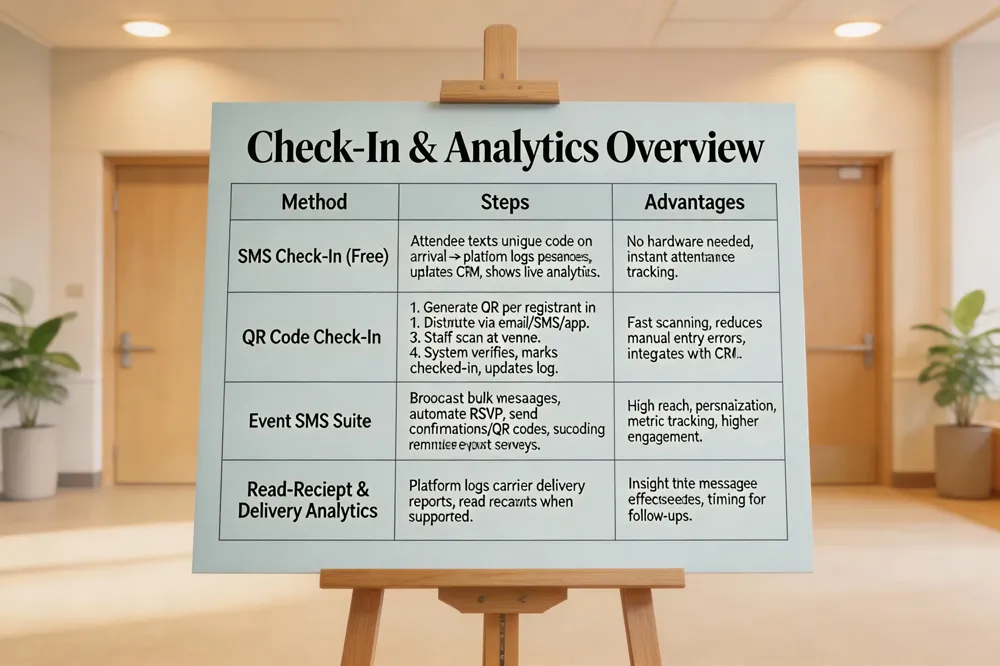 Event check in sms free – Evant’s free plan lets nonprofits and schools run SMS‑based check‑ins at no cost. Attendees simply text a unique code when they arrive; the platform records their presence instantly, updates the CRM, and shows live analytics on who has checked in and who is still pending. No QR‑code scanners or extra hardware are required—just a phone and a short text.
How to use QR code for event check-in? 1. Create the event in Evant and enable QR‑code generation for each registrant; a unique code is embedded in the confirmation email or ticket. 2. Distribute the QR codes via email, SMS, or the Evant app. 3. At the venue, staff use a tablet, laptop, or scanner running Evant’s dashboard to scan the code. 4. The scan instantly verifies registration, marks the guest as checked‑in, and updates the real‑time attendance log. 5. Monitor stats, export reports, and follow up with attendees.
Event SMS – Evant’s Event SMS suite broadcasts bulk messages instantly through carrier networks, reaching attendees without internet. It automates RSVP collection, sends real‑time confirmations and unique QR codes, schedules reminders, and delivers post‑event surveys. All messages sync with Evant’s CRM for audience segmentation, personalization, and metric tracking, driving higher attendance and engagement.
How to see if someone has seen your SMS? – Evant logs read‑receipt analytics when carriers provide delivery reports, showing timestamps for opened messages in the "Message Insights" tab. Native phone apps (iMessage, Google Messages) also offer read receipts if both parties enable them. Otherwise, only delivery receipts are available.
Evant login – Access the account at https://app.evants.app using email/password, Magic Link, or SSO (Google/Microsoft). Use the new dashboard after December 1 for SMS RSVP tools, check‑ins, targeted messaging, CRM integration, and analytics.
Putting It All Together for Safer, Better‑Attended Events
Instant SMS RSVPs give organizers live headcounts, letting them allocate staff precisely. Real‑time alerts keep attendees updated on schedule changes, directions, and safety notices. Evant offers a free tier for small nonprofits and affordable paid plans for larger events today efficiently.
Related Blogs
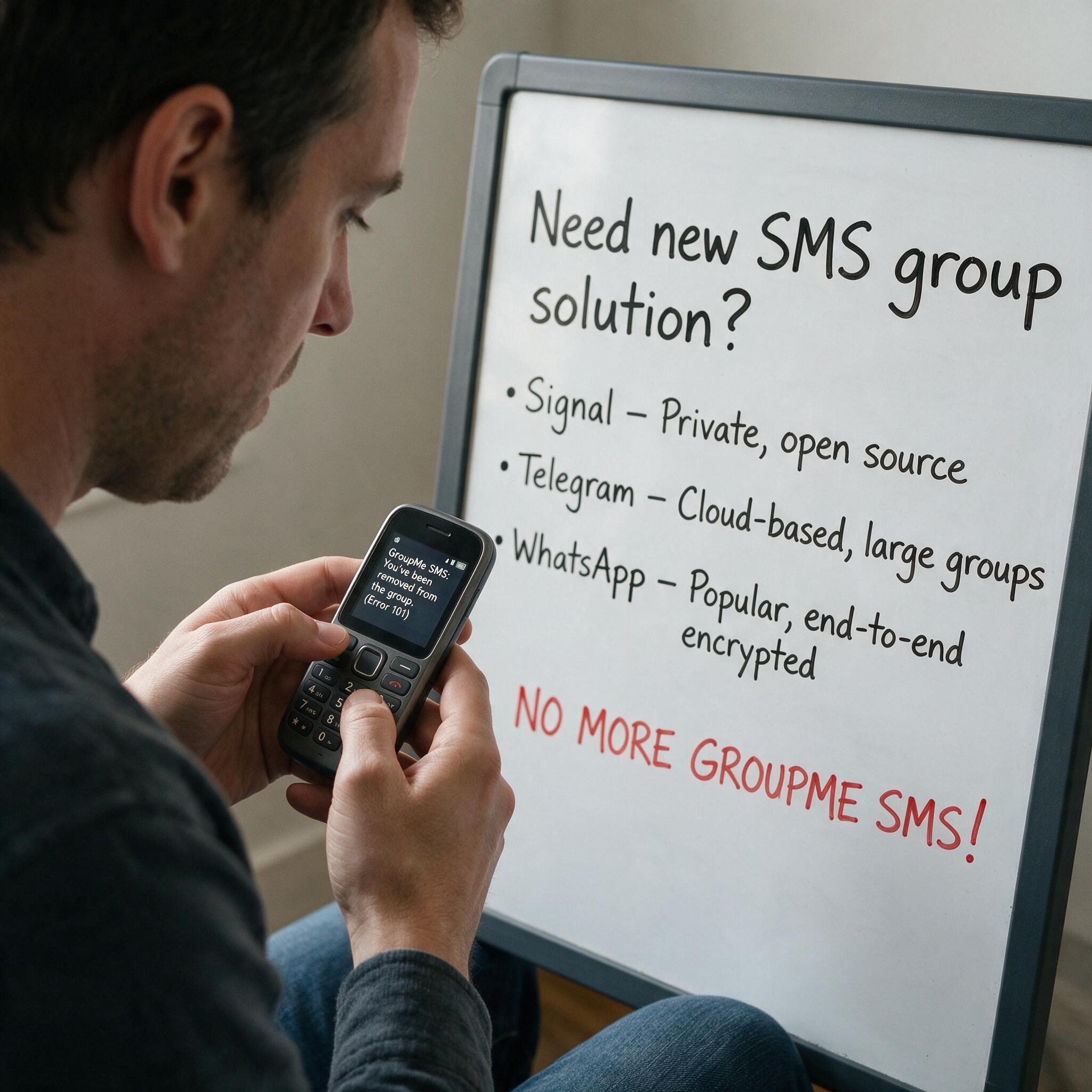

Got Kicked Out of GroupMe? Look to Evant.
Michael PedoeemGot Kicked Out of GroupMe? The Best GroupMe SMS Alternative for Jewish Communities

How to Send Targeted Alerts During Live Events
Michael PedoeemMastering Targeted Event Alerts: Real-Time Communication Strategies for Nonprofits
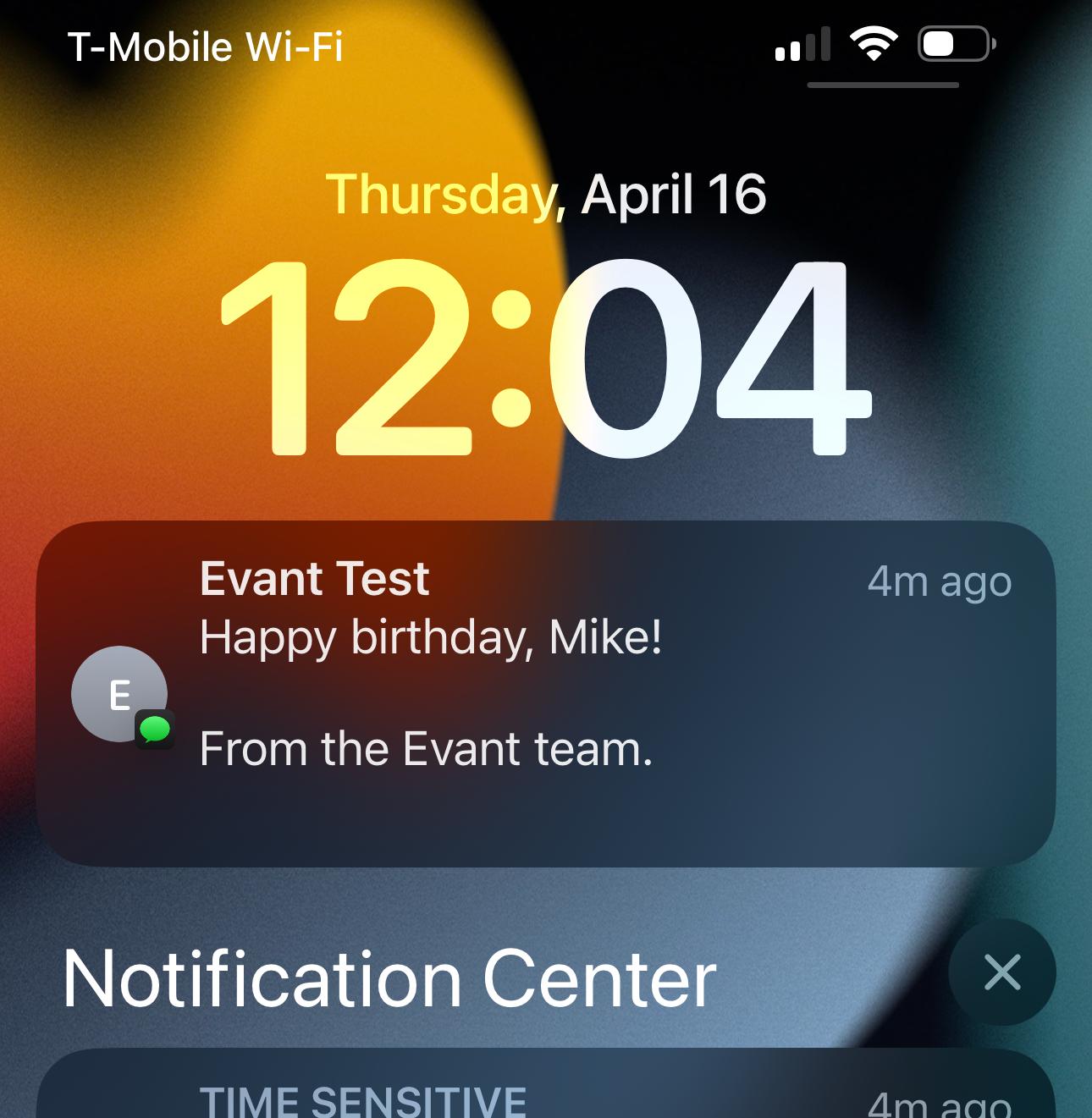
Top 7 SMS Trends for Communities in 2026
Michael PedoeemFrom AI-powered responses to text-to-donate and two-way texting — here are the 7 SMS trends every shul, school, and nonprofit needs to know about in 2026