
Events as Relationship Moments
A family registers for a school event. A volunteer checks in at a community gathering. A supporter replies to a reminder. Those moments can matter long after the event ends, but the details often sit in different places: registration software, spreadsheets, message threads, and constituent records.
When staff have to piece those records together by hand, it can be hard to tell who participated, what they care about, or who needs a follow-up. A missed note can turn a warm connection into another name on a list.
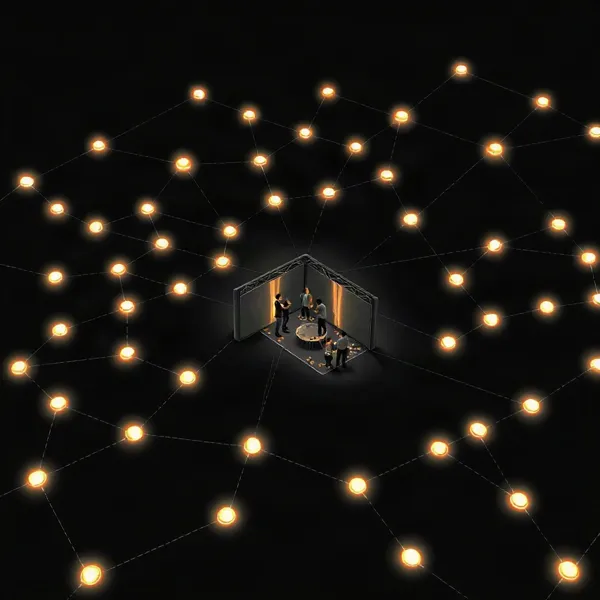
CRM integration connects event activity with the wider history of a constituent’s relationship with an organization. It does not replace the tools used to handle event logistics. Instead, it can help event and communications teams work from shared information, so an RSVP or check-in has context beyond the event itself.
For nonprofits and schools, that context can support more relevant messages, steadier follow-up, and stronger community engagement. Evant brings SMS RSVPs, event check-ins, targeted messaging, and CRM integration into its event engagement tools. The exact information that can move between systems depends on the platforms and setup, so organizations should confirm what their chosen tools can share.
A Shared Record of Constituent Relationships
A nonprofit CRM gives staff one place to organize relationships with donors, volunteers, program participants, families, and other supporters. Instead of relying on separate spreadsheets or individual inboxes, teams can refer to a shared record of contact details and interactions.
That record can connect communication history with relevant activity, such as giving, volunteering, and event participation. A staff member preparing an invitation or follow-up can see more than a person’s latest RSVP: they can understand the person’s broader involvement with the organization. For a closer look at how event details can flow into shared records, see CRM integration for seamless data flow.
A CRM and event platform usually serve different purposes. Event software handles logistics such as invitations and registration, while the CRM manages ongoing relationships and interaction history. Connecting the two can associate operational details, including registration or attendance, with a supporter’s existing record. Evant’s CRM integration is designed to connect its SMS-based event tools with organizations’ existing CRM systems.
The shared record also helps teams coordinate. Fundraising, programs, communications, and event staff can work from consistent information rather than repeat questions or search through disconnected files. That context can support better handoffs, more relevant outreach, and timely follow-up, while leaving room for staff to make the personal connection that matters in community work.
How Integration Connects Event Activity

A connected workflow links the event people register for with the constituent record staff already use. When someone registers or replies to an SMS RSVP, that activity can be associated with their profile. Attendance, check-ins, and other relevant interactions can follow, giving staff a clearer history than a guest list alone.
For nonprofits and schools, the CRM can serve as the shared constituent record, while event and SMS tools handle their specific tasks. Evant’s SMS RSVP and check-in tools can contribute event activity, and its CRM integration feature is intended to connect event communication with existing CRM systems. The exact fields and supported connections depend on the platforms involved.
Choose an integration method that fits your systems
There are three common routes: a connection built into the platforms, a third-party connector or app marketplace integration, or custom API work. Native connections may require less setup, while connectors can link products from different providers. An API can support a more tailored data flow but may call for technical help. Availability, costs, and setup requirements vary, so confirm what your particular tools support.
Before syncing, decide which system owns each field. Map contact details, communication preferences, consent status, event name, RSVP response, attendance, and check-in activity. Clear field rules help prevent one tool from overwriting a newer or more accurate value in another.
A useful integration moves the information staff need, not every available field. Registration and RSVP updates can inform reminders; attendance and check-in records can support follow-up. SMS messages should reflect the person’s preferences and consent status, including opt-outs. Set these rules before building automated messages, and make sure staff know how to handle exceptions.
Test the data flow before launch
Run realistic test records through the full process: register, update an RSVP, check in, and review the resulting constituent profile. Check whether repeat records create duplicates, whether updates land in the right fields, and whether permissions limit access appropriately. Test any workflows and reports as well, so staff can verify that participation appears as expected. The practical integration guidance in CRM integration for nonprofits and schools also emphasizes organized data, staff training, and checking how information moves between systems.
Data quality and staff adoption matter as much as the technical connection. Clean up inconsistent names, contact details, and event labels before syncing; otherwise, connected tools can spread errors. Start with one high-value, manageable workflow, such as registration and RSVP updates, then give staff hands-on practice with the records they will use. After the first events, review where data is missing or duplicated and adjust the field mapping and process.
More Relevant Outreach and Less Rework

When a person registers, checks in, or replies to an event message, that activity can inform the next conversation. Connecting event records with constituent profiles helps staff see participation alongside other interactions, instead of searching across exports and spreadsheets.
That shared view can also reduce repeated data entry. Registration and attendance details need not be copied by hand into separate records, where small differences can create duplicates or leave staff working from outdated information. Evant’s CRM integration is intended to connect its SMS-based event activity with existing CRM systems, while the exact data exchanged depends on the tools and setup.
Participation and interest information can make outreach more specific. A volunteer who attended a service event may need a different invitation from a first-time guest, while someone who has not responded may benefit from a reminder rather than another general announcement. Teams can use relevant history to shape invitations, event updates, and post-event messages without treating every supporter alike.
SMS can fit into that workflow alongside other communication channels. Where the selected tools support it, shared event and constituent information can guide RSVP confirmations, reminders, schedule updates, and follow-up. Evant provides SMS RSVPs, check-ins, and targeted messaging for organizations coordinating event communication by text.
Automation is most useful for routine tasks, not as a substitute for human attention. A confirmation or reminder can go out consistently, while staff still make personal contact when a participant needs help or a meaningful conversation. Teams should honor communication preferences, confirm consent where required, and promptly respect opt-outs.
For nonprofits with limited staff time, fewer repetitive steps can leave more room for relationship-building and community engagement. Connected records also help the next staff member understand an attendee’s involvement before reaching out. See how linked event records can reduce rework across planning and follow-up.
Measuring Participation and Event Outcomes

Attendance is one measure, but it does not show whether an event strengthened relationships or what should happen next. When registration, check-in, feedback, donations, and follow-up activity connect to constituent records, teams can review the fuller pattern instead of assembling separate spreadsheets.
Consistent event-source tags make those patterns easier to compare. Recording the event name and how someone engaged helps staff see which gatherings and outreach efforts drew participation, prompted a response, or led to a useful follow-up. Evant’s SMS RSVP, check-in, and analytics tools can contribute event activity to this review, while CRM integration connects that activity with broader constituent information.
The findings can guide practical changes. If a group registers but rarely checks in, organizers might adjust reminder timing or make arrival details clearer. If feedback points to a format or topic that resonated, the next invitation and event plan can reflect that. Reviewing donations and later engagement alongside attendance can also help teams decide what follow-up is appropriate, rather than sending every participant the same message. For more on connecting replies and attendance to outcomes, see learning from replies and attendance.
Where records allow, teams can also watch registration pace, engagement, payment timing, and cost per attendee as an event approaches. These indicators may reveal that interest is slower than expected or that costs need attention, giving staff time to review outreach or logistics. They are planning signals, not promises about turnout or impact.
Reports are only as useful as the information behind them. Missing check-ins, inconsistent event tags, duplicate contacts, or feedback that never reaches the shared record can distort comparisons. A dependable process for capturing and connecting activity helps organizations make decisions from a clearer account of community participation.
Choosing a CRM for Event Work
The right CRM is the one that fits the work your organization actually does. Start by mapping the event calendar, staff and volunteer capacity, fundraising goals, and the tasks that take the most time. A group managing one annual fundraiser may need simple registration and follow-up, while a team running events year-round may need deeper tracking and automation.
Evant connects SMS-based RSVPs, check-ins, and targeted messaging with CRM integration, so nonprofits and schools can consider how those activities fit their existing communication and constituent records. When comparing platforms, assess whether event data can support the follow-up your team needs, not just whether the system can collect registrations.
What should nonprofits consider when choosing a CRM for event management?
Look for registration and ticketing that suit your event, along with ways to track sponsorships or donations when those matter to your fundraising. Mobile check-in and attendee tracking should be straightforward for staff and volunteers to use on event day. Communication tools can help with invitations and reminders, while automation and reporting should support follow-up and show participation or revenue in terms your organization can act on.
Then check the data flow. Confirm whether registrations, attendance, and donations connect to constituent records, which fields sync automatically, and whether updates require staff to import files, re-enter details, or buy an add-on. Evant’s CRM integration is designed to connect its event activity with an existing CRM. Ask vendors to demonstrate the specific workflow you plan to use, including how records are matched and what happens when information changes.
Usability matters as much as the feature list. Test the system on the devices staff will carry at an event, and check mobile reliability, training materials, and support availability. Review current integrations and growth plans, too. Some organizations may prefer native event tools; others may need a separate event system connected to the CRM. Verify what is included rather than assuming an all-in-one label covers every need.
Finally, compare total cost, not just the subscription price. Include event add-ons, transaction fees, onboarding, customization, integration work, and the staff time needed to maintain separate vendors. A short trial or realistic event simulation can reveal gaps before the team commits. For a broader planning checklist, see what to prioritize in a nonprofit event platform.
A Practical Path From Setup to Adoption
A useful integration should solve a real coordination problem, not add another system for staff to maintain. Start with a measurable goal, such as reducing duplicate entry, making check-in information available for follow-up, or helping staff see which event messages prompt responses.
Before choosing a connection, inventory the tools and records already in use. Note where registration, attendance, contact details, and communication preferences live, and ask staff which handoffs take the most time. Then choose one initial integration, map the fields that need to move between systems, and clean inconsistent or duplicate records before syncing them.
For nonprofits and schools using SMS RSVPs or check-ins, Evant connects event activity with CRM workflows through its CRM integration. Define which RSVP and check-in details should reach constituent records, and configure message or staff follow-up steps around those events. Keep the first workflow narrow enough to test and explain.
Test with realistic scenarios before using the setup at a live event. Change a registration, record an attendance or check-in, trigger a message, and check whether duplicate contacts appear. Review the resulting records and reports from the perspective of the staff who will act on them. A test should confirm not just that data moves, but that it arrives in the right place and supports the intended task.
Launch is the start of adoption, not the finish. Monitor record quality, staff use, and communication results, then adjust workflows using event analytics and team feedback. This ongoing review is part of a practical setup and adoption path for introducing community RSVP tools.
Plan for the work as well as the software. Implementation effort and cost depend on system complexity, data migration, customization, and staff training. Assign someone to handle questions after launch, and reserve time to refine the setup as event needs change.
Technology in Service of Community
An event is more than a date on the calendar. When registration, attendance, and follow-up connect to constituent records, staff can see how event activity fits into the longer relationship a person has with a nonprofit, school, or community group.
The strongest setup is not the one with the longest feature list. It is the one staff can use consistently, with reliable records, relevant communications, and reporting that helps them understand participation. For teams using SMS, Evant connects event tools such as RSVPs and check-ins with CRM records, supporting more coordinated communication and follow-up.
That connection should make community engagement easier, not create another system staff have to work around. Start with one event or workflow where information gets lost or follow-up is difficult. Test how registration and attendance data move, check that participant messages reach the right people, then review what the records show.
Expand only when the process works and staff can maintain it. A thoughtful first step can help an organization learn what encourages people to take part, what follow-up feels useful, and how to keep those relationships active beyond a single event.