
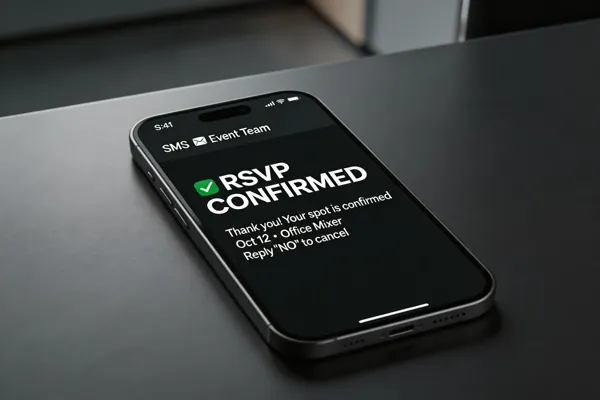
Why SMS RSVP Is a Game‑Changer for Large Events
Text messages boast an average open rate of 98% and are read within minutes—far higher than the 20‑25% email open rate—so invitations are seen instantly. Because each reply is captured in the system as it arrives, organizers get a real‑time headcount that updates instantly, enabling on‑the‑fly adjustments to catering, staffing and venue capacity. The data is entered automatically, cutting manual entry time by up to 80% and eliminating transcription errors that plague paper or email RSVPs. Built‑in compliance tools enforce TCPA opt‑in consent and provide a simple "STOP" keyword for opt‑out, protecting the organization while giving guests a frictionless way to update their attendance status.
Understanding RSVP in Modern Event Management

What is RSVP in event management? RSVP stands for the French phrase répondez s’il vous plaît, meaning “please respond.” In event management, RSVP handling means collecting attendance confirmations, maintaining accurate guest lists, and using that data to make decisions about venue capacity, seating, catering, and other logistics.
Definition and origin – The RSVP concept dates back to the 18th‑century social etiquette of asking guests to confirm their presence, which today translates into digital data collection for event planners.
Impact on venue planning, catering, and staffing – Real‑time headcounts let organizers size venues precisely, order the correct amount of food, and schedule staff efficiently, cutting waste and overtime costs.
Statistical advantage of SMS over email and paper invites – SMS open rates hover around 98% and response rates are 45‑70% higher than email, with replies often arriving within minutes. This immediacy reduces no‑shows by up to 30% and cuts manual entry time by up to 80%.
Role of SMS in nonprofit and educational contexts – Nonprofits see attendance boosts of 20‑30% when using SMS reminders, while schools benefit from instant headcounts for safety and budgeting. Two‑way texting also enables quick answers to dietary or accessibility questions, deepening community engagement.
Sending Bulk Promotional SMS – A Quick Workflow

Bulk promotional SMS campaigns work best when you follow a streamlined process that leverages modern SMS platforms such as Evant, Replied App, or TextSpot.
Importing or syncing contacts – Start by uploading an Excel or CSV list, or connect directly to your CRM (Salesforce, HubSpot, Blackbaud) for automatic sync. Virtual numbers keep personal numbers private and support high‑volume messaging.
Crafting concise, personalized messages – Keep texts under 160 characters, insert the recipient’s name with merge tags, and include a clear call‑to‑action (e.g., “Reply YES to confirm”). One‑click RSVP links or short URLs boost response rates.
Choosing delivery channels – Use the web dashboard for quick launches, the API for programmatic sending, or a desktop client for bulk uploads. All three options guarantee instant delivery.
Ensuring deliverability and TCPA compliance – Verify opt‑in consent, include an easy “STOP” keyword, and monitor delivery receipts via the analytics dashboard.
How to send bulk promotional SMS?
- Add contacts – import or sync your list.
- Create the message – personalize, add a CTA, and select a sender ID.
- Select a channel – web app, API, or desktop client.
- Send – launch the campaign; messages are delivered instantly.
- Track and adjust – use real‑time analytics for open, response, and compliance metrics.
Building and Sharing an RSVP Link for Any Event

Enabling SMS RSVP in the Evant dashboard is as simple as toggling the feature when you create a new event. Once SMS RSVP is active, Evant automatically generates a short‑link RSVP form that lives on a dedicated event page. Copy this URL from the “Share” tab and embed it in any invitation—whether it’s an email, a website banner, or directly in a text message. Guests can tap the link, enter their attendance count, and even add meal preferences, all from their phones without needing an app. As each reply arrives, the dashboard updates a real‑time headcount and shows analytics such as response time, demographic breakdowns, and pending replies. This live data lets planners adjust catering, seating, and staffing on the fly, while automated SMS reminders and follow‑up messages keep engagement high and no‑shows low.
From Invitation to Confirmation – The Guest SMS Journey

How do I send a RSVP text to an event?
Log in to your Evant dashboard, open the event, and create a new SMS invitation. Include the event name, date, time, location, and a clear call‑to‑action such as “Reply YES to attend or NO to decline by [deadline]. Choose the guest list, hit Send, and Evant logs each reply in real time. With a 98% open rate and instant delivery, guests see the invitation within minutes and can respond instantly.
How to RSVP to an event by text?
Reply to the dedicated short code or number in the invitation with three key pieces of information: your name, a clear answer (YES/NO/MAYBE), and the number of guests (e.g., “just me” or “two of us”). The response is captured automatically, eliminating manual data entry and reducing errors.
How to confirm RSVP via SMS?
After you reply, the system sends an automated confirmation message that repeats your answer and guest count. You can edit or update your RSVP at any time by texting the same number, and the updated headcount appears instantly on the organizer’s dashboard.
How do I say please RSVP for headcount?
Use a friendly, concise prompt: “Hi [Name], please let us know by [deadline] if you can attend and how many guests you’ll bring. Thanks!” Include a direct reply‑to number or link for easy response.
RSVP text example
“Hi Jordan, this is Sam. I’m happy to confirm I’ll attend the Community Volunteer Day on May 15 at 9 AM with 1 guest. Looking forward to it—thanks!”
RSVP text message wording
Start with a greeting, state your name, give a definite YES/NO/MAYBE, include guest count and any special needs, and close with a brief thank you. Example: “Hi Jamie, this is Carlos. Yes, I’ll be there Friday at 7 PM with one guest. Looking forward to it—thanks!”
Analytics, Integration, and On‑Site Check‑In – Turning Data Into Action
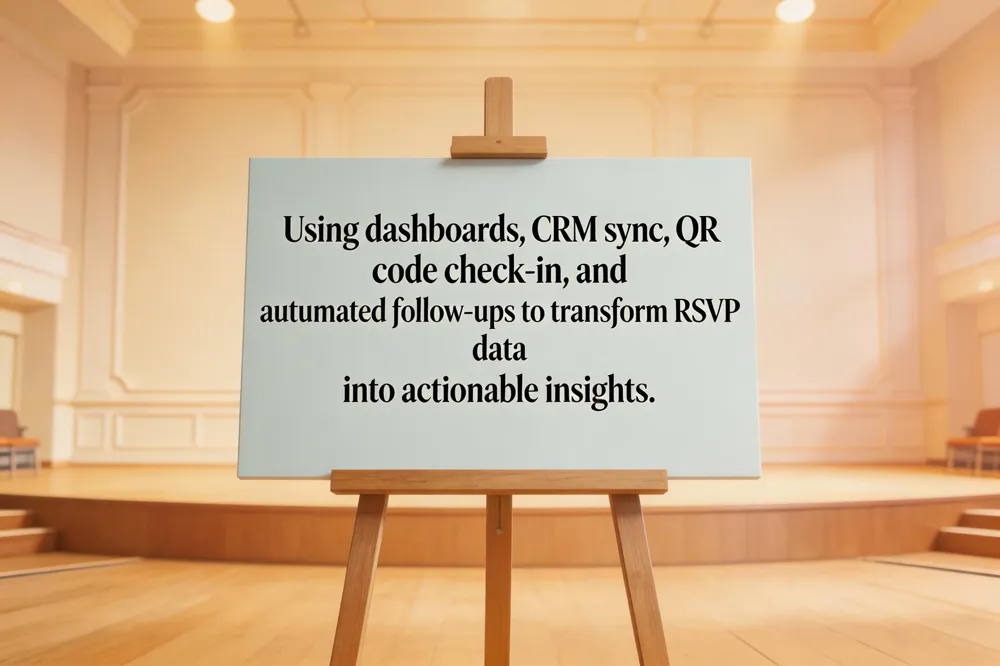
Real‑time headcount dashboards give planners instant visibility into confirmed attendance, letting them adjust catering, staffing, and venue layout on the fly. When SMS RSVP responses flow directly into a CRM, guest profiles are updated automatically, enabling precise segmentation by donor tier, volunteer status, or interest group for personalized follow‑up messaging. Pairing the CRM‑linked headcount with QR‑code check‑in at the door speeds entry by 40‑70 %, eliminates paper tickets, and provides live attendance metrics that sync back to the dashboard. Targeted follow‑up texts—reminders for non‑responders, thank‑you notes for attendees, or last‑minute updates—are dispatched automatically while built‑in opt‑out tools keep the campaign TCPA‑compliant. Together, analytics, integration, and fast check‑in turn raw RSVP data into actionable insights that boost participation, reduce no‑shows, and streamline event logistics for nonprofits and educational institutions.
Harnessing SMS RSVP for Smarter, Faster Large‑Scale Events
SMS‑based RSVP has become the backbone of modern large‑scale event logistics. By delivering invitations instantly and capturing replies in real time, organizers cut manual data entry by up to 80 % and see response rates 45‑70 % higher than email. Head‑counts enable precise catering, staffing and budgeting, while two‑way texting lets guests ask questions, edit attendance or report dietary needs without a web form. Evant’s SaaS platform bundles these capabilities—virtual short codes, automated reminders, CRM sync, QR‑code check‑in and compliance tools—into a single dashboard that scales to thousands of participants and eliminates waste. As more nonprofits and schools adopt SMS RSVP, the trend points toward deeper AI‑driven conversational flows, predictive attendance analytics and seamless multi‑channel outreach, making text messaging the default channel for efficient, inclusive community events. These tools also lower costs, reduce no‑shows by up to 30 %, and foster donor relationships.
Related Blogs

Got Kicked Out of GroupMe? Look to Evant.
Michael PedoeemGot Kicked Out of GroupMe? The Best GroupMe SMS Alternative for Jewish Communities

How to Send Targeted Alerts During Live Events
Michael PedoeemMastering Targeted Event Alerts: Real-Time Communication Strategies for Nonprofits
Top 7 SMS Trends for Communities in 2026
Michael PedoeemFrom AI-powered responses to text-to-donate and two-way texting — here are the 7 SMS trends every shul, school, and nonprofit needs to know about in 2026