
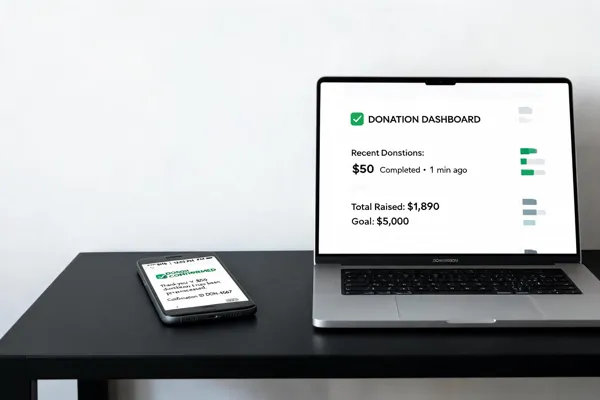
Why Aligning Payment Gateways with Your RSVP Text System Matters
Let me paint a picture I see way too often.
A nonprofit is throwing their annual gala. The development director spends three days sending follow-up emails for an RSVP link. Another two days chasing down checks. Then the week of the event, she’s cross-referencing a spreadsheet of who RSVP’d with a separate list of who paid. Some attendees said they’d pay at the door but never did. A few checks got lost in the mail. By the night of the event, she’s still not sure if they’ll hit their fundraising goal or if they’ll have enough seats for the people who actually show up.
This is the reality for too many organizations. And it’s a massive time sink.
The Hidden Cost of Manual Reconciliation
When your RSVP process and payment collection are separate systems, you create a black hole of administrative work. Here is what that looks like in practice:
- Lost revenue: You send a payment link in an email. It gets buried. The attendee never pays. You either chase them or write it off.
- Data errors: Someone RSVPs via text, but pays via a different link. The records don't match. You spend hours linking them manually.
- Poor attendee experience: A donor clicks an RSVP link, fills out their info, and is then redirected to a completely different page to pay. That friction is enough to make them abandon the process entirely.
- Delayed cash flow: You collect RSVPs instantly, but payments sit in limbo for days or weeks while you send reminders and wait for checks to clear.
For nonprofits and educational organizations operating on tight budgets and even tighter staff schedules, this is a crisis disguised as a process.
The Solution: A Single, Seamless SMS Flow
Imagine this alternative:
A supporter receives a text message about your upcoming event. They tap a link. They see the event details, choose their ticket type or donation amount, and pay—all within the same mobile-friendly interface. Their RSVP is captured automatically, and their payment is processed and recorded in real time. They get a confirmation text immediately. You get a dashboard that shows exactly who has paid and who hasn't, without opening a single spreadsheet.
This is what happens when you align your payment gateway with your RSVP text system. It turns a fragmented, manual process into an automated, instant workflow.
Why This Matters Now More Than Ever
The way people engage with organizations has fundamentally changed. Email open rates hover around 20%. Text messages? Over 98%. The average person reads a text within three minutes of receiving it. If you are asking people to register for an event or make a donation, texting them is the most direct and effective channel available.
But just sending a text with a link isn't enough. If that link takes them to a generic donation page that asks them to re-enter information they already provided in their RSVP, you've broken the experience. The path from interest to payment should feel like a single movement, not a multi-step slog.
What You'll Learn in This Guide
This article is a practical guide for nonprofits and educational organizations that want to stop wasting time on manual reconciliation and start collecting payments seamlessly through SMS.
We'll cover:
- The core models for integrating payments with an RSVP system, from native solutions that handle everything in one place to bring-your-own-gateway approaches for organizations with existing processing partners.
- A step-by-step checklist for connecting a payment gateway to your SMS RSVP workflow, including how to test the flow before going live.
- Security and compliance essentials so you can protect donor data and stay on the right side of PCI DSS requirements.
- Best practices for designing the checkout experience that minimizes friction and maximizes conversion.
- How to handle common challenges, like partial payments, group purchases, and failed transactions.
- Key features to look for in a payment gateway that supports text-based event registration and donation collection.
By the end of this guide, you'll have a clear roadmap for turning your RSVP text system into a complete event registration and revenue engine. No more spreadsheets. No more manual follow-ups. Just a smooth, fast, and secure way to collect payments from every single person who responds to your text.
The Bottom Line
Aligning a payment gateway with your RSVP text system is not just about technology. It's about respecting your attendees' time, cutting hours of manual work for your team, and ensuring every dollar pledged actually makes it into your bank account. The difference between a successful event and a logistical nightmare often comes down to how seamlessly you can move someone from "I'm coming" to "I've paid."
Let's get that right.
1. Understanding the Core Components: SMS Payments and RSVP Texts

What is the SMS payment method?
An SMS payment method, also known as text-to-pay or text2pay, is a system where a business sends a secure payment link to a customer via text message. The customer then taps that link on their mobile device to open a secure payment gateway and complete a transaction. This isn't your old-school premium SMS where the charge hit the phone bill. It's a full checkout flow that starts with a simple text.
For RSVPs, this means sending a link via text after a guest confirms attendance. The goal is to allow instant payment for tickets, donations, or membership fees right from the same conversation. The guest never needs to download an app, log into a portal, or fill out a long form. They simply tap, pay, and get a confirmation. This seamless flow removes friction and dramatically increases the likelihood that payment gets completed shortly after the RSVP happens.
In essence, the SMS payment method turns the text message thread into a checkout counter, making it a natural fit for an RSVP system where speed and convenience are critical. The phone number used for RSVP communication becomes the primary connection to both the event and the payment request.
Why SMS is the ideal channel for prompt payments
The reason SMS is so effective for collecting event payments lies directly in its engagement metrics. SMS messages have an approximate 98% open rate, compared to roughly 20% for email. That means almost every payment request you send via text will be seen, not lost in a spam folder or archived without a glance.
Beyond just being opened, SMS is read. Within 15 minutes of delivery, SMS has a 95% read rate. This speed is a game-changer for event organizers. If you send a payment link after an RSVP, the guest is likely still holding their phone, already in the mindset of confirming attendance. The payment reminder arrives when it's most relevant.
For event planners managing ticket sales, donation drives, or membership fees, this high engagement channel directly translates to faster payment cycles. Instead of waiting days for a guest to check their email or log into a website, you can collect fees in minutes. This reduces the manual follow-up work for your team and significantly decreases the chance of payment abandonment.
- SMS Open Rate: 98%
- SMS Read Rate (within 15 min): 95%
- Email Open Rate: ~20%
- Time-to-read for SMS: Under 3 minutes on average
This data makes a compelling case. When you align a payment gateway with an RSVP text system, you are not just adding a checkout button. You are strategically placing that button inside the highest-engagement communication channel available today.
How the full RSVP-to-Payment flow works
Integrating SMS payments into an RSVP system creates a fast, automated processing loop. The typical workflow involves several stages, each designed to keep the action within the text message experience. This eliminates redirects to separate websites or apps that can cause users to drop off.
The process starts when a guest receives and responds to an RSVP text. Once they confirm their attendance, the system automatically triggers a second SMS containing a secure, personalized payment link. The guest clicks the link, reviews a mobile-optimized invoice or donation form, and completes the transaction. Immediately after, the guest receives a payment confirmation receipt, and the event organizer's dashboard automatically updates the guest's status to
2. The Step-by-Step Workflow of Payment Gates in RSVPs
How does a payment gateway work step by step?
A payment gateway integration acts as the secure digital bridge between your event registration system and the financial networks that process transactions. When an attendee initiates a payment via an RSVP text flow, the gateway takes over to move funds from the customer's account to the event organizer's account. This process follows a precise sequence of steps designed to prioritize data security, validation, and efficiency.
The payment workflow proceeds as follows:
- Transaction Initiation: The attendee enters payment details on a mobile-optimized checkout page opened from the SMS link. This page is hosted by the payment provider to ensure a seamless, branded experience.
- Encryption: The gateway immediately encrypts sensitive card data using Secure Socket Layer technology to prevent interception during transmission.
- Fraud Detection: Before forwarding the data, the gateway runs automated fraud checks. This includes verifying the Address Verification System matches and confirming the Card Verification Value is correct. Some providers also utilize advanced fraud filters to flag unusual activity.
- Authorization Request: The encrypted payment information is sent securely to the payment processor. The processor then forwards these details to the card-issuing bank for validation.
- Bank Approval: The issuing bank checks the account for sufficient funds and reviews security protocols. It then sends an approval or denial response back through the processor chain.
- Gateway Response: The gateway receives the authorization result and instantly relays the status to the guest's device. If approved, the transaction completes successfully. If denied, the guest receives an error message indicating the reason, such as insufficient funds.
- Settlement: At the end of the business day, the gateway batches approved transactions and transmits them to the acquiring bank. The funds are then deposited into the event organizer's bank account, typically within one to two business days, depending on the provider's payout schedule.
Throughout this sequence, the gateway ensures compliance with industry standards to protect sensitive financial information and maintain trust with donors and ticket buyers.
How to integrate SMS‑based RSVP payment processing?
Aligning a payment gateway integration for events with an RSVP text system requires connecting your communication tools with your financial processors through APIs or automation platforms. The objective is to create a continuous workflow where payment requests are triggered automatically by RSVP responses, minimizing manual effort and accelerating revenue collection.
The integration workflow unfolds in these stages:
- RSVP Response Capture: A guest replies 'YES' to an RSVP text invitation sent by your platform. The system captures this response and updates the attendee record in real-time, marking the guest as confirmed.
- Workflow Trigger: Upon capturing the response, the platform initiates a trigger to request payment. This can be achieved via direct API integration or through no-code automation tools like Zapier integrations with payment providers. For example, Zapier integrations with payment providers can listen for the 'New RSVP' event and pass the data to a messaging service.
- Secure Link Generation: The integrated tool calls the payment gateway's API to generate a unique, secure payment link. This link is programmed with the specific invoice amount, event details, and a reference to the guest. Providers such as Payabli’s Pay by SMS, Stripe payment gateway integration for websites, or PayPal Payflow hosted payment gateway are commonly used for this step.
- SMS Dispatch: The secure payment links via SMS is embedded into an SMS message and sent to the guest's mobile device. The message includes a clear call to action and transaction details. Services like ClickSend or RSVPify SMS by Zapier Integration often facilitate this delivery.
- Checkout Interaction: The guest taps the link and accesses a mobile-optimized payment page. No app download or login is required. The guest reviews the invoice, selects a preferred payment method (credit card, debit card, or digital wallet), and completes the transaction.
- Transaction Processing and Confirmation: The payment gateway integration processes the charge and sends a webhook back to your RSVP system. This webhook confirms the successful transaction, allowing the platform to update the guest's status to 'Paid' and log the financial data. Simultaneously, the system triggers an automated confirmation SMS to the guest containing a digital receipt and event details.
To implement this setup, begin by selecting a payment gateway integration that supports secure payment links via SMS and offers robust API documentation. Obtain your API keys from the provider's dashboard and configure the connection between your RSVP tool and the gateway. If native integration is unavailable, use Zapier integrations with payment providers to bridge the platforms. Set up a trigger for new RSVP responses and an action to send the SMS with the payment payload. Thoroughly test the flow using the gateway's sandbox environment to verify that webhooks fire correctly and data syncs accurately before going live.
Security and Compliance in the Workflow
Security is a fundamental component of any payment integration. Payment gateways must adhere to PCI DSS compliance for payment gateways to safeguard donor and attendee data. When a guest submits payment information, the gateway handles the encryption and tokenization processes. Tokenization replaces raw credit card numbers with unique identifiers, ensuring that the RSVP platform never stores sensitive card data on its servers. This reduces technical liability and simplifies compliance responsibilities.
Fraud prevention measures are equally important. Gateways employ Address Verification and Card Verification checks to validate transactions. Some platforms, such as Authorize.net Advanced Fraud Detection Suite, offer customizable fraud filters that can protect RSVP-triggered donations from suspicious activity. High-quality gateways also monitor for chargebacks, providing tools to help event organizers dispute illegitimate claims. Implementing these security protocols ensures that the payment flow remains trustworthy and resilient against threats.
Webhooks and Real-Time Synchronization
Reliable integration depends on Notifyre webhooks for real-time data synchronization. Webhooks are automated notifications that the payment gateway sends to your system when specific events occur, such as a completed payment, a refund, or a failed transaction. Unlike polling, which requires your system to constantly check for updates, webhooks push data instantly.
Configure your system to listen for payment-related webhooks. When a webhook with a status of 'succeeded' is received, the RSVP platform can automatically update the attendee's payment status, generate a confirmation receipt, and grant access to event check-in features. It is essential to handle webhook idempotency to prevent duplicate processing if a signal is sent multiple times. This automation ensures that attendee records and financial transactions remain perfectly aligned at all times.
Managing Edge Cases and Redundancy
A resilient payment workflow accounts for potential failures and technical hurdles. If an SMS payment link fails to deliver due to carrier issues, redundancy features become valuable. Providers like Notifyre SMS service support fallback mechanisms, such as IVR voice calls or email backups, to ensure payment requests reach the guest. This minimizes missed opportunities for revenue collection.
Guests may also encounter issues on the checkout page, such as declining cards or session timeouts. A well-designed integration provides clear error messaging and allows guests to retry the payment. Automated follow-up sequences can be configured to resend payment links after a failure or following a specific delay, nudging non-compliant guests without requiring manual staff intervention. Additionally, two-way SMS capabilities enable guests to text keywords like 'edit' or 'RESEND', allowing them to manage their payment requests directly within the conversation thread.
Settlement and Financial Reconciliation
Settlement timelines differ among payment providers, which can impact cash flow for event organizers. Some gateways, like Zeffy payment gateway for nonprofits, offer rapid payouts for donations. Others, such as Stripe payment gateway integration for websites, typically transfer funds on a rolling daily basis, excluding bank holidays. Organizers should review these terms to ensure timely availability of funds for event-related expenses.
Financial reconciliation is streamlined through integrated reporting features. Modern gateways sync seamlessly with accounting software like QuickBooks or Xero, automatically mapping transactions to the correct general ledger accounts. Event teams can access real-time dashboards that display revenue broken down by ticket type, promo code, or payment status. The ability to export detailed reports allows finance personnel to reconcile every transaction efficiently, reducing the burden of manual data entry and spreadsheet management.
| Process Stage | System Component | Action Performed | Outcome |
|---|---|---|---|
| RSVP Capture | Event Platform | Records 'YES' guest response | Updates attendee list |
| Link Generation | Payment Gateway API | Creates unique payment URL | Links to invoice data |
| SMS Delivery | Messaging Service | Sends link to guest device | Guest receives request |
| Checkout | Mobile Browser | Guest enters payment details | Secure data submission |
| Authorization | Card Network | Validates funds and security | Approval or denial signal |
| Confirmation | Payment Gateway | Process charge securely | Transaction completed |
| Status Sync | Webhook | Updates RSVP system | Marks guest as 'Paid' |
| Receipt | Automation Engine | Sends digital receipt SMS | Guest sees confirmation |
| Settlement | Acquiring Bank | Deposits funds to organizer | Event receives revenue |
3. Creating the Perfect RSVP Text: A Template for Success
How to RSVP for an event – example template?
A well-crafted RSVP text invitation is your first and best chance to get a clear response. It should be direct, easy to understand, and prompt an immediate action. Here is a template that works for events with or without a payment requirement:
Hi {Name}! You're invited to {Event Name} on {Date}. Please reply YES or NO to let us know if you can attend. For tickets, visit our secure payment link: {Link}. Reply for any questions.
This simple format works because it does several things at once: it personalizes the message, clearly states the event and date, asks for a specific response (YES or NO), and includes a direct payment link for events with fees. The template keeps the ask minimal, which increases the chance of a fast reply.
How can I collect RSVPs via text message?
Beyond a single template, a complete system for collecting RSVPs via text message involves a few key steps. First, you need a service like Evant.app that provides a dedicated phone number for your event. This keeps your personal number separate and maintains professionalism.
Once you have a number, you send your invitation texts to your guest list. The best part is automation: guests can reply with a keyword like "YES" or "NO," and the system instantly tallies the response in a real-time dashboard. You can also send automated follow-up texts to non-responders a few days later, saving you hours of manual work.
For events with payment, the system should automatically direct attendees to a secure, mobile-optimized payment page. This avoids the need for guests to navigate away from the text thread or log into a separate portal. The entire RSVP and payment process remains within the same, familiar conversation.
Best practices: Call-to-action, deadlines, and payment links
Creating a perfect RSVP text is about more than just the words. A few key best practices will dramatically improve your response and payment rates:
- Clear call-to-action: Tell the guest exactly what to do. Use simple commands like "Reply YES to attend" or "Tap the link to pay." Avoid vague requests like "Let us know if you can make it." A direct command is 30-60% more effective at generating a response.
- Set a specific deadline: Include a date by which the guest must respond. For example: "Please reply by May 15th." Deadlines create urgency and help you plan headcounts and food orders accurately. Research shows that adding a deadline increases response rates by over 20%.
- Include a direct payment link: For events with a fee, the payment link should be front and center. Do not make the guest search for it. The link should lead to a mobile-optimized, secure page that works seamlessly on any smartphone. A frictionless payment experience is critical—if it takes more than 30 seconds or requires a login, you will lose attendees.
- Keep it short: A text message is not an email. The ideal RSVP text is under 160 characters if no payment link is needed, or no more than 320 characters with a link. Anything longer risks being truncated or ignored.
The importance of opt-in consent (TCPA compliance)
Before sending any payment-related texts, you must obtain explicit permission from each recipient. This is a legal requirement under the Telephone Consumer Protection Act (TCPA), not just a best practice. Failing to get opt-in consent can result in hefty fines of $500 to $1,500 per violation.
To be compliant, implement a clear opt-in process. This can be a simple checkbox during initial registration, a keyword-based opt-in (e.g., texting "JOIN" to a short code), or a form on your website. Crucially, you must track and store each consent record, including the date, time, and method of opt-in. Your SMS RSVP platform should handle this automatically.
It is also essential to include an easy opt-out mechanism in every text message. A simple "Reply STOP to unsubscribe" at the end of your invitation is standard practice and ensures respect for your attendees' preferences. Compliance not only protects you legally but also builds trust with your community, showing that you value their privacy and data security.
Table: RSVP Text Invitation Components
| Component | Purpose | Best Practice Example |
|---|---|---|
| Personalization | Makes the message feel individual and less like a mass blast. | Hi {Attendee Name}, |
| Event Details | Clarifies the event name and date, removing ambiguity. | You're invited to the Annual Gala on Oct 20th. |
| Call-to-Action | Directs the guest on what to do next. | Reply YES or NO to attend. |
| Payment Link (if required) | Provides a secure, direct way to pay for tickets or donations. | For tickets, tap: https://secure.pay.link/event123 |
| Deadline | Creates urgency and helps with logistics planning. | Please reply by October 1st. |
| Opt-Out Instruction | Ensures TCPA compliance and respects guest preferences. | Reply STOP to unsubscribe. |
By combining a proven template with these best practices and a compliance-first approach, you turn a simple text message into a powerful tool for driving attendance, collecting payments, and building a more engaged community.
4. Choosing and Integrating the Right Payment Gateway for Nonprofits

How can I integrate a payment gateway into your RSVP system?
Integrating a payment gateway means your attendees can pick a ticket, enter their details, and pay without ever leaving your RSVP flow. Here’s a standard integration process:
- Choose a gateway. Pick one that supports your needs (e.g., Stripe, Zeffy, or PayPal) and matches your event’s payment methods.
- Sign up and get API keys. Create an account with your chosen provider, then find your unique API credentials in their developer dashboard.
- Install the gateway’s library. For a custom integration, install the provider’s SDK (e.g., Stripe’s libraries for JavaScript, Python, or Ruby) into your platform’s codebase.
- Integrate into your checkout flow. On the frontend, use the gateway’s prebuilt UI components (like Stripe Elements) to securely collect payment details. On the backend, create a server-side endpoint that uses your secret API key to process payments (e.g., creating a Payment Intent).
- Set up webhooks. Many events (successful payments, refunds, chargebacks) happen asynchronously. Webhooks automatically notify your RSVP system, updating attendee records in real time.
- Test in a sandbox. Use test API keys to simulate successful transactions, declines, expired cards, and fraud flags before going live.
- Go live. Switch to your live API keys, double-check all endpoints, and monitor for issues in the first 48 hours.
What are the best payment processing options for nonprofits?
Nonprofits benefit from discounted transaction fees and specialized features. Here are top contenders:
| Provider | Key Features | Fees | Best For… |
|---|---|---|---|
| Zeffy | 100% free for nonprofits; covers all Stripe processing costs; supports Apple Pay, Google Pay; includes donor tax receipts and in-person POS. | $0 transaction fees; donors may add optional tip. | Organizations wanting to keep 100% of donations. |
| Stripe | Developer-friendly API; supports 125+ payment methods; 99.999% uptime; recurring billing; robust fraud protection. | 2.9% + $0.30 per transaction; discounted rates available for nonprofits upon request. | Custom integrations and tech-savvy teams. |
| PayPal | Global trust; multi-currency support; discounted nonprofit rate; mobile-friendly checkout. | 2.2% + $0.30 per transaction for registered nonprofits. | Organizations with international donors. |
| iATS Payments | Works exclusively with nonprofits; Level 1 PCI compliant; integrates with dozens of fundraising CRMs. | 2.49% (Visa, MC, Discover); 3.2% (Amex); $0.26 per ACH transaction. | Nonprofits needing seamless CRM sync. |
| Givebutter | All-in-one platform: donations, event ticketing, text-to-donate; donor-covered fees option; 95% of donors round up. | 2.9% + $0.30 (cards); 1.8% + $0.30 (ACH); no platform fees. | Nonprofits wanting an integrated fundraising + RSVP tool. |
When choosing, consider: your donation volume, preferred payment methods (e.g., Apple Pay, bank transfers), whether you need recurring billing, and how easily the gateway integrates with your RSVP platform.
Is Zeffy really free for nonprofits?
Yes, Zeffy is genuinely free for nonprofits. The platform charges no subscription, setup, or transaction fees, and it even covers all credit card processing costs. This means 100% of donations — every dollar — goes directly to the nonprofit. Zeffy’s revenue comes from optional voluntary contributions donors can choose to add at checkout; about two out of three donors add a tip. Nonprofits receive the full donation amount every time.
How to choose the right gateway for your RSVP text system
When aligning a payment gateway with an SMS-based RSVP system, prioritize:
- Security and compliance. Ensure the gateway is PCI DSS Level 1 compliant, uses tokenization, and requires HTTPS encryption. Hosted gateways (like Zeffy) handle most compliance for you, reducing technical burden.
- Mobile-friendly checkout. Since RSVPs happen on smartphones, the payment page must load quickly, have minimal form fields, and support digital wallets (Apple Pay, Google Pay).
- Integration methods. The gateway should offer a clean API or a plugin that lets you embed the payment form directly into your RSVP page — no redirects to external sites.
- Real-time reporting. Look for dashboards that show paid vs. unpaid registrations, revenue by ticket type, and exportable reports for reconciliation.
- Settlement speed. For event-related expenses, choose a provider that disburses funds quickly (e.g., Stripe’s rolling daily transfers or Zeffy’s rapid payouts).
Emphasize security: SSL, PCI DSS, and sandbox testing
- Use SSL/HTTPS on every page that collects or transmits payment data. This protects data in transit.
- Ensure PCI DSS compliance. If you handle card data directly, you must comply with strict PCI rules. Most nonprofits benefit from using a hosted or integrated gateway that tokenizes card data — the gateway stores the sensitive info, and you only receive a token.
- Test in a sandbox environment. Use test API keys to simulate every transaction scenario: approved charges, declines, expired cards, retries, and fraud flags. Walk through the RSVP-to-payment flow on different devices, networks, and browsers. Only after thorough testing should you switch to live keys.
One more tip: automate with webhooks
Once a payment succeeds, the gateway can send a webhook to your RSVP system, automatically marking that attendee as “paid” and triggering a confirmation text. This eliminates manual reconciliation and ensures your event dashboard is always accurate.
The table below summarizes the integration steps:
| Step | Action | Key Detail |
|---|---|---|
| 1. Choose a gateway | Select provider (Stripe, Zeffy, etc.) | Confirm it supports mobile-friendly checkout. |
| 2. Set up account | Submit business details, bank account | Obtain API keys (publishable and secret). |
| 3. Install SDK | Add gateway’s library to your codebase | Use official libraries for security. |
| 4. Build frontend | Embed payment form using prebuilt UI | Use Stripe Elements or similar; never touch raw card data. |
| 5. Build backend | Create endpoint to process payment | Use secret key to create Payment Intents or charges. |
| 6. Configure webhooks | Set up endpoint for payment events | Handle idempotency to avoid double processing. |
| 7. Test in sandbox | Simulate all transaction scenarios | Test declines, fraud flags, and retries. |
| 8. Go live | Replace test keys with live keys | Monitor for failures in the first 48 hours. |
By following these steps, you can add a secure, seamless payment layer to your RSVP text system — helping you collect ticket fees, donations, or membership payments faster and with less friction.
5. Automation and Scalability: Using Zapier and Two-Way SMS
You've set up a payment gateway. You’ve built a texting list. Now comes the real challenge: making it all work without a full-time developer on staff.
That’s where automation becomes your best friend. The goal isn’t just to connect two tools—it’s to create a system where the RSVP and payment processes talk to each other without manual intervention. And the easiest way to build that bridge is with a no-code platform like Zapier.
How to Connect Your RSVP Platform to a Payment Gateway without Code
Zapier acts as a digital switchboard. You create “Zaps” that listen for an event in one app (a trigger) and then perform an action in another app. For your RSVP text system, this means you can build workflows that instantly respond to guest behavior.
Here’s a practical example:
- Trigger: A guest texts “YES” to your RSVP number.
- Action 1: Zapier captures the RSVP data (name, phone number, guest count) and adds it to your CRM or spreadsheet.
- Action 2: Using a connected SMS gateway (like Twilio or Notifyre), Zapier immediately sends a personalized text back to that guest. The text includes their name, a friendly thank you, and a secure payment link generated by your gateway (Stripe, PayPal, etc.).
- Action 3: The payment link opens a mobile-optimized checkout page where the guest enters their card details and completes the transaction.
- Action 4: When the payment is successful, Zapier receives the confirmation and automatically updates the guest’s RSVP status from “pending” to “paid” in your event dashboard.
You don’t write a single line of code. These integrations are already built into Zapier’s library of over 7,000 apps, including Stripe, PayPal, Twilio, Notifyre, Square, and most modern RSVP platforms. The result is a real-time, fully automated payment collection process that happens in seconds.
The Power of Two-Way SMS: Paying with a Single Text
Automation doesn’t stop at sending links. The most advanced RSVP systems use two-way SMS to let guests interact with the payment flow using simple keywords. This turns a text conversation into a payment transaction.
Here’s how it works:
- After RSVPing, a guest receives a standard payment request.
- Instead of clicking a link, they simply reply with a keyword like PAID or YES.
- The system recognizes the keyword, looks up the guest’s stored payment method (if one exists from a previous event), and processes the payment automatically.
- If no method is stored, the system sends a secure link as a fallback.
This eliminates friction. A guest who is busy or on a slow connection can confirm payment by typing four letters. The system then updates the attendance record, sends a receipt, and marks the event spot as confirmed.
For organizers, this means instant updates. A real-time dashboard shows exactly who has paid and who still owes fees. No spreadsheets. No chasing. The system handles the follow-up automatically if a guest hasn’t paid within a set time—resending the payment link or triggering a reminder SMS.
The 80/20 Rule for Nonprofits: Focus on Your Key Donors
Automation isn’t just about efficiency. It’s about strategy. For nonprofits, the 80/20 Rule (Pareto Principle) is a critical concept to understand.
What is the 80/20 rule for nonprofits? The principle states that roughly 80% of your results—whether that’s donations, volunteer hours, or event attendance—come from just 20% of your causes, activities, or supporters. For a nonprofit, this typically means that a small core of dedicated donors and volunteers provides the majority of your funding and impact.
Why this matters for your RSVP system: To apply the 80/20 rule effectively, you need to centralize donor and attendee data in a modern CRM. When you can see which 20% of donors give 80% of your donation revenue, or which 20% of volunteers drive 80% of the engagement, you can prioritize your outreach.
An automated RSVP and payment system helps you cultivate those key relationships. Instead of treating every RSVP the same, you can:
- Automatically send premium payment links to your top donors with a note asking if they’d like to upgrade their ticket or make an additional donation.
- Set up automated, personalized thank-you messages that include a direct reply option for follow-up questions.
- Use automated payment reminders for that 20% of high-value attendees who may need a nudge, ensuring they don’t miss an event.
By automating the low-value administrative tasks (sending generic reminders, manually tracking payments), you free up your staff to focus on that vital 20% of relationships that drive your mission forward.
Scalability: From a Single Event to a Full Campaign
A manual RSVP process works for a 50-person gala. It breaks when you try to manage a 500-person conference, a multi-day camp, or a recurring membership drive.
Automation scales effortlessly. Once your Zapier flow and two-way SMS logic are configured, they handle any volume of RSVPs without additional human effort. The same system that processes 10 payments per hour will process 1,000 per hour without slowing down.
This scalability is crucial for:
- Multi-event series (e.g., a summer camp with separate registration for each week).
- Annual campaigns (e.g., a fundraising gala plus an online auction plus a 5K run).
- Recurring donations or memberships (where payment needs to be collected automatically on a monthly or yearly basis).
Modern SMS providers like Notifyre offer 99.99% uptime SLAs and the ability to send personalized messages with merge fields (e.g., "Hi {{FirstName}}, your ticket for {{EventName}} is ${{Amount}} due tomorrow"). This keeps the experience personal even at scale.
Key Takeaways for Implementation
| Feature | What It Does | Why It Matters for Your RSVP System |
|---|---|---|
| Zapier Integration | Connects your RSVP platform, SMS gateway, and payment processor without coding | Creates a seamless, automated workflow from RSVP to payment collection |
| Two-Way SMS Keywords | Lets guests reply with a keyword (e.g., "PAID") to confirm payment | Reduces friction, works on slow connections, and keeps transactions inside the text thread |
| Automated Follow-Ups | Resends payment links or reminder texts based on time or guest behavior | Ensures no payment is missed and reduces manual follow-up work for staff |
| 80/20 Rule Strategy | Focuses automated outreach on the top 20% of donors who drive 80% of revenue | Maximizes impact of automated messages by prioritizing high-value relationships |
| Real-Time Dashboard | Shows instant status updates (paid/unpaid) for all RSVPs | Provides immediate visibility into event financials without manual reconciliation |
By combining Zapier’s no-code power with the immediacy of two-way SMS, you can build a payment collection system that is not only cost-effective for a small nonprofit but also scalable for a multi-campus school or a national fundraising campaign. The technology exists today. The only question is how quickly you can implement it to start working smarter, not harder.
6. Evaluatinig Gateways: Security, Fees, and User Experience
What Should You Look for in a Payment Gateway for Your Nonprofit?
Choosing a payment gateway isn't picking a random processor. It is about matching a tool to your specific event workflow. For a text-based RSVP system, the wrong gateway creates friction. Attendees click a link, get redirected to an unfamiliar page, and abandon the payment. The right gateway feels invisible. The payment happens within the RSVP flow.
Start with PCI DSS compliance. This is non-negotiable. The Payment Card Industry Data Security Standard governs how cardholder data is handled. Nonprofits that handle credit card numbers directly are responsible for a long list of security requirements. Hosted gateways like Zeffy handle the entire PCI compliance burden for you. Your organization never touches raw card data. For small teams without dedicated IT staff, this reduces the technical risk substantially.
Integrated gateways like Stripe require more setup but offer more control. Stripe is a Level 1 PCI Service Provider. You use their APIs and prebuilt UI components to tokenize card data. Your servers never store or transmit sensitive card numbers. This approach keeps the payment experience on your website or within your RSVP text link. However, it shifts some compliance responsibilities to your team. You must ensure your integration follows Stripe's security guidelines and uses HTTPS encryption.
What Are the Real Costs of Processing Payments?
Transaction fees directly impact your net fundraising revenue. The standard rate for many gateways is 2.9% + $0.30 per transaction. This is Stripe’s regular processing fee. Nonprofits can contact Stripe's sales team to negotiate a discounted rate. PayPal offers a nonprofit rate of 2.2% + $0.30 per transaction. iATS Payments, which works exclusively with nonprofits, charges 2.49% for Visa, Mastercard, and Discover, 3.2% for American Express, and a flat $0.26 per ACH transaction.
Zeffy operates on a different model. It is 100% free for registered nonprofits in the US and Canada. There are no transaction fees, monthly fees, or platform fees. Zeffy even covers the Stripe processing costs. Your donors can optionally cover the processing costs as a tip. The trade-off is less customization and control over the checkout experience.
When comparing costs, look beyond the percentage rate. Factor in:
- Chargeback fees (often $15–$25 per incident)
- Cross-border fees (typically an additional 1%–1.5%)
- Monthly gateway fees ($25/month for Authorize.Net’s all-in-one plan)
- Setup costs and annual fees
Some platforms, like Regpack, start their processing rates at 2.1%. Others, like Eventbrite, charge 2.5% + $0.99 per paid ticket plus a service fee of 3.5%–5.5% of the ticket price. For high-volume events with small ticket prices, these fees add up quickly.
How Do You Prioritize Security and User Experience?
Security and user experience must be balanced. A secure gateway that is clunky will kill conversion. A smooth gateway with weak security will erode donor trust. Look for gateways that offer tokenization, encryption, and fraud detection tools like Address Verification Service (AVS) and CVV checks. Stripe’s prebuilt UIs include built-in fraud protection like 3D Secure. This adds a layer of authentication for high-risk transactions without adding friction for legitimate donors.
User experience starts with mobile optimization. 98% of SMS messages are opened, and 95% are read within three minutes. Your payment page must load quickly and display correctly on a smartphone. Stripe’s mobile-optimized checkout shows minimal form fields and supports digital wallets like Apple Pay and Google Pay. This reduces checkout time to seconds.
Hosted payment pages can be a problem for RSVP text flows. If the gateway redirects the donor to a completely different website, they may feel the transaction is insecure or lose their place in the RSVP process. Zeffy keeps donors on a branded checkout page that matches your event. PayPal’s Payflow gateway can be hosted or self-hosted, but the hosted version redirects donors off-site. For an SMS-based RSVP system, this disruption can reduce completion rates by 20% or more.
What Developer Experience Do You Need?
Developer experience matters even if you are not a developer. A gateway with clear APIs, reliable SDKs, and a sandbox environment reduces the time and stress of integration. Stripe is known for its developer-friendly tools. The documentation is thorough, the APIs are consistent, and the sandbox environment allows you to test every possible scenario—approved charges, declines, expired cards, retries, fraud flags—without moving real money.
Nonprofit-specific gateways like iATS Payments integrate with dozens of fundraising software providers. This means you can connect your RSVP system directly to your donor management CRM without custom code. If you use an all-in-one platform like Eventtia, the payment processing is built in. You skip the integration step entirely.
For organizations with limited technical resources, choose a gateway that offers plugins or Zapier integrations. RSVPify supports Zapier, allowing you to trigger an SMS payment confirmation or request when a guest RSVPs. This eliminates the need for custom API work and reduces the chance of errors.
How Do Settlement Speeds Affect Your Cash Flow?
Fund settlement speed matters for nonprofits that need cash quickly for event expenses. Stripe typically transfers funds on a rolling basis every business day (excluding bank holidays). The cadence can vary based on account type or restrictions. Zeffy offers rapid online donation payouts. Some gateways, like PayMongo, have a T+1 or T+2 payout cycle.
If your event is this weekend, you may need the funds before the event to cover supplies. Check the gateway's settlement timeline. Slow payouts can strain cash flow, especially for smaller organizations.
What Reporting Capabilities Support Your Operations?
Real-time analytics and reporting give you visibility into payment status, donation volumes, and attendee payment progress. Look for a dashboard that shows:
- Successful payments and declines
- Revenue broken down by ticket type, promo code, and channel
- Outstanding balances and unpaid RSVPs
- Exportable reports for finance reconciliation with QuickBooks or Xero
Eventtia offers real-time dashboards that combine attendee counts with revenue data. This is essential for nonprofits that need to track ticket sales for board reports or grant applications. rsvpBOOK provides sales and arrears reports that update instantly, allowing you to monitor revenue as SMS RSVPs are processed.
Table: Gateway Evaluation Criteria
| Criterion | What to Look For | Why It Matters for Nonprofits |
|---|---|---|
| PCI DSS Compliance | Level 1 certification, tokenization, encryption | Reduces legal and security risk for staff handling donor data |
| Transaction Fees | Discounted nonprofit rates, donor-covered fees | Low fees maximize donation revenue |
| Payment Methods | Credit cards, digital wallets, ACH, mobile wallets | Supports donor preference and removes barriers to giving |
| Developer Experience | Clear APIs, sandbox environment, Zapier integration | Reduces integration time and IT burden |
| User Experience | Mobile-optimized checkout, no redirects | Keeps attendees in the RSVP flow, reducing abandonment |
| Fund Settlement Speed | Daily, next-business-day, or instant payouts | Provides cash for event expenses and reduces financial strain |
| Reporting | Real-time dashboards, exportable reports | Supports financial reconciliation and donor stewardship |
Evaluating a payment gateway against these criteria ensures your RSVP text system captures payments efficiently, securely, and without disrupting the donor journey. The right choice depends on your technical resources, event volume, and budget. Start with a short list of gateways that specialize in nonprofits—Zeffy, iATS Payments, and Stripe with a discounted nonprofit plan—and test their integration in a sandbox before committing.
7. Real-World Success and Use Cases
A Complete Scenario: From RSVP to Revenue in Seconds
Imagine a small education nonprofit planning its annual fundraising gala. They send a single, personalized SMS via Evant: "You're invited! Reply YES for two dinner tickets at $100 each."
- The Guest Responds. A supporter texts "YES" back. This simple action triggers the entire payment engine.
- The Payment Link Arrives. The Evant system instantly recognizes the RSVP and automatically fires a secure, unique payment link via SMS. This link, powered by a Stripe integration, takes the guest to a mobile-optimized page showing their two tickets for a total of $200.
- Payment in Under a Minute. The guest enters their card details or uses Apple/Google Pay. Because the checkout is pre-built and mobile-friendly, the transaction processes in seconds.
- Instant Confirmation. Both the guest and the organizer receive an immediate SMS receipt. The guest doesn't need to log into a separate portal or remember another password.
- Real-Time Dashboard Update. Back in the Evant dashboard, the guest's RSVP status changes to "Confirmed & Paid." The total attendee count and revenue figures update in real time.
- Non-Payers Get Followed Up. For any RSVP "YES" replies where payment hasn't been completed within 15 minutes, the system automatically sends a gentle reminder SMS with a fresh payment link.
The entire workflow—RSVP, payment, receipting, and database update—happens in minutes, not weeks. This is the power of aligning a payment gateway with an RSVP text system.
The Benefit: Minutes, Not Months
Traditional nonprofit fundraising often involves mailing invoices, waiting 30+ days for a check, and manually reconciling payments against a spreadsheet. The text-to-pay model changes this completely.
- Faster Payment Collection: Instead of waiting weeks for a check to arrive, 80% of payments made via an SMS link are completed within 24 hours. The average time from link click to payment is under 90 seconds.
- Higher Transaction Volume: The 98% open rate of SMS means your payment request is actually seen. More people complete the transaction because the friction of a separate login or a forgotten password is removed. This drives up not just donations, but also the processing revenue that helps sustain the platform.
- Enhanced Donor Experience: Your supporters don't need to navigate a confusing website or fill out a long form. They reply "YES" and tap a link. This modern, mobile-first experience builds trust and makes them more likely to attend and donate again. As one user put it, "It felt like texting a friend, not doing paperwork."
Specific Features That Make It Work
This seamless flow isn't magic; it's built on specific features that work together.
| Feature | Benefit for the Nonprofit | Example from Scenario |
|---|---|---|
| Real-Time RSVP Dashboard | See exactly who is coming and who has paid on one screen, eliminating manual count and reconciliation. | The dashboard shows 152 guests confirmed and $15,200 in ticket revenue instantly after the first night of invitations. |
| Automated Payment Reminders | Capture revenue from motivated attendees who simply forgot to finish the transaction. | A guest who replied "YES" but didn't pay in 15 minutes gets a single, polite reminder text with a new link. |
| CRM Integration | Automatically push payment records and attendee data into your existing donor management system. | The guest's name, email, phone, gift amount, and payment date syncs to their profile in your CRM for future stewardship. |
| Secure Tokenization | Never handle raw credit card data. The payment gateway stores a token, ensuring PCI compliance and protecting your organization. | Stripe processes the token and sends a confirmation. The nonprofit only sees a payment status, not the card number. |
How Can I Integrate a Payment Gateway?
While we've covered the steps for a deep integration earlier, the key takeaway is that you don't need to build it from scratch. The most effective path for a nonprofit or school is to use a platform like Evant that already has a robust API and pre-built connectors for major gateways like Stripe, Square, or PayPal.
The simple checklist is:
- Choose a Gateway: Select a provider (like Stripe) that has a strong API and transparent fees.
- Connect Your Account: Get your API keys from the gateway's dashboard and enter them in Evant's settings. This is a one-time setup.
- Map Your Workflow: Tell Evant which SMS reply (e.g., "YES") should trigger the payment link and what amount to charge for that specific event.
- Test in Sandbox: Use the payment gateway's test environment to simulate a successful transaction, a declined card, and a refund.
- Go Live! Once everything works, activate your event and start collecting payments via text. Your team can focus on the event, not chasing checks.
8. Best Practices and the Path Forward
Integrating a payment gateway with your RSVP text system can feel like assembling a complex puzzle. The pieces—the SMS platform, the payment processor, the CRM, the event dashboard—each need to fit perfectly to create a seamless experience. When they do, the result is powerful: frictionless event registration, faster payments, and less admin work. Here are the best practices to ensure your integration is smooth and secure.
Always obtain explicit opt-in consent
The Telephone Consumer Protection Act (TCPA) requires you to get clear permission before sending payment-related texts. This isn't just a legal checkbox—it builds trust. When someone RSVPs via text, include a simple opt-in for payment reminders. Store this consent in your SMS platform so you can prove it if needed. A quick "Reply YES to get payment reminders" during the RSVP flow works well. For detailed TCPA compliance requirements, refer to SMS payment opt-in consent TCPA compliance requirements and SMS payment opt-in consent TCPA compliance requirements and SMS payment opt-in consent TCPA compliance requirements.
Use a dedicated phone number for payment texts
Sending payment links from a recognizable, consistent number reduces confusion and builds credibility. Avoid using a personal cell phone. A dedicated virtual number, like those offered by Notifyre SMS service or other SMS platforms, makes your messages look professional and helps keep payment communications separate from casual chatter.
Personalize every message
Generic texts are ignored. Use the guest's name, the event name, and the exact amount due. Dynamic merge fields in your SMS platform make this easy. A text like "Hi Alex, your ticket for the Annual Gala is $50. https://pay.link/abc123" feels tailored and gets better results than a vague "Click here to pay."
Test, test, test—in sandbox mode
Never go live without testing the full flow in a safe environment. Use the sandbox or test keys provided by your payment gateway integration (Stripe, PayPal, etc.). Simulate successful payments, declined cards, expired credit cards, and even network errors. Walk through the entire attendee journey: RSVP → receive SMS with payment link → click link → enter card details → get confirmation. Check that the RSVP system correctly updates the attendee's status when the payment succeeds or fails.
Have a customer support plan for payment issues
Things will go wrong. A card declines. A link expires. A guest's phone number changes. Plan how you'll handle these moments. Set up a dedicated support email or a two-way SMS inbox so guests can text "HELP" if they hit a snag. Train your team (or use automated responses) to resend payment links, explain error messages, and escalate to your payment gateway's support when needed.
Final advice: Start smart, go lean
Your first step is honest evaluation. What are your current RSVP and payment needs? Are you collecting ticket fees, donations, membership dues, or all of the above? How many attendees do you typically serve? What tech skills does your team have?
Based on those answers, choose a gateway that aligns with both your needs and your budget. If you need maximum flexibility and are comfortable with some development work, Stripe is an excellent choice: it offers a rich API, supports dozens of payment methods, and integrates easily with modern SaaS platforms. If you're a nonprofit that wants zero transaction fees and minimal complexity, Zeffy is a standout option. Need a full-featured event management platform with built-in payments? Look at EventsAir or Eventtia. For a quick, no-code text-to-pay solution, services like Stax or Helcim let you paste a payment link into any SMS.
Once you've selected your gateway, leverage automation to tie everything together without manual work. Use Zapier to trigger a payment request SMS when a new RSVP is captured. Use APIs to automatically update your attendee records with payment status. Set up webhooks to listen for payment confirmations and then send a receipt text. The goal is to create a system where the RSVP and payment steps happen in one fluid sequence, with no spreadsheets or duplicate data entry.
Remember, the integration of payment processing with an SMS RSVP system isn't just about technology. It's about creating a frictionless, efficient experience that helps your team focus on your mission, not on chasing payments.
A quick reference on popular gateways for RSVP systems
| Gateway | Best For | Transaction Fees | Key Strength | Considerations |
|---|---|---|---|---|
| Stripe | Flexibility & global reach | 2.9% + $0.30 | Rich API, 135+ currencies, digital wallets | Requires developer time for full integration |
| Zeffy | US/Canada nonprofits | Zero (fees covered by optional donor tips) | No fees, easy setup, includes donor management | Limited to registered nonprofits |
| PayPal | Global trust & speed | 2.2% + $0.30 (nonprofit rate) | Wide brand recognition, multi-currency | Less customizable, can redirect off your site |
| Stax | Subscription-based text payments | Interchange + membership fee | No per-transaction markups, text-to-pay features | Subscription cost may not suit low-volume events |
| Helcim | High-volume & clarity | Variable (interchange plus small markup) | Free hosted payment pages, transparent pricing | Discounted rates for registered charities only |
| Eventbrite | All-in-one ticketing | 2.5% + $0.99 per paid ticket + service fee | Full event management + payments in one platform | Fees add up for small-ticket events |
| Square | In-person & online event sales | 2.6% + $0.10 | POS integration, real-time analytics | Better for retail events than complex RSVP flows |
Now it's your turn. Pick one small event—a volunteer appreciation dinner, a school fundraiser, a membership meetup. Map out your current process. Identify where payments get delayed or lost. Then, set up a basic integration using the advice above. Test it with a few attendees. Measure the time saved. You'll see how this alignment doesn't just improve cash flow—it frees your organization to do what matters most: engage your community.
Final Word: From Separate Systems to Seamless Events
The Real Cost of Separate Systems
Think about the last event your organization ran. You sent out invitations. People responded. Then you had to chase them for payment. Someone sent a check that took two weeks to clear. Another person Venmoed you, and you had to manually match that to their RSVP in a spreadsheet. Someone else paid cash at the door, and you forgot to record it until three days later.
This is the reality for most nonprofits, schools, and community groups. It's not that you don't want to be organized. It's that the tools you use aren't talking to each other. And that silence costs you time, money, and sanity.
When you keep your RSVP system and your payment gateway separate, you're not just creating extra work. You're creating friction for your attendees. And friction is the enemy of conversion. Every time you ask someone to click a new link, log into a different portal, or remember a password, you lose people. They get distracted. They forget. They move on.
That simple "Yes" RSVP turns into a maybe. And that maybe turns into a no-show.
What a Unified System Actually Looks Like
The alternative isn't complicated. It just requires a little planning.
Imagine this workflow instead:
- Someone texts "JOIN" to your event number.
- An automated reply asks for their name and guest count.
- They reply with their details.
- The system immediately sends a secure payment link for the ticket or donation.
- They tap the link, pay on their phone in under 60 seconds.
- The system marks them as a paid, confirmed attendee.
- You get a real-time notification. No spreadsheets. No chasing. No manual reconciliation.
This isn't a fantasy. This is what happens when you align your payment gateway with your RSVP text system. The guest doesn't leave the SMS conversation. They don't open a new tab. They don't search their inbox for a confirmation email. They stay in the flow, and the flow completes itself.
And here's the best part: once the payment is processed, you can trigger a confirmation text, a calendar link, and even a reminder sequence. All from the same system. All automated.
The Steps That Matter Most
Getting from where you are to where you want to be doesn't require a massive budget or a developer team. It just requires three deliberate decisions.
First, plan your workflow before you pick a tool. You need to know exactly what happens when someone RSVPs. Do you send a payment link immediately? Do you wait until the event is close? Do you offer a deposit option or require full payment upfront? Map this out. Write it down. The clarity will save you time later.
Second, choose a payment gateway that matches your budget and technical resources. Not every gateway is right for every organization. Stripe is powerful and developer-friendly, but it requires some technical setup. Zeffy is free for nonprofits and handles compliance for you, but it has fewer customization options. PayPal is widely trusted and easy to set up, but the fees can add up. Stax and Helcim offer competitive rates for higher volume. Authorize.net provides enterprise-grade security but requires a merchant account and more setup.
Think about your monthly transaction volume. Think about your average ticket or donation size. Think about whether you have someone on staff who can handle a little code or whether you need a plug-and-play solution. There is no one-size-fits-all answer. But there is a right answer for you.
Third, test everything before you go live. Use the sandbox environments that most gateways provide. Simulate successful payments. Simulate declined cards. Simulate expired cards. Simulate fraud flags. Walk through every possible path on different devices and browsers. The time you spend testing is the time you save by not having to apologize to an attendee whose payment failed at the door.
The Hidden Wins
What most people miss about integrating payments with RSVP is the secondary benefits.
When your system is unified, you get real-time analytics. You can see exactly how many people have paid, how many have RSVP'd but not paid, and how many spots are left. You can send targeted follow-up texts to only the unpaid attendees without bothering those who already completed their transaction.
You also get better donor data. When payment and registration live in the same place, you can see who your most engaged supporters are. You can track their giving history alongside their event attendance. You can use that information to personalize your outreach and deepen relationships.
And you reduce your compliance burden. When you choose a hosted payment gateway that handles PCI DSS compliance, you minimize the amount of sensitive data your organization stores. You don't have to worry about whether your spreadsheets are secure or whether a staff member accidentally exposed card numbers in an email.
What's Really at Stake
A piece of research from the sources we reviewed puts it plainly: 60% of leadership believes events are the most critical marketing channel for achieving business goals. Your events aren't just gatherings. They are your fundraising engine, your community builder, and your brand amplifier.
Every time an attendee has a frustrating payment experience, you don't just lose that transaction. You lose their trust and their willingness to engage again. And in the nonprofit world, that loss compounds over time.
But every time you make it easy for someone to say yes and pay in one seamless flow, you create a positive association. You show that your organization is competent, professional, and respectful of their time. That feeling matters. It translates into higher retention, more referrals, and greater lifetime value.
A Simple Closing Invitation
You don't have to build this alone. You don't have to start from scratch.
Evant's SMS platform is specifically designed to handle this kind of integration. It handles the RSVP side, the text communication, the guest list management, and the real-time dashboard. And it can connect to your preferred payment gateway—whether that's Stripe, Square, PayPal, Zeffy, or another provider—through API, Zapier, or direct link embedding.
Our platform is built for organizations like yours. Nonprofits that need to maximize every dollar. Schools that need to coordinate large events with limited staff. Community groups that rely on volunteer leaders who don't have time to chase payments.
The technology is ready. The workflows are proven. The only missing piece is your decision to stop managing event payments through a patchwork of disconnected tools.
Start small if you need to. Choose one event. Map the workflow. Pick your gateway. Test it. Then scale from there.
The next time someone texts "YES" to your event number, let that simple word automatically become a paid, confirmed, and welcomed attendee. That's not just efficient. That's how you build a community that shows up.
| Feature | Unified System | Separate Systems |
|---|---|---|
| Attendee workflow | RSVP → Pay → Confirm in one conversation | RSVP here, pay there, hope it matches |
| Data accuracy | Real-time, single source of truth | Manual entry, errors and duplicates |
| Staff time spent reconciling | Minutes or automated | Hours per event |
| Attendee drop-off risk | Low (no redirects or app downloads) | High (multi-step friction) |
| Reporting capabilities | Dashboard with revenue + attendance | Spreadsheet assembly required |
| Security compliance | Gateway handles tokenization and PCI | Merchant/store data or export risk |
| Follow-up options | Text reminders only to unpaid guests | Manually cross-reference lists |
| Cost considerations | One platform fee + gateway transaction fees | Separate subscriptions + reconciliation overhead |
Related Blogs


Got Kicked Out of GroupMe? Look to Evant.
Michael PedoeemGot Kicked Out of GroupMe? The Best GroupMe SMS Alternative for Jewish Communities

How to Send Targeted Alerts During Live Events
Michael PedoeemMastering Targeted Event Alerts: Real-Time Communication Strategies for Nonprofits
Top 7 SMS Trends for Communities in 2026
Michael PedoeemFrom AI-powered responses to text-to-donate and two-way texting — here are the 7 SMS trends every shul, school, and nonprofit needs to know about in 2026