

Why RSVP Tracking Breaks and How to Fix It
The right RSVP tool needs to remove friction for both hosts and guests, but with dozens of options available, not every platform handles events the same way. The differences largely come down to scope, integration capability, and the depth of guest data you can actually use.
The choices break down along three lines. Dedicated invitation platforms turn RSVPs into a checklist, but they rarely sync with your CRM or handle follow-up messaging. Zkipster's RSVP management guide notes that a well-run RSVP process depends on clear communication and consistent tracking; generic form builders give you a yes or no answer but leave guest details sitting in a spreadsheet. Meanwhile, SMS-first tools prioritize speed, yet sending texts from a random number hurts deliverability and leaves critical confirmations unchecked.
Evant approaches this differently. Its SMS-native platform is built for direct check-ins, with an optional delivery tracker that verifies your messages actually arrived before your event team starts chasing down answers. Where a standard form may leave you guessing, evant gives you a real-time view of who has opened, clicked, and confirmed. That visibility powers smarter follow-ups, whether you are wrangling church volunteers or bringing classrooms together.
Comparing by RSVP Channel
Email. Emails still work, but open rates dip for event invites that sit in promotions folders. An email RSVP link requires the guest to click through a browser, adding two extra steps before they can say yes.Text. Texting gives you near-instant feedback, since guests can reply from the notification bar. The catch is deliverability: SMS from unfamiliar numbers gets filtered, so you need a platform that confirms receipt.Calendar. Once a guest confirms, the event should land on their calendar automatically. A tool that only logs a form submission creates a gap that leads to no-shows.
Combine these channels on Evant. Send a clear preliminary confirmation via SMS, add an embedded calendar link, and follow up with a text reminder 24 hours before the event. The result is a smooth journey from
The 500-Person RSVP Failure
Planning an event for a few dozen people is one thing. Managing RSVPs for hundreds or thousands of guests is an entirely different challenge. When your guest list grows, the manual methods that feel manageable at small scale, like scrolling through email threads or checking a single shared spreadsheet, quickly become a source of missed messages, double-booked seats, and frustrated attendees.
Many popular event management platforms struggle with RSVP tracking once volume climbs. They may rely on generic forms that dump responses into an inbox, or they may lack the ability to push timely reminders automatically. Without a reliable system, responses slip through the cracks, and no-shows become a predictable outcome. The result is a stressful process for organizers and a poor experience for guests who aren't sure if their spot was confirmed.
Evant.app addresses this with an SMS-first approach designed specifically for high-volume scenarios. Unlike standard forms that require guests to check a website or email, Evant sends RSVP requests and reminders directly as text messages. For a large event, this means each attendee gets a clear, actionable prompt right on their phone, and their yes or no reply is captured instantly in a central dashboard.
This shift from scattered manual tracking to automated text workflows is the core difference. While generic RSVP tools might send a single reminder, Evant's automated text workflows let you build sequences that follow up with non-responders, send personalized confirmations, and tap into the kind of tracking that reduces no-shows. The result is not just better response rates, but a smoother experience for both you and your guests.
Guests Said Yes, But the Count Said No
A common complaint from event organizers: a guest insists they RSVP'd yes, but the system shows no response. This exact scenario derailed a filmmaker's screening when several attendees claimed they confirmed but the count didn't reflect their confirmations. The mismatch creates confusion, empty seats, and frustrated staff, because the planning numbers no longer match reality. Understanding why this happens is the first step to fixing it.
The root cause is often fragmented RSVP channels. When guests respond through email, social media, or a direct text to the organizer instead of the official form, those confirmations live outside the tracking system. A 2026 RSVP management survey found that scattered response methods are a leading cause of missed messages and inaccurate counts. Without a single source of truth, the system only sees part of the story, and the guest assumes their response was recorded even when it wasn't.
Why Guests Say Yes but the System Says No
- Guests reply to a calendar invitation or a personal text, not the event's official RSVP link.
- They submit the form twice or click a button that times out, assuming the first attempt failed.
- They use a different email or phone number than the one on the guest list, so the matching system can't link the response.
These gaps are fixable with the right tools. Instead of juggling multiple channels, an SMS-based RSVP system centralizes every response into one live count. For example, evant.app automates RSVPs and check-ins so each guest's confirmation is recorded instantly, eliminating the guesswork. Unlike generic forms that lose submissions in spam or manual spreadsheets, evant.app ties every text and submission directly to the event dashboard, so the count always matches what guests actually said.
Practical fixes include sending an immediate confirmation text after each RSVP and using a single, dedicated link across all invitations. This way, if a guest claims they said yes but the system shows no response, you can quickly search the log and verify. With evant.app, you can even resend a personalized reminder to anyone who hasn't confirmed, closing the loop before the final count is locked in.
Why Google Calendar RSVPs Fail at Scale
Many popular email and calendar tools strip out or alter the RSVP links in mass invites, leading to missed responses and lost event sign-ups. Often the issue comes down to calendar platforms failing at scale: external invitation links can break or load inconsistently across different clients. You can regain control by switching to a tool built for event communication, like evant.app's SMS-based RSVP platform, which sends invites that work reliably on every phone.
SMS RSVPs Boost Response Rates

Event planning looks smooth in the planning phase, but the real pressure arrives when the first batch of invitation emails goes out and replies start trickling in at odd hours, mixed into crowded inboxes, or buried inside spam folders. For event organizers, every missed RSVP creates a ripple of guesswork: inaccurate catering counts, underestimated seating needs, and no-shows that leave empty chairs and wasted budget. The root problem is rarely the event itself. More often, it is the RSVP channel, which most planners still rely on without realizing how easily it can break.
Traditional RSVP methods, from paper reply cards and phone calls to email chains and convoluted online forms, all share a common weakness: they demand active effort from the guest at exactly the moment they are most distracted. A guest who opens an email on their phone and sees a long form with multiple fields will often close it and plan to come back later, and later never comes. The friction is the failure point. Where a paper card could get lost in the mail and an email can vanish into a promotions tab, a text message arrives with a sense of urgency and stays visible until the recipient acts.
The Hidden Cost of a Disconnected RSVP Workflow
The consequences of poor RSVP tracking extend well beyond a few missing names. When responses sit scattered across spreadsheets, shared inboxes, and paper lists, the planner loses the single source of truth needed to make fast, confident decisions. Last-minute changes, a guest adding a plus-one, a childcare issue, a schedule conflict, become manual data-entry tasks that eat hours and introduce errors. Each correction raises the risk of double-counting or miscounting, which directly affects venue capacity, seating charts, and food allergies. A guest who never received a confirmation might assume their RSVP did not go through and simply not show up, silently inflating your no-show rate.
Even worse, the disconnect carries over to the guests. When they RSVP and hear nothing back, they begin to doubt whether their response mattered, and that doubt undermines trust in your event communication. They may also miss important updates, like a room change or a start-time shift, because those details arrived only in a follow-up email that got buried. Over time, inconsistent outreach trains guests to ignore your messages altogether. The solution is not to send more emails; it is to meet people on the channel they already check dozens of times a day, and to make every confirmation and reminder feel intentional.
Email inboxes. Emails sit unread for hours or days, and a missed promotional tab or a delayed thread can silently drop a guest's RSVP.Phone calls. Most calls go to voicemail, and playing phone tag with dozens of guests is slow and riddled with errors.Paper cards. Reply-by dates and physical delivery add days of lag, and cards can be lost in transit or left on a counter.SMS RSVPs. A text message is delivered instantly, stays visible, and requires only a quick reply, making it the most reliable channel for time-sensitive confirmations.
The contrast becomes clear when you consider the guest experience side by side. An email with a 5% click rate might convert a fraction of those clicks into actual RSVPs, and each form field adds another chance for abandonment. SMS-based RSVP, by comparison, has become the standard for events where attendance really matters. Planners who shift to text-based confirmations consistently see response rates climb, and the reason is simple: asking for a one-word reply like "Yes" or "No" is dramatically easier than completing a web form. On evant.app, you can send an SMS invitation with a single-tap RSVP link, and every reply lands directly in your dashboard, eliminating the manual work of copying responses from one channel to another.
Why RSVP Tracking Still Fails in Practice
Despite the clear advantages of SMS, many planners still rely on broken systems out of habit. A common failure is the lack of an automated reminder sequence. Guests are human; they will put off replying, and without a structured nudge, you will have to chase them down individually. Another recurring problem is the disconnect between the RSVP tool and the event day itself. If your check-in app and your RSVP list live in separate systems, you are back to manual reconciliation at the door. The most effective setups unify RSVP collection, reminders, and on-site check-in into a single workflow.
Confirmation messages. Immediate replies that reassure guests their spot is locked in, which reduces anxiety and repeated questions.Automated reminders. Scheduled texts that prompt guests to confirm or cancel as the date approaches, cutting no-shows.Real-time updates. Instant notifications when a guest changes their RSVP or when a room or time changes, keeping everyone informed.
When these elements work together, the result is a smooth loop: a guest receives a text, replies with one tap, gets an immediate confirmation, and later receives a reminder with directions or parking info. On evant.app, that entire flow is automated, so you never have to wonder who saw the message or who will actually show up.
Rebuilding Your RSVP Process From the Ground Up
Fixing broken RSVP tracking starts with choosing a channel that fits how people actually communicate, and then pairing it with a system that does the heavy lifting. SMS is that channel. It is fast, personal, and universally read. But a text message alone is not enough; you need a platform that captures every response, triggers automatic follow-ups, and syncs with your CRM so that your data stays clean and your team stays focused on the guest experience, not on data entry.
- Send a short, friendly invitation via SMS with a clear call to action and a single-tap RSVP link.
- Automate a confirmation reply that includes event details, such as the date, time, and address.
- Schedule a reminder, or two, for the days before the event, with an easy way to cancel or change a response.
- Use a unified check-in tool so that your on-site list always reflects the latest RSVP status.
This approach mirrors what many event organizers have discovered after switching from email-only workflows. With SMS RSVPs, response rates climb because the barrier to reply is near zero, and you get richer, more accurate data for planning. The result is fewer no-shows, better communication, and an event that feels more personal from the first touchpoint to the final thank-you.
If you are tired of chasing down responses and relying on guesswork, it is time to move beyond the RSVP methods that were never built for the way people really live today. A reliable, SMS-first RSVP system is not a luxury; it is the difference between an event that runs on hope and one that runs on data.
What Is the 80% RSVP Rule?
Event planners have long relied on a rough benchmark: expect about 80% of invited guests to actually respond. This guideline, sometimes called the 80% rule, helps set realistic expectations for seating, catering, and staffing before the RSVP deadline arrives. Rather than treating it as a hard number, experienced organizers use it as a planning tool to gauge how many reminders and follow-ups they may need to send. The rule becomes especially important when you are coordinating large groups where a handful of unresponsive guests can throw off your entire setup.
Reaching even that 80% target takes consistent effort. Simply sending one invitation and waiting rarely works. A steady cadence of reminders, including a well-timed text message a few days before the deadline, nudges guests who intend to come but keep putting it off. For churches, schools, and community organizations, where personal connection drives attendance, a brief SMS reminder can feel far more direct and caring than another email sitting unread. Tools like evant.app make this easy by automating those follow-up sequences, so you can keep attendance high without spending hours on the phone. When you compare this with generic event platforms that bury reminders inside email digests, evant.app's targeted SMS approach often gets a response days earlier.
Applying the 80% Benchmark to Your Next Event
Start by estimating your expected response rate for each guest segment. First-time attendees, for example, tend to respond at lower rates than loyal members who know your events well. Use your past event data to break the 80% into meaningful pieces. If you invite 200 people, plan for 160 responses, but track individual groups separately so you can spot early which segments need more attention. Sending a targeted SMS to the no-responder group a few days before the deadline, similar to the approach described in this RSVP tracking case study, can recover a significant portion of those missing responses. evant.app's analytics show you response rates in real time, so you can adjust your reminders on the fly instead of guessing.
Once you understand your response baseline, you can set a practical reminder schedule. A common pattern is a confirmation text immediately after someone RSVPs, a gentle nudge seven days out, and a final reminder 48 hours before the event. This three-touch rhythm keeps your event top of mind without feeling pushy. The free RSVP form builders and ticketing tools from Eventbrite work fine for basic collection, but they often lack built-in SMS follow-ups. evant.app brings those reminders and the RSVP tracking into one place, so you can see exactly who has responded and who still needs a nudge, all from a single dashboard.
| Stage | When to Send | Purpose |
|---|---|---|
| Initial invite | 6-8 weeks before | Share the save-the-date and request commitment |
| First reminder | 2 weeks before | Capture those who forgot or are undecided |
| Final reminder | 3-4 days before | Push the response rate toward the 80% benchmark |
| Post-RSVP confirmation | Within 24 hours of response | Confirm attendance and share logistics for them |
Response rate. The share of invited guests who submit an RSVP by the deadline. Tracking this per segment, plus overall, helps you allocate reminders where they matter most.No-show rate. The portion of confirmed guests who do not actually attend. Many organizers aim for a buffer, often planning for a 10% to 15% no-show even among confirmed guests.
Follow Up When RSVPs Don't Arrive
People ignore RSVP requests for many reasons, and most of them come down to timing and perceived effort. A guest who sees an invitation weeks before the event may read the details, intend to reply, and then get pulled into work, family, or social obligations. By the time they remember, the invite is buried in their inbox. This pattern shows up across event types, from weddings to charity galas, and it explains why so many organizers see a flood of replies only after the deadline passes.
SMS reminders directly address this gap. A short text that lands on a phone a few days before the RSVP deadline reminds the guest without requiring them to open an email or log into an app. According to the 7 RSVP management tips from zkipster, clear, automated reminders reduce the friction that keeps guests silent. The same source notes that follow-up messages are most effective when they include a direct link to the RSVP page, removing any extra steps between the reminder and the response.
- Send the first reminder two days before the deadline, then a final nudge the morning of the RSVP date.
- Keep the message under 160 characters so it displays fully on any phone without needing a scroll.
- Include a clear call to action, such as "Reply YES or NO to this text" or a link to your RSVP form.
- Avoid scheduling reminders during work hours; evenings and weekend mornings get higher response rates.
- Follow up once more after the deadline with a friendly note for late responders, since some guests simply forget.
A concrete example comes from the film industry, where a case study on fixing RSVP tracking showed that a simple text reminder cut no-show rates significantly. The lesson transfers well to nonprofit events: when guests know exactly when to respond and how to do it in two seconds, they follow through. The Evant platform builds this into its core workflow, letting organizers schedule automated SMS reminders that fire at preset intervals, so no guest falls through the cracks.
The key is to treat the RSVP as a two-way conversation, not a one-way announcement. After a guest replies, confirm their response immediately with a quick text that includes event details like location and start time. This confirmation does double duty: it reassures the guest their booking was received and gives you a second touchpoint to update them if plans change. For organizers using Evant, this automated confirmation and reminder loop runs in the background, keeping communication on track without manual follow-up. While some planners still rely on spreadsheets and manual email chains, a platform like Evant centralizes the workflow, so you spend less time chasing responses and more time planning the event itself.
Editing RSVPs After Submission
Missed RSVP responses are rarely about uninterested guests. More often, the event page or invitation link itself stopped working: a typo in the URL, a soft 404 after a rebuild, an embedded form iframe that fails to load on mobile, or a broken "Submit" button that silently dumps the entry. On a busy day for a film festival, this can translate into dozens of lost reservations.
The easiest fix is an SMS-first event platform that doesn't depend on a fragile graphic. With evant.app, guests reply via text, so there is no page to reload and no under-the-hood script to break. But even the best text-based system needs a guard.
Review Automation
SMS Best Practices for Nonprofits

Most RSVP tracking breakdowns are not technical mysteries. They are process gaps: no central place to collect responses, reminders sent too late or not at all, and no way to match an attendee to a seat once they walk in the door. The good news is that the fixes follow a predictable playbook, and the same practices that reduce no-shows also make your event team look organized.
Opt-in. Every automated reminder you send should carry a simple, one-time unsubscribe instruction, and you should log that preference immediately. For mission-driven organizations, this matters even more because your audience already receives a flood of appeals.Reminder cadence. Two reminders work well: one a week before, one the day before. Add an extra check-in a few hours ahead only for high-ticket gatherings. Space them out so you never become the annoying sender.Response method. Offer the path of least resistance. SMS responses see dramatically higher reply rates than email for time-sensitive questions, and a simple text back avoids the friction of a long form.Data hygiene. Clean your list after every event: remove hard bounces, flag unsubscribes, and keep timestamps so you can prove consent if anyone questions it. This is the foundation for deliverability and for your reputation with carriers.
A well-run SMS RSVP flow is built on explicit opt-in consent, which for nonprofits includes the FCC rule allowing oral consent. You need a clear record of who agreed to hear from you and for what purpose. Tools like evant.app are built with this in mind, giving you a logged consent trail for every contact. That same compliance-first foundation is what separates a professional RSVP system from a casual group chat.
Beyond opt-in, your tracking workflow should include a few practical steps: always send a confirmation immediately after the RSVP, include the event details and a calendar link, and make it easy for attendees to update their own response. A well-designed RSVP form collects the right data without overwhelming guests. Decide ahead of time what you need to know: name, party size, dietary restrictions, and whether they plan to bring guests.
The RSVP Management Checklist
- Send an immediate confirmation with a calendar invite.
- Schedule a gentle text reminder 7 days before the event.
- Send a second text 24 hours out with last‑minute details.
- Send a final check‑in 2‑3 hours before for premium gatherings.
- Track all responses in one dashboard and flag no‑shows in real time.
When you batch these tasks together, you turn chaos into a repeatable system. Nonprofits juggle multiple events per month, and a shared SMS‑based workflow lets staff update a registration list from their phone while volunteers check guests in. No more sticky notes, no more missed deadlines.
What About the No‑Show Problem?
Bad RSVP tracking leads to empty seats and wasted catering. A text‑based reminder system attacks this directly by keeping your event top‑of‑mind. One study of SMS best practices shows that text reminders can reduce no‑shows by up to 80% when combined with an easy way to cancel. The math is simple: fewer no‑shows means more people in the room and a better return on your event budget.
Putting It All Together
You do not need a massive tech stack to fix RSVP tracking. You need a handful of proven tactics: a clear opt‑in process, a structured reminder cadence, and a central place to track every response. evant.app brings these together in one platform designed for nonprofits, so you can stop chasing paper and start building community.
How AddEvent Fixed the RSVP Problem
When you send an SMS reminder shortly before an event, you put the date back on top of each guest's mind. Most RSVPs get submitted weeks in advance and then fade into a crowded inbox. A timely text cuts through that noise.
A 2026 guide to RSVP management from [zkipster](https://www.zkipster.com/) notes that automated reminders and clear communication reduce no-shows and last-minute cancellations. The reason is simple: people respond to a nudge they can act on instantly. Instead of digging through email, they tap a link, confirm, and are done. For event organizers, this translates into more accurate headcounts and fewer empty seats.
The effect shows up in real numbers too. Eventbrite, which powers RSVP pages for millions of events, reports that events using text reminders see a significant lift in attendance compared with those that don't. When a nonprofit switched from email-only to SMS reminders before its monthly volunteer meetup, check-in rates climbed by about a third. The text arrived the same day as the event, reminding people to show up or update their plans.
SMS also works for the in-between moments. A quick "save the date" text right after signup, a reminder the day before, and a follow-up after the event keep the connection alive. Each message is short enough to read in seconds, so busy guests stay engaged.
For groups that use simple RSVP tools like WhatsApp or a shared spreadsheet, adding an SMS layer doesn't require new software. You can send reminders manually or schedule them with a basic messaging app. The payoff is a more reliable guest list and a room that feels fuller.
When you're ready to simplify the whole process, consider a platform like evant.app that pairs built-in SMS reminders with automated RSVP tracking, so your team spends less time chasing replies and more time focusing on the event itself.
Reliable RSVP Tools Build Stronger Events
Managing event responses is often one of the least glamorous parts of event planning, but it is also one of the most important. A single misrecorded yes can mean an empty seat or a room that is not big enough. To make sure attendance numbers stay honest, planners need a consistent method for collecting and recording responses. A simple spreadsheet can work for a small gathering, but as the guest list grows, so does the margin for error. This is where a structured approach to tracking RSVPs becomes an operational asset rather than a chore.
One of the first decisions is what channels you will actually check. Many organizers make the mistake of relying on a single means of response, only to realize that some guests prefer email while others are fine with a phone call. When those responses arrive in different places, the risk of losing a confirmation goes up. Setting a clear policy, for instance, asking guests to reply through one primary channel, helps limit confusion. For larger events, tools that aggregate responses automatically, such as an SMS-based RSVP system, cut down on manual work and reduce the chance of errors. This is not about adding technology for its own sake; it is about creating a single source of truth for your guest count.
Related Blogs



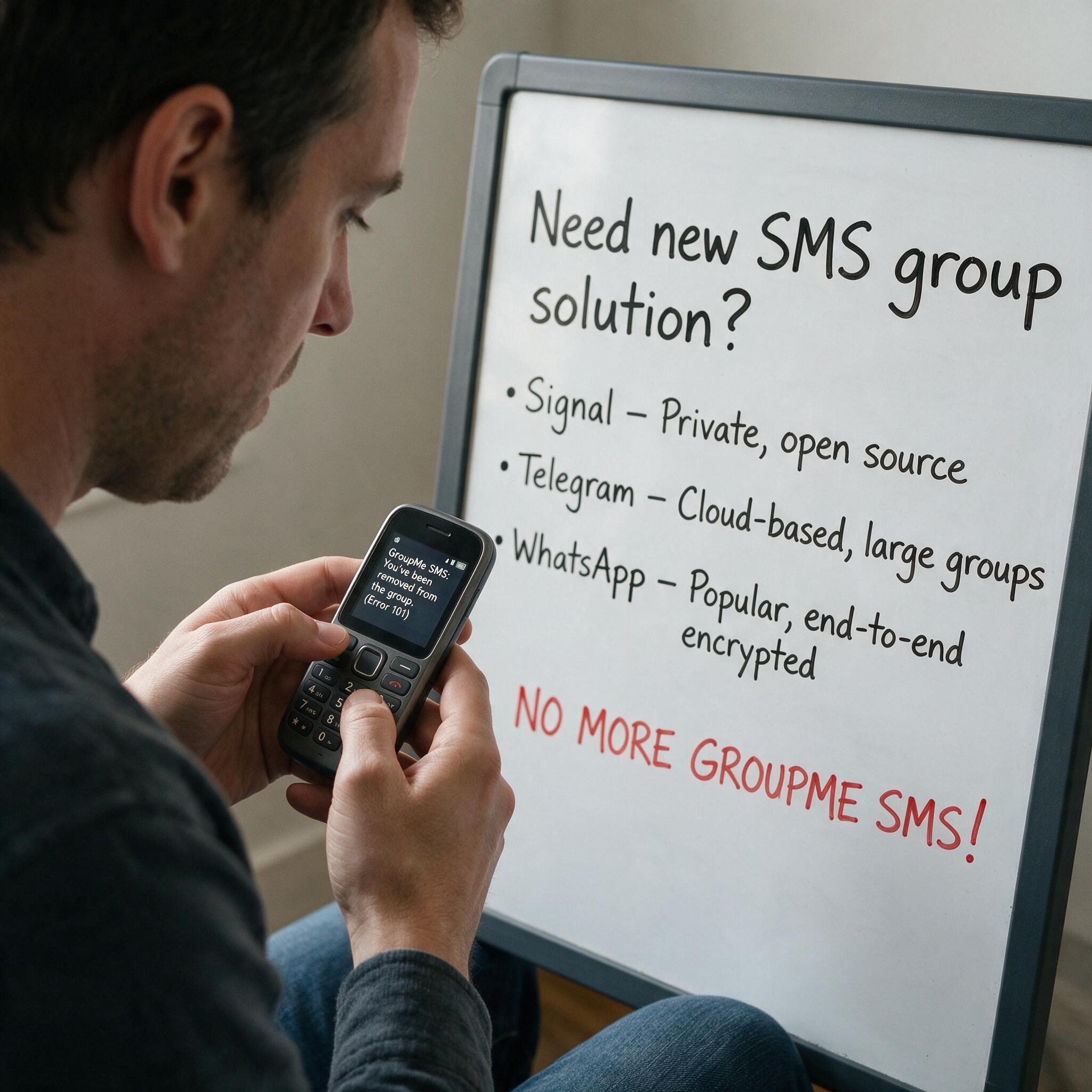
Got Kicked Out of GroupMe? Look to Evant.
Michael PedoeemGot Kicked Out of GroupMe? The Best GroupMe SMS Alternative for Jewish Communities