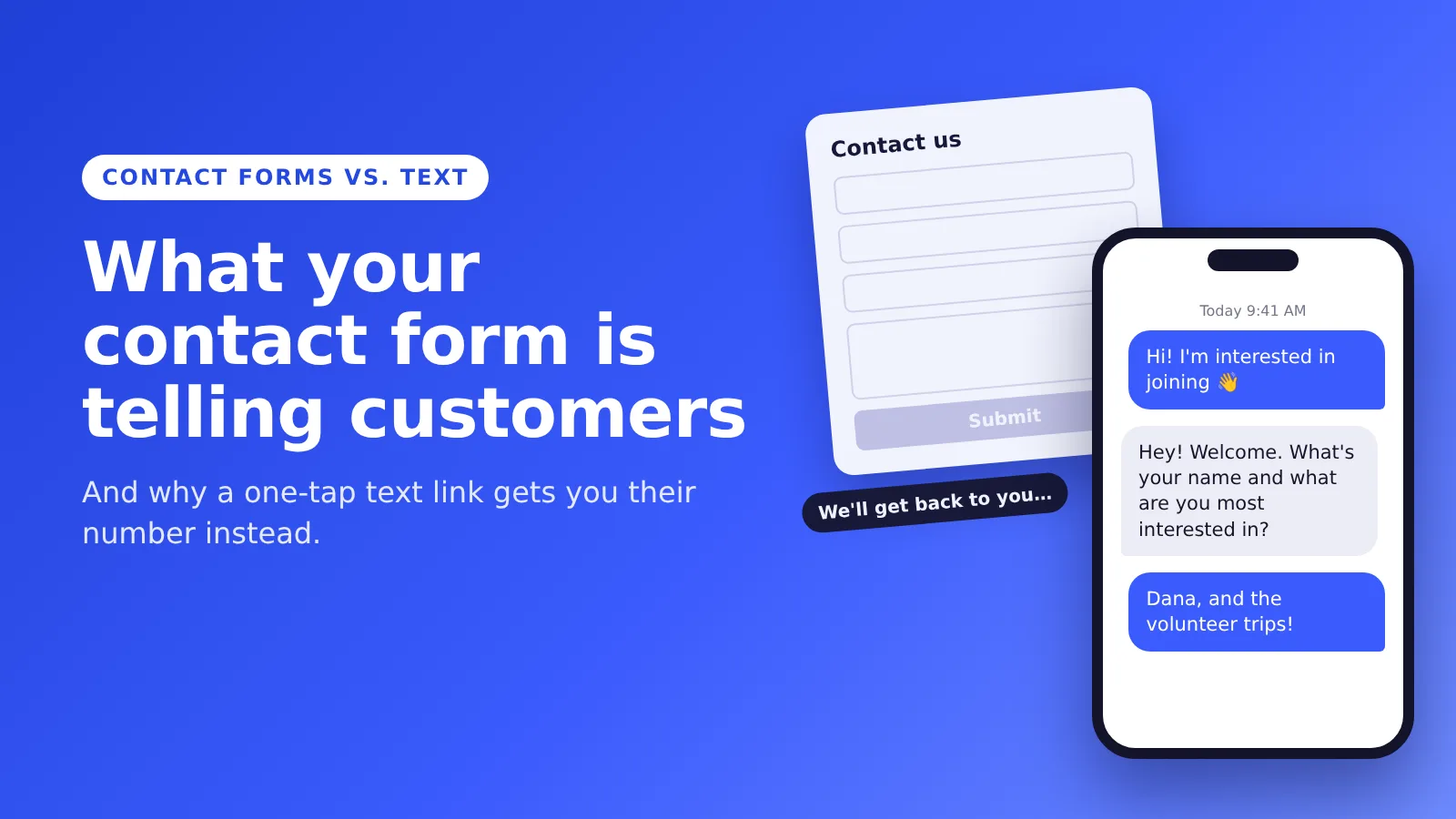
Your contact form is saying something to the people who land on it. Probably not what you think.
You see a way to hear from people. They see five boxes, a Submit button and no idea when anyone will answer. So a lot of them close the tab.
I build texting tools for churches, shuls, schools and nonprofits. The thing I hear over and over is simple: people don't answer email. They answer texts. So why do we ask them to fill out a form that turns into an email?
The short answer
- A contact form says "Give us your info, then wait." No reply time, no person, no conversation.
- A text link says "Text us." One tap opens their texting app with your number and a message ready to go. They hit send.
- You get their number the second they text you. That's a new contact, without a single form field.
You can make one free with our SMS Link Generator. It takes about ten seconds.
What your contact form is telling customers
"We'll get back to you. Eventually."
Most forms don't say when you'll hear back. So people assume it'll be a while. They're often right, because form submissions land in an inbox that someone checks when they get around to it.
"Do the work first."
Name. Email. Phone. Subject. Message. Then prove you're not a robot. That's a lot to ask from someone who had one quick question.
"This is a one-way street."
A form is a drop box. People can't tell if anyone read it. A text feels like the start of a conversation, because it is one.
"We picked the channel you check least."
Most forms end up as an email. If your people live in their texts, you're answering them in the one place they're least likely to look.
What a text link says instead
A text link, also called an SMS link or click-to-text link, says: "We're here. Text us."
When someone taps it on their phone, their texting app opens with your number already filled in. If you pre-fill a message, like "Hi! I'd like more info," all they do is hit send.
That's it. No fields to fill out. And the text sits right there in their own messages, next to their friends and family, so your reply shows up somewhere they'll actually see it.
Great for collecting contacts and quick questions
Every text comes with a phone number attached. So a text link does two jobs at once. It's the fastest way for people to reach you, and it's a way to collect contacts without a form.
- Potential customers can ask a question the moment they think of it, instead of opening a form and giving up halfway.
- Event guests can text "RSVP" from the invite.
- New members can text "Add me" from your website or bulletin.
When you reply, reply like a person. Answer the actual question. Use their name once you have it. A lot of advice says to automate everything. I think a personal text, sent when someone actually wants to hear from you, beats any automated sequence. The link starts the conversation. Your reply is what makes them glad they texted.
Student groups: let prospective students text you
If you run a student club, a campus ministry, a Hillel or an admissions team, this one's for you.
Put a text link in your Instagram bio, on your website and in your welcome emails. Pre-fill something like "Hi! I'm interested in joining." A prospective student taps it and texts you.
Now you have their number. Reply and ask for the two things you actually need: their name and what they're interested in. Save it, and you're building a list of interested students without a sign-up sheet that gets lost after the club fair.
One thing to get right. A student who texts you first is starting a conversation, not signing up for every announcement. Before you add them to group updates, ask if they want them and tell them how to stop. Our 10DLC Compliance Generator has opt-in wording you can copy.
Make sure the number actually works
This is the part people skip, and it's the one that hurts.
A text link is a promise: text us and we'll answer. If the text goes to a landline that can't get texts, or to a number nobody checks, you've broken that promise. The person did exactly what you asked, and nothing happened. That looks worse than having no link at all.
Before you share your link:
- Test it from your own phone. Tap the link, send the text, and make sure it lands.
- Use a number that can get texts. Most landlines can't unless they've been text-enabled. A cell or a business texting number works.
- Decide who answers. Pick one person or a shared inbox, and a time frame. Same day is a good rule.
The SMS Link Generator now has a short "Before you share it" checklist right under your link for exactly this.
Text link vs. QR code: use the link for anything on a screen
QR codes are great on paper. Flyers, posters, bulletins, a table at an event. People point their camera and they're in.
On a phone screen, a QR code doesn't help much. If someone is reading your website, your email or your Instagram on their phone, they can't point that same phone's camera at it. Some phones can read a code from a screenshot, but that's a lot of steps for "I have a quick question."
So here's the simple rule:
- On paper: use the QR code.
- On a phone screen: use the link. Your website, email signature, Instagram bio, newsletter or a text you send out.
- On a big screen people look at from across the room, like a slide or a TV in the lobby: use the QR code, since they're scanning with their own phone.
The generator gives you both, from the same number and message.
Can you put emoji in the pre-filled message?
Yes. A 👋 or a 🎓 makes the message feel friendly, and it shows up just like any other emoji.
One heads-up: an emoji switches a text to a different character set, so one text holds 70 characters instead of 160. Keep the pre-filled message short and you're fine. The generator now has emoji buttons and tells you whether your message still fits in one text. If you pasted text from Word and something looks off, run it through the Unicode Character Detector.
How to make your text link
- Open the free SMS Link Generator.
- Enter the number people should text. Make sure it can get texts.
- Add your name for the contact card and a short pre-filled message.
- Copy the shareable link for your website, emails and social bios. Download the QR code for anything printed.
- Tap "Test it on your phone" before you share it anywhere.
Should you get rid of your contact form?
Not necessarily. Some things belong in a form, like a job application or a long request with files attached. But for "I have a question" or "I'm interested," a text link is faster for them and for you.
Put the text link first. Keep the form as the backup.
And if you start getting a lot of texts, that's a good problem. Evant gives your organization one number and one inbox to answer them, plus texting your whole community when you need to. Plans start at $20/month. Start your free trial. No credit card.
FAQ
What is your contact form telling customers?
Usually that they'll have to fill out several fields and then wait an unknown amount of time for a reply, often by email. For a quick question, that's enough friction that many people don't bother.
Is a text link better than a contact form?
For quick questions and "I'm interested" messages, usually yes. One tap opens the person's texting app with your number filled in, and you get their phone number the moment they send. Keep a form for longer requests, like applications or anything with attachments.
What happens if my SMS link goes to a landline?
If the landline can't receive texts, the message won't reach you, and the person who texted you never hears back. Use a cell or a text-enabled business number, and test the link from your own phone before you share it.
Why use an SMS link instead of a QR code?
Someone reading your website or email on their phone can't scan a QR code on that same screen. Use the link for anything on a screen and the QR code for anything printed.
Can student groups use a text link to collect contact info?
Yes. Prospective students tap the link and text you, which gives you their number. Reply to ask their name and interests, and ask before adding them to group updates.
Related Blogs


Best Texting App for Church Youth Groups in 2026: GroupMe, Remind, Flocknote and Two Others Compared
Michael PedoeemGroupMe, Remind, Flocknote, SimpleTexting and Evant compared for youth groups: price, parent contacts, safe-environment rules and texts without an app.

Church & Community SMS Glossary: 53 Texting Terms in Plain English (2026)
Michael PedoeemA2P 10DLC, opt-in, segments, keywords, text-to-RSVP and 48 more texting terms for churches, shuls, schools and nonprofits, explained plainly.
How to Ask for Payment Through Text: 9 Texts and a 30-Day Reminder Schedule
Michael PedoeemA polite-to-firm reminder schedule, nine copy-ready payment texts, when to call or email, and what to do with invoices that stay unpaid.





Get the Evant app



