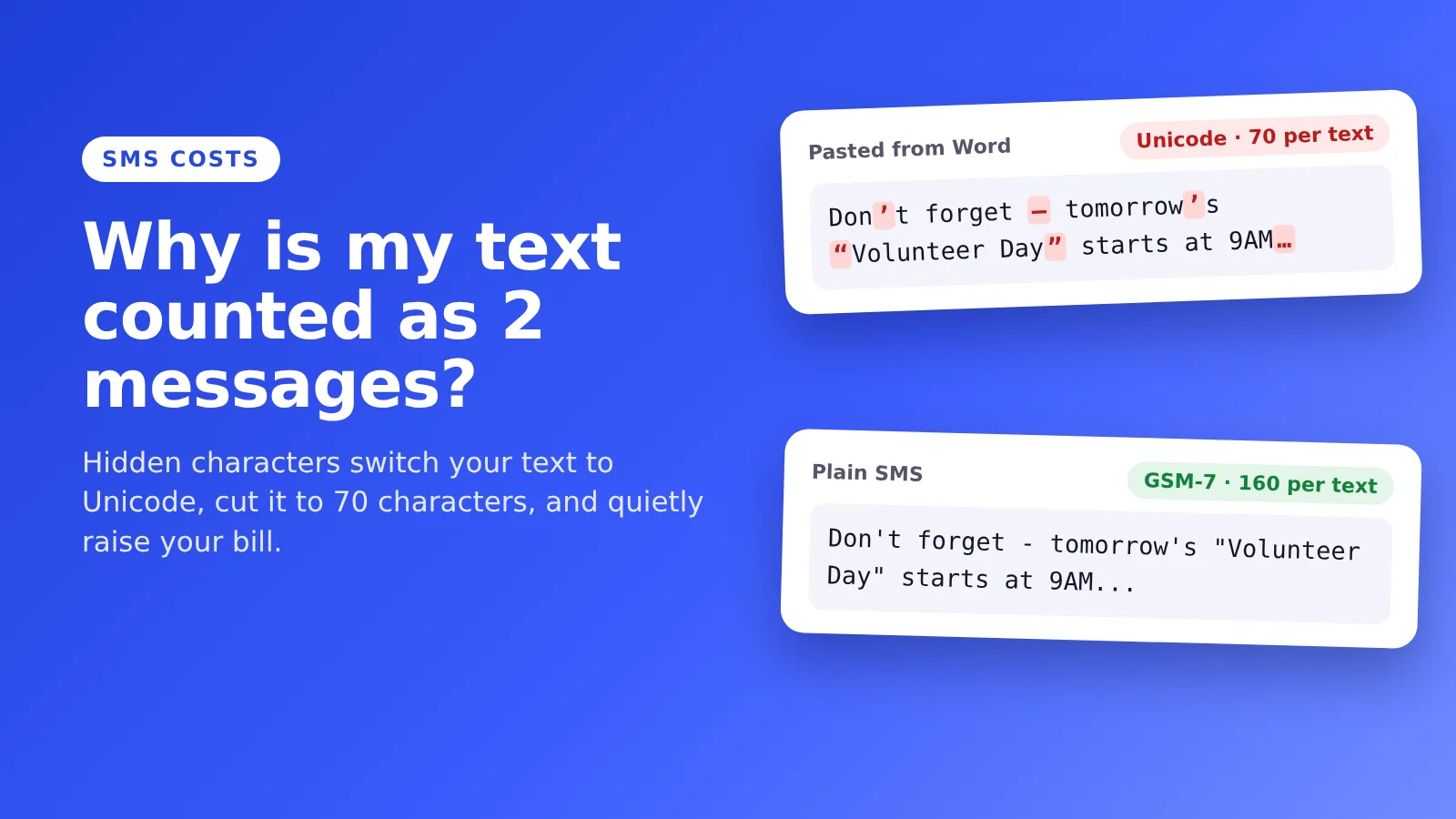
You write a short reminder. It looks like one text. Then your texting tool says it's two. Or you don't notice at all, and the bill at the end of the month is higher than it should be.
I hear this all the time from churches, shuls, schools and nonprofits. People are surprised when their message count comes out bigger than they expected, and later find out it's because of hidden characters. A curly apostrophe. A dash Word put in for them. A space they can't even see.
Here's what's going on, and how to fix it in a few seconds.
The short answer
- A plain text holds 160 characters. That's the standard SMS alphabet, called GSM-7.
- One character outside that alphabet changes the whole message to Unicode, and then a text only holds 70 characters.
- Long messages are split into parts of 153 plain or 67 Unicode characters, and most providers bill every part as a text.
- The usual culprits are curly quotes, long dashes, hidden spaces, some accented letters and emoji, usually from pasting text out of Word, Google Docs or an email.
Paste your message into our free SMS Transliteration Tool and it gives you a plain version, plus how many texts you just saved.
Why texting works this way
People ask me why SMS is like this. The honest answer: it's strange, and it's how the industry was set up. You just have to work with it.
Text messages were designed in the 1980s to ride along with the signals phones already sent. Each message gets 140 bytes. Friedhelm Hillebrand, who chaired the group that designed SMS, typed out sample sentences, counted the characters and decided 160 was plenty. To fit 160 characters into 140 bytes, the standard uses a small 7-bit alphabet with the basic English letters, numbers, common punctuation and some European accented letters.
Anything outside that alphabet needs Unicode, which uses 16 bits per character. Same 140 bytes, so only 70 characters fit. And it's all or nothing. One curly quote anywhere in the message, and the whole message switches.
Longer messages are sent in parts that your phone stitches back together. A bit of each part goes to the stitching, so each part holds 153 plain characters, or 67 in Unicode. Your provider counts parts, not messages.
Where hidden characters come from
Pasting from Word or Google Docs
Both automatically change straight quotes into curly ones (’ “ ”), two hyphens into a long dash (—), and three dots into a single ellipsis character (…). They look almost the same as the plain versions. Your text message doesn't think so.
Your phone's keyboard
Many phone keyboards do the same thing with quotes and apostrophes as you type. So even a message written on your phone can end up in Unicode.
Copying from a website or an email
Web pages and emails are full of invisible characters: non-breaking spaces, zero-width spaces and direction marks. You can't see them, but they count.
Names and words with accents
Some accents are in the SMS alphabet, like é, ñ and ü. Others aren't, like á, í, ó, ú and ã. So "José" is fine, but "María" switches the whole message.
Emoji
Every emoji is Unicode. One 🎉 and your 160-character text now holds 70.
What it does to your bill
Say you text 500 people four times a month, and your message is 120 characters long. In plain text, that's one text per person. With one curly apostrophe, it's two.
- Plain: 500 people × 4 sends × 1 text = 2,000 texts a month
- With the apostrophe: 500 × 4 × 2 = 4,000 texts a month
At a penny a text, that's $20 versus $40 a month for the exact same words. It adds up to $240 a year, and nobody on your team ever saw it happen. Twilio has written about a campaign that was billed three times more than expected because of special characters.
This is also why cheap texting can get expensive. If you're paying per text and your messages keep splitting, the low price per text doesn't mean much.
How to find and fix them
- Paste your message into the SMS Transliteration Tool. It swaps curly quotes, dashes, hidden spaces and accents for plain ones, and shows how many texts you saved and what it means for your monthly bill.
- Want to see exactly what was hiding? The Unicode Character Detector highlights every character and tells you what it is.
- Check the final count with the SMS Character Counter before you send.
- Write in your texting tool, not in Word. If you draft in a document, paste it through the tool first.
- Turn off smart punctuation in the app or keyboard you write in, if you can. Then quotes and dashes stay plain.
When it's worth paying for Unicode
Saving a penny isn't the goal. Reaching people is.
- If your community reads Hebrew, Arabic, Russian or Chinese, send it the way they read it. A text people understand is worth more than a cheaper one they don't. Just plan for 70 characters per text.
- If a name is spelled with an accent, spelling it right in a personal text matters more than one extra segment.
- If an emoji makes it feel personal, keep it, and keep the message short enough to fit in one Unicode text.
The point is to choose it on purpose, not to find out from the invoice.
The bottom line
SMS has rules that don't make much sense today, but they're not going anywhere. Check your message before it goes out, keep it plain when you can, and send personal texts at a time people actually want them. That's how you get read without surprise bills.
If you want one place to text your whole community, Evant gives you one number for texts and calls. Plans start at $20/month. Start your free trial. No credit card.
FAQ
Why is my text message split into multiple messages?
A single text holds 160 plain characters, or 70 if the message contains any character outside the standard SMS alphabet, like a curly quote, a long dash or an emoji. Longer messages are sent in parts of 153 plain or 67 Unicode characters, and each part usually counts as a text.
Why does my message say 2 texts when it's under 160 characters?
It probably contains a hidden or special character that switched it to Unicode, where one text only holds 70 characters. Paste it into a transliteration tool or a Unicode detector to find and fix it.
Do curly quotes really cost more?
They can. A curly apostrophe isn't in the standard SMS alphabet, so it switches the whole message to Unicode. If that pushes the message over 70 characters, it becomes two or more texts, and you pay for each.
Which accented letters are allowed in a standard text?
The SMS alphabet includes é è à ù ì ò ñ ü ö ä Ç and a few others. Letters like á, í, ó, ú and ã aren't included and switch the message to Unicode.
How do I stop my texts from being split?
Keep plain messages under 160 characters and avoid curly quotes, long dashes, hidden spaces and emoji. The easiest way is to paste your message into a free SMS transliteration tool, copy the plain version and check the count before you send.
Related Blogs

Text-to-Give for Synagogues: 4 Ways to Take Gifts by Text (2026)
Michael PedoeemText-to-give for synagogues: Donorbox, SecureGive, Txt2Give and Evant compared, plus Shabbat timing and a plan for kosher phones.
PastorsLine Alternatives for Small Churches: Stay for the Text In Church Move or Switch? (2026)
Michael PedoeemPastorsLine is moving into Text In Church. Here is when to stay, when to switch, and how Clearstream, Text-Em-All and Evant compare.
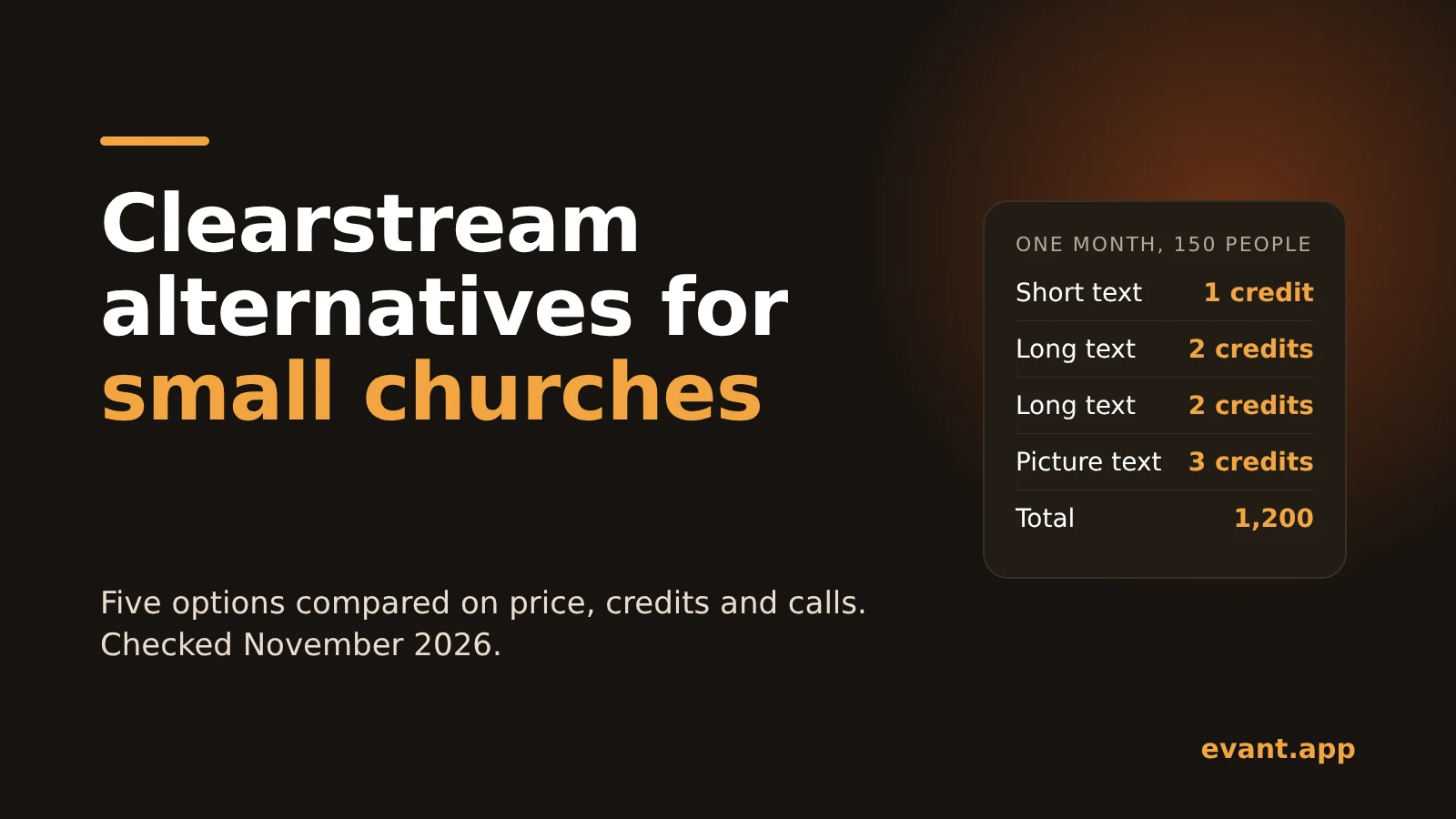
Clearstream Alternatives for Small Churches: 5 Options Compared on Price, Credits and Calls (2026)
Michael PedoeemFive Clearstream alternatives for small churches, compared on real monthly cost, credit rules, calls and who each one fits best.



Get the Evant app



