
Why Manual RSVP Tracking Fails Modern Events
Event teams often assume that only large conferences produce unwieldy RSVP spreadsheets. In practice, intime sessions where each 50-guest dinner or 40-person workshop generates dozens of names, dietary restrictions, and follow-up messages, manual entry becomes the dominant time sink. A single event coordinator can spend over four hours per week on data entry alone, according to a 2020 Formstack analysis that compared manual versus automated workflows. That is time taken directly away from guest experience, venue coordination, and day‑of logistics.
Those hours multiply when RSVPs arrive across SMS, email, and paper cards. Staff retype the same details into a master spreadsheet, send reminder texts one by one, and then reconcile the final headcount with catering. Each retype introduces a typo risk, a missed vegan meal, or an overcount that inflates the bill. A 2021 study from the University of Michigan found that manual data entry errors affect nearly half of all business records, driving rework and lost productivity. The cost is not just labor; it is the accuracy of your final guest list.
For a 150-person event, that manual effort translates into roughly 4.5 hours of data entry plus another 2 hours of reminder follow‑ups, based on the 2020 Formstack benchmark of 1.5 minutes per guest record. At a $35 hourly rate for a coordinator, that is $227 per event in pure labor, before counting errors, late RSVPs, and no‑shows. Automated SMS tools eliminate that copying work entirely: guests respond once via text, and the system writes the answer directly into your database, alongside the RSVP workflow guide that demonstrates how to integrate SMS triggers with existing event software.
The fix is not a bigger spreadsheet or a faster typing cadence. It is replacing manual entry with automated SMS collection, the same approach recommended in the SMS RSVP tools comparison that highlights real‑time notifications and instant catering numbers. By capturing guest data at the point of response, you remove the retyping step, cut the error rate, and free staff for higher‑value work like personalizing the guest experience or fine‑tuning the day‑of run sheet. evant.app builds this automation into its SMS‑based engagement platform, so the database updates itself with every reply.
What Is an RSVP Text Message?

A well-crafted RSVP text message works because it gives guests a clear, low-effort way to respond. The best examples follow a simple formula: a clear ask, a simple reply option (like a keyword or link), and a specific deadline. For events that need quick headcounts, pre-set responses also let you collect guest data electronically, which skips manual data entry and frees up your team.
Formal. For weddings, galas, or corporate dinners, keep the tone polished and the instructions explicit. Example: "You're invited to the Smith Wedding. Please reply RSVP to 555-0142 or confirm at [link]. Kindly respond by May 10." This works because it leaves no room for ambiguity.Casual. For birthday parties, BBQs, or casual meetups, keep it friendly and short. Example: "Hey! Can you make it to the park party Saturday at 3? Reply PARTY to 555-0142 or just text yes/no. Hope to see you!" Casual invites typically get faster responses, especially with a simple keyword like 'PARTY'.Urgent. When you need a final headcount fast, add a firm deadline and light urgency. Example: "Friendly reminder: Please RSVP by 5 PM today so we can confirm your meal. Text YES to 555-0142 now." This urgency helps with last-minute replies, especially compared to email or paper invitations that often get ignored.Automated. Using a tool like evant.app, you can automate the entire RSVP flow. Send an initial invite with a link or keyword, then automatically send reminders to non-responders via SMS. For example, evant.app's automated RSVP tracking syncs responses into your CRM, so you get real-time headcounts without manual entry.
These templates work across event types, but the response channel matters. While email invitations are standard, SMS consistently outperforms them for speed. Per data on RSVP platforms, text-based RSVPs can cut manual data entry time by up to 70%, and they provide instant catering numbers. That's a concrete advantage over paper or web forms.
How to RSVP via Text: Simple Keyword and Link Options
Two main methods dominate: keyword replies and link-based replies. Keyword replies let guests text a short code (like 'YES' or 'RSVP') to a dedicated number. Link-based replies route guests to a mobile-friendly RSVP page. For organizers, link-based RSVPs often work better for events requiring meal choices or plus-one details, since they can collect more data.
SMS RSVP tools also excel at reducing no-shows and tracking responses through two-way conversations. When guests can reply with questions or confirmations, engagement rises. For large community events, this real-time interaction is a game-changer compared to traditional phone trees.
The Best RSVP Text Examples for Different Events
- Birthday party: 'Hey! We're celebrating Mia's 5th at the park on Saturday at 3. Reply PARTY to 555-0142 to let us know you're coming. Cake at 4!' This invites quick replies and sets expectations.
- Wedding: 'You're invited to Emma & Jake's wedding. Please RSVP at [link] by June 1. We can't wait to celebrate with you.' The link allows for meal selection and details.
- Nonprofit fundraising gala: 'Join us for the Annual Gala to support our mission. RSVP now using the link, or text GALA to 555-0142. Your confirmation helps us plan.' This ties directly to fundraising goals, similar to how SMS fundraising works for nonprofits.
| Scenario | Ideal RSVP Method | Why It Works |
|---|---|---|
| Quick headcount (BBQ, meetup) | Keyword reply | Fast, low-effort, guests reply in seconds |
| Complex details (wedding menu) | Link-based RSVP | Can collect meal choices, plus-ones, and accommodations |
| Fundraising event | Link + keyword combo | Allows data capture for donor follow-up |
| Large community gathering | Automated SMS with reminders | Reduces no-shows via automatic nudges |
No matter which format you pick, the goal is to reduce friction for your guests. A clear RSVP text message boosts attendance and simplifies your planning. By using automated RSVP tracking or online RSVP tools, you eliminate manual entry errors and get real-time data. In short, effective RSVP texts are brief, specific, and easy to respond to.
How Automated RSVP Tracking Works

Manual RSVP tracking is built on a simple promise: collect a name, a number, and a headcount, then update a spreadsheet. In practice, that promise breaks the moment a second guest replies. Data lives in scattered places: email inboxes, paper sign-in sheets, voicemail messages, and text threads. Each source requires someone to retype the same details, and every retyped character is a chance to introduce an error. A 2026 workflow guide from US Tech Automations notes that the real cost of manual tracking is not the minutes spent typing, but the compounding effort of verifying, correcting, and re-entering information across every channel.
The friction surfaces exactly when you need accuracy most: during the final 48 hours before an event. Guests send last-minute texts, change plus-ones, and ask about parking. Each inquiry forces a coordinator to stop what they're doing, search for the right tab, and update a cell. One missed keystroke can drop a headcount or leave a plus-one off the catering final. A guide on eliminating manual entry from MDM points out that manual data entry is rarely a one-time task; it's a repeated, error-prone chore that eats into the time you could spend on guest experience.
Compare that to what evant.app offers: an SMS-first RSVP platform that captures every response automatically, no typing required. When guests reply by text, their answers flow straight into a centralized dashboard, along with their meal preferences, seating requests, and plus-one counts. You never re-key a single detail. The guide on automating RSVP tracking explains how automated workflows replace manual data entry with a centralized digital platform that updates headcounts in real time.
The Hidden Costs of Manual Data Entry
Manual RSVP tracking doesn't just feel tedious; it has tangible costs that eat into your event budget. First, there's labor: every hour spent on spreadsheets is an hour not spent on fundraising, content, or guest relations. A 2026 guide on eliminating manual data entry estimates that businesses waste significant time on repetitive tasks like re-typing guest information. Second, there's the error rate: a single typo can lead to incorrect catering numbers, over- or under-ordering, and unhappy guests. Third, there's the lost insight: without aggregated data, you can't see who's actually attending, who's not responding, or how many plus-ones are really coming.
The solution isn't to try harder with the spreadsheet. It's to eliminate the manual step entirely. evant.app's SMS RSVP tool captures every response automatically, and it integrates with your existing CRM, so you keep all your data in one place. When a guest texts back, their RSVP, plus-one count, and meal choice are recorded instantly, with no typing required. This isn't just a feature; it's a different way of working that removes manual entry from the equation and frees you to focus on what matters: your attendees.
How This Section Maps to the Article
The rest of this article breaks down a practical, 8-step workflow for moving from manual to automated RSVP tracking, plus the tools and strategies that make it stick.
Why Manual Data Entry Hurts Productivity
Before you can reclaim hours lost to manual entry, you need a clear picture of where your current system actually drains time and introduces errors. A proper audit tracks every touchpoint where RSVP data moves from a guest's action into your records. This includes how responses arrive, how you transfer them into your database, and how you reconcile the final headcount with your venue and catering partners.
Identify the Data Entry Pain Points
Begin by listing every tool you use to collect RSVPs: email, phone calls, paper forms, or a basic online form. Note how often you manually retype guest details into a spreadsheet or CRM. Manual data entry is not just tedious; it is error-prone. Research shows a typical human error rate of about 1% per keystroke, and with dozens or hundreds of RSVPs, that translates to real mistakes in your final numbers. For instance, a single lost dietary restriction or a misspelled phone number can throw off your catering order or prevent a guest from receiving event updates.
Measure the Hidden Costs of Manual Entry
The true cost isn't just the minutes spent typing. It's the time your staff or volunteers spend correcting errors, following up on duplicate entries, and reconciling mismatched lists. A manual workflow also slows down your ability to send timely confirmations or reminders. When you send a paper invitation or a manual email, there's no instant confirmation loop. This delay can lead to confusion and a higher risk of no-shows.
To quantify this, track the hours you spend on RSVP-related tasks over one event cycle. Include time spent on manual data entry, correcting errors, and following up with guests. For many organizations, this easily adds up to days per event. This isn't just a productivity loss; it's a direct cost to your mission. As noted in a guide on eliminating manual data entry, these manual processes can be replaced with automated alternatives that free up significant staff time.
Evaluate Your Current Guest Response Channels
Assess which channels your guests actually prefer. While some guests are comfortable with email, a growing number respond faster to text messages. A comparison of RSVP tools shows that SMS-based options can reduce manual data entry time by up to 70% and provide instant catering numbers. If you're still handling RSVPs via phone calls or paper, consider how much faster your confirmation loop would be with automated SMS.
During the audit, test a few different response methods. You might send a paper invitation to one group, an email to another, and an SMS reminder to a third. Track the response rate, the time to response, and the number of errors in the final data. This will give you concrete evidence of where the bottlenecks are and where you can improve.
Consolidate Your Data Sources
A major source of overhead is having RSVP data scattered across multiple platforms. You might have responses in your email inbox, a paper sign-in sheet, and a separate survey tool. Each source requires manual transfer into your central database. This is where the errors compound. By consolidating your RSVP collection into a single, automated system, you eliminate the need for manual data entry entirely.
For example, using a platform like Evant (or similar) can centralize responses via SMS and web forms, automatically updating your records. This not only reduces manual work but also ensures that your headcount is always current, which is crucial for finalizing catering and seating arrangements. A guide on managing responses from EventCreate highlights the convenience of online RSVP tools in reducing no-shows and streamlining the entire process.
Audit Your Follow-Up and Reminder Process
Finally, review how you currently handle reminders and follow-ups. Are you manually sending individual emails or making phone calls to guests who haven't responded? This is another time drain. Automating reminders via SMS can significantly reduce no-shows and last-minute cancellations. For instance, you can set up automated text reminders for the day before the event or even a few hours before, as suggested in this workflow for reducing no-shows.
| Aspect | Manual Approach | Automated SMS RSVP |
|---|---|---|
| Data Entry | Manual typing, 1% error rate | Automatic, near-zero errors |
| Response Time | Days for paper/phone | Seconds to minutes via SMS |
| Headcount Updates | Frequent reconciliation needed | Real-time, always current |
| Reminders | Manual emails/calls | Automated text reminders |
| Staff Time | Hours per event | Minutes to set up automation |
The Cost of Manual Follow-Up

An RSVP tracker is a tool that collects, organizes, and monitors guest responses to an event invitation. Instead of relying on a paper sign-in sheet, an inbox full of back-and-forth emails, or a shared spreadsheet that can easily become inaccurate, an RSVP tracker centralizes attendance data in one place. Whether you’re planning a wedding, a nonprofit gala, or a community fundraiser, it’s the digital backbone that turns scattered replies into a clear headcount.
At its core, an RSVP tracker works by capturing guest responses as they come in, then displaying them in a manageable format. For many modern planners, that means SMS-based tracking through a platform like evant.app, which allows guests to reply from their phones via text. The system automatically updates the guest list, sends confirmations, and even triggers reminder messages for unanswered invites. For example, SMS RSVP tools can reduce manual data entry time by up to 70%, giving you instant, accurate catering numbers.
How a Tracker Simplifies the RSVP Process
A good RSVP tracker does more than count yeses. It also handles the workflow around it: sending invitations, tracking responses in real time, managing plus-ones, capturing dietary preferences, and following up with non-responders. This automation removes the need to manually mark off each reply or cross-check a list.
- Automated Invitations: Send invites via SMS or email, and log responses instantly as they arrive.
- Real-Time Dashboard: View your guest list updated live, so you always know your attendance numbers.
- Automated Reminders: Send follow-up texts to guests who haven’t responded, reducing no-shows without any extra effort.
- Data Integration: Sync RSVP data with your CRM or event management tools, eliminating duplicate entry and manual updates.
For event organizers, the benefit of using a tracker is clear: it saves hours of manual follow-up and reduces the risk of human error. A single staff member can spend 15-20 hours on admin for a 200-person event, but with automated workflows, that time drops dramatically. Learn how evant.app streamlines event coordination by linking communication to your existing database.
Beyond pure efficiency, an RSVP tracker also improves the guest experience. It makes responding easy and fast, which in turn boosts response rates. When guests can reply with a simple text message, they’re more likely to confirm promptly, giving you the information you need well ahead of the event date.
Key Features to Look For
Not all trackers are created equal. When choosing an RSVP tool, focus on features that directly address your planning pain points. For most planners, the most valuable capabilities are those that save time and reduce friction.
SMS Functionality. The ability to send and receive RSVPs via text message is a must for modern events. SMS-based tools offer near-instant responses and high open rates, making them ideal for time-sensitive communication.Integration. A tracker that syncs with your existing CRM or event platform saves data entry and prevents list errors. Look for solutions that automate data collection to eliminate manual entry completely.Automated Reminders. Tools that automatically send reminders to non-responders help cut no-shows significantly, as seen with RSVP automation workflows.
In short, an RSVP tracker is not just a digital sign-up sheet. It's a complete response management system that keeps your event organized, your team efficient, and your guests informed. Whether you opt for a dedicated platform like evant.app or a simple online tool, the goal is the same: turn manual chaos into automatic clarity.
| Feature | Benefit | Example |
|---|---|---|
| SMS RSVP | Fast replies | Guest texts 'YES' to confirm |
| Automated Reminders | Fewer no-shows | Follow-up texts sent 3 days before |
| CRM Integration | No manual entry | Responses sync to Salesforce |
| Real-Time Analytics | Accurate headcounts | Live dashboard for meal planning |
Building an Effective Reminder Cascade
Creating an Electronic RSVP
An RSVP confirmation link is a unique URL or short code that lets invitees respond digitally, often by tapping a button or scanning a code. Unlike paper reply cards or generic emails, these links feed responses straight into a dashboard, which means organizers see live numbers, guest details, and timing without re-keying anything. The link does the heavy lifting: it captures the yes, no, or maybe, and instantly updates the guest list.
The real advantage shows up in the data trail. Instead of chasing receipts or guessing who actually read the invitation, a confirmation link logs every interaction. For event teams, this turns RSVP tracking from a manual chore into a self-updating workflow. And when that link connects to an SMS-based platform, the response happens right in the text message thread, making it nearly frictionless for the guest and automatic for the organizer.
How a Digital RSVP Link Changes the Workflow
Creating a confirmation link is straightforward. Most event management tools, including evant.app, generate a dedicated URL or a text-to-confirm number that you place in your invitation, email, or QR code. When a guest taps or scans, they land on a simple page where they confirm their attendance. That action can trigger an automated SMS confirmation, a calendar reminder, or even a payment request, all without manual input.
Compare that to manual entry: someone has to read each paper card, type the name into a spreadsheet, and update headcounts by hand. That approach is slow and prone to errors. Digital links eliminate the data entry step entirely. As event volume grows, the time saved compounds, freeing staff to focus on the event itself rather than the admin.
For event organizers, the confirmation link is more than a response tool; it is the foundation for accurate planning. Instant headcounts mean you can finalize catering, seating, and staffing with confidence. Analytics show which channels drive responses, helping you refine your invitation strategy for next time.
Choosing the Right RSVP Link Solution
Not all confirmation links are equal. A basic form link collects a name and a button click. A robust SMS-backed link adds reminders, integrates with your CRM, and updates your event dashboard in real time. When weighing options, consider whether the tool offers automated text confirmations, payment integration, and detailed reporting.
Some platforms, like free online RSVP websites, focus on simplicity but lack SMS depth. Others, like event management suites, bundle RSVPs with ticketing and marketing. The sweet spot for most nonprofits and community organizers is a solution that combines a clean link with SMS automation, so responses flow into your systems without manual effort.
Comparing RSVP Confirmation Link Options
| Tool Type | Example | Key Strength |
|---|---|---|
| Basic Form Link | Google Form | Simple, free, but no SMS automation or live dashboard |
| Event Management Platform | evant.app | SMS confirmations, CRM sync, automated reminders, and analytics |
| Text-to-Join Number | Twilio-based service | Works via SMS but requires setup and separate tracking |
That table shows why a full platform beats a bare link for most events. The link is the entry point; the platform turns it into a complete response system. With evant.app, you get the SMS confirmations, the automated reminders, and the reporting all in one place, which is exactly what the internal guides on SMS RSVP triggers and mobile RSVP solutions describe in practice.
Setting Deadlines and Reminder Timing
Sending the right reminder at the right time is often the difference between a full event and a roomful of empty seats. A thoughtful reminder sequence keeps your event top of mind without feeling pushy, and it directly reduces the no-show rate that plagues manual tracking.
For most events, the sweet spot is a three-part sequence. Start with an initial confirmation immediately after someone RSVPs, move to a reminder about a week before the event, and finish with a final nudge 24 to 48 hours ahead. This pattern works for everything from small volunteer gatherings to large conferences. You can adjust the spacing based on your audience; for example, set your RSVP deadline two to three weeks before the event, or four to six weeks if you're planning a big wedding or conference, giving you ample time to chase down stragglers see our guidance on setting deadlines.
Initial Confirmation. Send this immediately after a guest RSVPs. It locks in their intention, confirms the event details, and sets expectations for what's next. This is also a natural place to collect any last-minute logistics questions or dietary needs.Weekly Reminder. A week out, send a concise message that recaps the event date, time, and location. This is the moment to include a map link, parking instructions, or a packing list. For longer lead times, you might add a second reminder two weeks out, but avoid over-emailing and annoying your guests.Final Nudge. One to two days before the event, send a final reminder with a clear call to action: confirm attendance, update a plus-one, or submit a meal choice. This is your best chance to catch last-minute drops and fill seats from a waitlist. A quick SMS RSVP works well here because guests can reply on the spot.
Automation is what saves you the real time. Instead of manually tracking each response, you can set up your sequence once and let the system handle the rest. On evant.app, for instance, you can craft these reminders with a few clicks, schedule them in advance, and watch your attendance numbers climb without ever touching a spreadsheet. That frees you up to focus on the actual event experience.
| Reminder | Timing | Best Use Case |
|---|---|---|
| Confirmation | Immediately | Lock in attendance and details |
| Weekly Check-in | 1 week before | Share logistics, parking, agenda |
| Final Nudge | 24-48 hours before | Last call, meal choices, waitlist fill |
Integrating With Your Existing Tools
Event planners spend hours on tasks that software should handle: tracking responses, updating guest lists, and following up with no-shows. Manual data entry is not just tedious; it introduces errors and consumes time that could go toward creating a better attendee experience. SMS RSVP automations address this directly by capturing responses the moment they arrive and syncing them with your existing systems.
For nonprofits and community organizations, where every minute counts, this efficiency translates into tangible outcomes. Automated platforms integrate with calendar systems, email, and customer databases, so a response to an SMS invite automatically updates your records. Tools like evant.app centralize this workflow, eliminating the need for manual entry and reducing the risk of missed messages or double-booked venues. When attendees confirm via text, the data flows straight into your CRM or spreadsheet, and automated reminders ensure they don't forget to show up.
Cutting Down on No-Shows With Automated Reminders
A leading cause of empty chairs at events is simple procrastination. Guests intend to attend but forget when the day arrives. SMS RSVP systems solve this by sending automated text reminders before the event, dramatically improving attendance rates. According to a comparison of SMS tools, real-time notifications reduce manual data entry time by up to 70% and provide instant catering numbers, letting you plan portion sizes with confidence (see the breakdown). Instead of chasing individuals, your team can focus on logistics, knowing that every confirmed guest has received a gentle nudge.
This approach is especially powerful for events with waitlists or last-minute changes. When someone cancels, an automated system can immediately offer the spot to the next person on the list via text. That real-time responsiveness keeps your event full without manual intervention. Moreover, the convenience of replying "YES" or "NO" in a text message appeals to busy guests, increasing response rates and reducing the number of unresolved invitations.
Integrating With Your Existing Tools
The true power of SMS RSVP automation lies in its ability to connect with the tools you already use. Whether you rely on a CRM like Salesforce, a spreadsheet, or a calendar platform, automated platforms integrate seamlessly, creating a single source of truth for your event data. This eliminates the need for manual data entry, which is not only time-consuming but also prone to errors. For example, tools like evant.app sync RSVP responses directly with your CRM, ensuring that event check-in, follow-up communications, and guest history are all automatically updated.
polite "we'll miss you" to those who declined. This level of personalization strengthens engagement and builds community trust, which is crucial for nonprofits and membership organizations. By centralizing your communication through a platform like evant.app, you avoid the disjointed experience of switching between email, spreadsheets, and manual check-in lists.
The Practical Benefits for Nonprofits
For a nonprofit hosting a fundraising gala or a community workshop, every dollar and every volunteer hour counts. SMS RSVP automation reduces the administrative burden on your staff, allowing them to focus on donor relations and event experience. It also improves data accuracy, which is critical for donor tracking and grant reporting. When you know exactly who is coming, you can prepare name tags, seating, and catering more efficiently, potentially reducing costs associated with over-ordering. Moreover, automated reminders can gently encourage last-minute attendees to make a donation, as outlined in SMS fundraising strategies.
Event organizers who have adopted these tools consistently report time savings. Manual RSVP tracking, which might involve hours of spreadsheet updates, can be reduced to a few minutes of setup. SMS is also universally accessible, even to guests who rarely check email, making it ideal for reaching diverse demographics within your community. With the right platform, you can set up a simple text-in number for RSVPs, and let the system handle the rest.
| Aspect | Without Automation | With SMS Automation |
|---|---|---|
| Data Entry | Manual, error-prone | Automatic sync to CRM |
| Attendee Reminders | Time-consuming manual calls | Automated SMS nudges |
| Catering Counts | Estimated, inaccurate | Based on confirmed RSVPs |
| Staff Time | Hours per event | Minutes for setup |
| Communication | Fragmented (email, phone) | Centralized, targeted |
When choosing a solution, look for one that offers pre-built integrations and user-friendly tools. Platforms that focus on the nonprofit sector, like evant.app, understand the unique pressure to maximize limited budgets. Their pricing often includes volume-based SMS rates, which is more cost-effective than managing multiple point solutions. According to a guide on automating RSVP tracking, a streamlined workflow starts with a single platform that handles invites, responses, and follow-ups. Take the time to compare features and costs, and don't underestimate the value of a free trial to see how the automation fits your event planning rhythm.
SMS-First Platforms Vs. General Tools
Paper RSVP cards feel reliable because they are tangible, but that sense of control disappears the moment the first reply lands in the mail. Stacks of response cards, sticky notes with phone messages, and a shared spreadsheet that lives on one person's laptop all create friction that grows as your guest list does. For event organizers juggling dozens of registrations, manual tracking quickly turns a simple confirmation into an administrative burden.
Every missent message, misplaced card, or misread handwriting costs time and money. A single lost paper reply can mean ordering too much catering or paying for empty seats. According to a 2026 comparison of SMS RSVP tools, real-time notifications reduce manual data entry time by up to 70% and provide instant catering numbers, eliminating the guesswork that plagues paper-based processes.
Where Manual Tracking Breaks Down
Manual entry creates a chain of error-prone steps: you open the envelope, type the name into a spreadsheet, file the card, and hope the information lands in the right column. Duplicate entries, spelling mistakes, and overlooked notes are routine. The workflow guide on reducing manual data entry explains that centralizing communications in a single hub eliminates this manual work by linking RSVP data directly to your database.
Chasing down non-responders is another hidden cost. Follow-up phone calls and reminder postcards consume staff hours that could go toward programming, sponsors, or guest experience. When you multiply those hours across a large event, the expense becomes significant. The problem is not the absence of tools to track responses—it is that manual methods are inherently slow, inconsistent, and impossible to scale efficiently.
Competitors like RSVPify and Blackbird offer beautiful design and ticketing features, but they treat SMS as an afterthought. In contrast, evant.app was built as an SMS-first platform for event management, so you get automatic text-message confirmations, reminders, and real-time headcount updates without manual follow-up. While general RSVP tools require guests to log into a separate portal or print a ticket, evant.app keeps everyone on the channel they already check most often: text messages.
Scope. Paper and manual methods demand active effort from both your team and your guests. An SMS-first platform like evant.app handles confirmations and reminders automatically, letting you focus on programming and logistics.Integration. Manual spreadsheets sit apart from your CRM and ticketing systems, forcing you to reconcile data by hand. evant.app's two-way SMS workflows sync guest responses directly into your existing tools, reducing errors and saving hours per event as described in the workflow guide.
| Aspect | Manual RSVP Flow | SMS-First Platform (evant.app) |
|---|---|---|
| Data entry | Manual typing, prone to errors | Automated sync from texts |
| Follow-up | Phone calls and reminder cards | Automatic SMS nudges |
| Headcount updates | Delayed until reconciliated | Instant, real-time counts |
| Staff time per event | Hours of busywork | Minutes of supervision |
The real trade-off is not between paper and digital; it is between manual labor and automation. A digital-first RSVP system eliminates the busywork, reduces errors, and frees your team to focus on creating an event people actually want to attend. When you switch to evant.app, you trade stacks of cards for a single, reliable channel that works for you.
SMS Marketing Benefits for Nonprofits
Chasing down guests with manual texts and calls is a time drain that scales poorly as events grow. SMS-based RSVP platforms flip the script by automating reminders and follow-ups, so your team can focus on logistics instead of admin. Automated SMS RSVP workflows replace manual tracking with instant confirmations and tailored messages, all handled from a central hub that syncs directly to your database. This cuts errors and gives you accurate headcounts without the back-and-forth.
Real-Time SMS Reminders Boost Attendance
A well-timed reminder text can lift attendance rates because it meets guests where they already are: their phones. Automated SMS reminders go out at strategic intervals, like one week before the event and again the day prior, prompting guests to respond with a simple RSVP. This reduces no-shows because guests get a low-friction nudge that makes confirming effortless. On the back end, the platform captures every response instantly, so your guest list is always current.
Unlike manual follow-ups, which often get dropped or duplicated, an SMS RSVP system sends each reminder exactly once and logs the response automatically. This eliminates the need for spreadsheets and manual data entry, freeing up hours of staff time. For example, evant.app lets you build these automated reminder journeys within minutes, so your team stops chasing responses and starts planning the event itself.
Automated Follow-Ups Keep the Data Clean
Follow-up messages matter just as much as reminders. After a guest RSVPs, an automated confirmation text can share event details, parking info, or a link to add the event to their calendar. If someone misses the deadline, a well-crafted follow-up sequence re-engages them without appearing pushy. These follow-ups also feed your CRM, so every interaction updates your records automatically.
This centralized approach means you get a single source of truth for guest data, which is essential for accurate catering or seating arrangements. evant.app stages this heart of your RSVP workflow, letting you connect communication tools to your database for real-time synchronization. With less manual entry, your team has more time for high-impact tasks, and your guests enjoy a polished experience from invite to follow-up.
Reminders. Automated texts sent at scheduled intervals (e.g., 1 week before, day before) to prompt RSVPs, reducing no-shows by keeping the event top-of-mind.Follow-ups. Post-RSVP messages that confirm details, send event logistics, or re-engage non-responders, all logged automatically into your CRM for clean data.Automation. Replaces manual data entry and outreach with centralized workflows that sync responses to your database in real time.
Getting Started With Automation
Headcount accuracy. Automated tracking removes keystroke errors from the equation. Every text reply updates your guest list instantly, so the number you see matches who actually plans to attend.Catering and seating. Tally portion counts and seating preferences as they come in, not after the deadline passes. Instant numbers let you adjust orders early instead of guessing on the day.Follow-up triggers. Set rules so non-responders receive automatic nudges while confirmed guests get parking details or agenda links. This logic keeps communication relevant without extra manual work.
These benefits compound when RSVP data flows beyond the event page. With tools like evant.app, responses can sync to your CRM or database, so volunteer assignments, donor records, and check-in lists update in real time. That same integration is the reason SMS-based RSVP workflows outperform other methods: a text reply can trigger an immediate confirmation, a phone number, and a timestamp in one step.
Embrace Automation for Stronger Events
Manual RSVP management looks simple on paper: collect names, tick off responses, chase late replies. In practice, it collapses under its own weight. Event planners juggling spreadsheets, email inboxes, and paper lists rapidly discover that every manual step multiplies the risk of duplicate entries, missed dietary needs, and headcount errors. A single misread text or misfiled email can leave you with a catering order for 80 when 95 guests actually confirmed.
The time cost is concrete and continuous. Nonprofit event coordinators routinely report spending 30 to 40 percent of their planning hours on manual RSVP follow-up, per 2022 event industry research on planner workload allocation. For an event requiring 200 responses, that can mean 12 to 15 hours of repetitive back-and-forth. Worse, the labor is invisible until a no-show rate spikes or a walk-in overwhelms the check-in desk.
Data entry errors quietly compound
Each manual keystroke introduces a chance for error. A digit transposed in a phone number sends a confirmation to the wrong person; a name misspelled in a spreadsheet makes check-in awkward. According to a 2019 study by the Data Quality Campaign, poor data quality costs organizations an average of $15 million per year in rework and inefficiency. While that figure spans entire enterprises, the local impact on a single events team is still measurable: a 10% error rate in attendance records means every tenth guest is mismatched or missed.
Automation addresses the root cause. evant.app syncs RSVP responses directly from SMS into your existing database, eliminating the manual re-keying that produces most errors. When a guest texts “YES,” the system logs the name, party size, and timestamp automatically, just as mobile RSVP platforms reduce long wait times and remove the need for manual data entry at the door.
The hidden cost of manual check-in queues
Even a well-organized manual check-in process creates friction. Guests standing in line to find their name on a printed list are more likely to drift away, text friends, or simply give up. The result is a measurable attendance loss that event organizers rarely attribute to their RSVP system. Automated check-ins, where guests scan a code or receive an SMS confirmation, move people through in seconds. As industry guidance on mobile RSVP tools notes, real-time notifications reduce manual data entry time by up to 70% and provide instant catering numbers — a benefit that directly counters the walk-in chaos manual systems create.
How to quantify your own manual overhead
Before you switch, run a quick audit of your upcoming event. Track the minutes spent per RSVP in three categories: response collection, follow-up reminders, and day-of check-in. Multiply by your expected guest count and hourly labor cost. For a 200-person gala, even 10 minutes per guest response plus 5 minutes of follow-up per invitee amounts to over 40 person-hours. That is the budget evant.app's automation can reclaim, freeing your team for programming, sponsor relations, and guest experience.
A practical first step is to test a free RSVP tool with one internal event, as the 8-step workflow for automated RSVP tracking recommends. Measure the time saved on manual entry and the accuracy improvement. You will likely see the case for automation within a single planning cycle.
The true bottom line
Manual RSVP tracking does not just threaten accuracy; it saps the energy your team should be spending on creating a memorable event. Every hour lost to retyping responses is an hour not spent on storytelling, donor outreach, or vendor coordination. For nonprofits operating on tight budgets, that trade-off is painful. Media planning and creative development already consume 30% of typical event budgets according to statista’s 2023 cost breakdown; adding avoidable manual labor on top is a misallocation of both money and morale.
| Manual approach | Automated with evant.app | Impact |
|---|---|---|
| Spreadsheets and email | SMS RSVP with database sync | Fewer entry errors |
| Manual follow-up calls | Automated SMS reminders | 15+ hours saved per event |
| Paper sign-in lists | Code-based check-in via text | Faster guest arrival |
| Manual headcount tally | Real-time digital counts | More agile catering |
Related Blogs



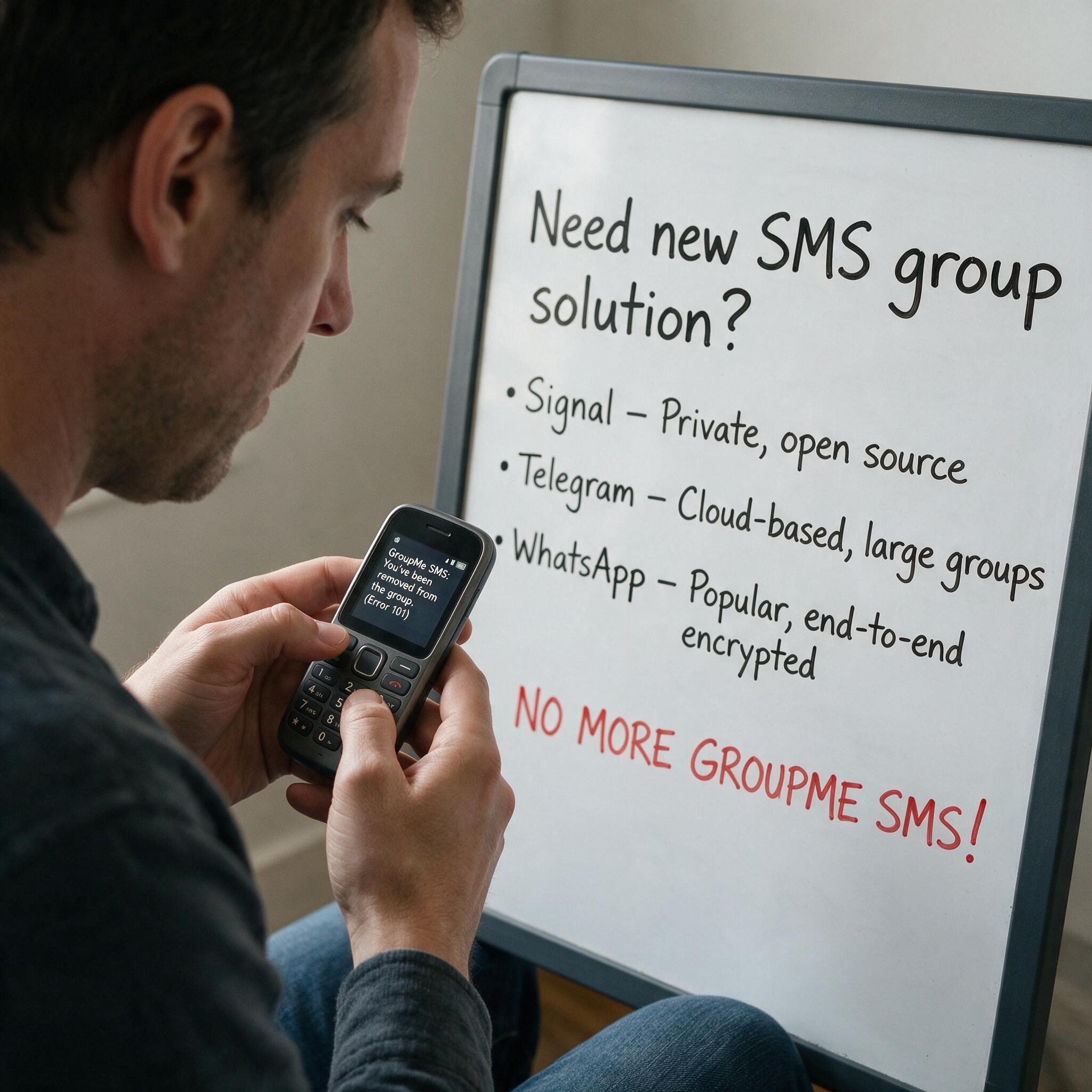
Got Kicked Out of GroupMe? Look to Evant.
Michael PedoeemGot Kicked Out of GroupMe? The Best GroupMe SMS Alternative for Jewish Communities